EasyManua.ls Logo

Sena 30K-01 - Getting Started; Button Functions

Sena 30K-01
93 pages
Print Icon
To Next Page IconTo Next Page
To Previous Page IconTo Previous Page
Loading...
Button
Functions
Powering On
and Off
Charging
Checking the
Battery Level
Volume
Adjustment
Downloadable
Sena Software
Configuration
Menu
30K Motorcycle Bluetooth Communication System | 20
3. GettinG Started
MENU
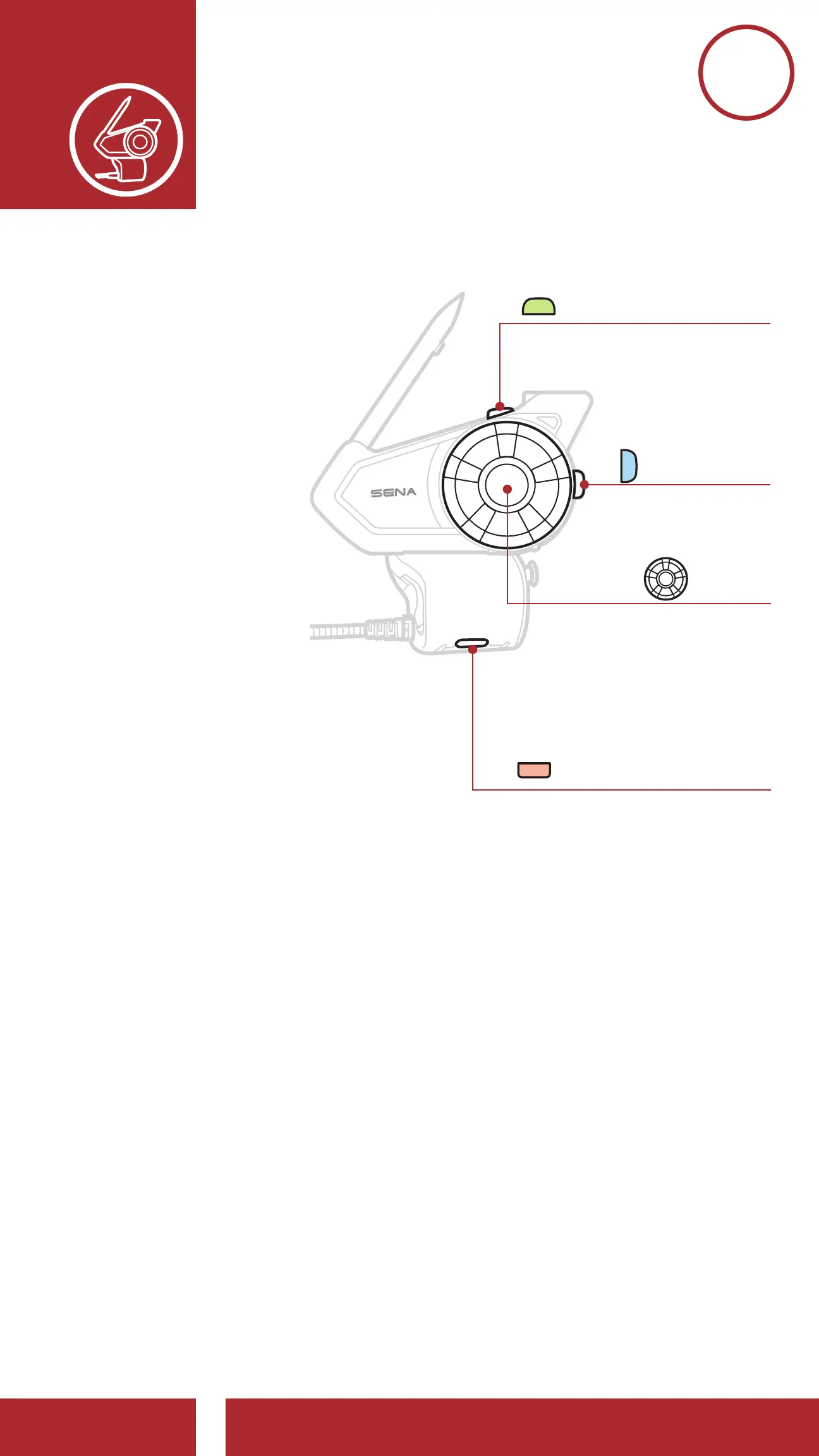
3.1 Button Functions
M
Ambient Mode Button
A
P
Mesh Intercom Button
Phone Button
Jog Dial
Mesh Intercom On/Off
Create Mesh Intercom
Join Existing Mesh
Accept Participant
Reject Participant
Answer/End Phone Call
FM Tuner On/Off
Speed Dial
Ambient Mode
Group Intercom
Voice Command
Increase/Decrease Volume
Play/Pause Music
Track Forward/Back
Scan Radio Stations
Enter Intercom Pairing Mode
Enter Voice Confi guration Settings
3. GETTING STArTED

Table of Contents

Related product manuals