22
DWO 1-Lite
9 TROUBLESHOOTING
9.1 Fault Reset
When the headset is not working properly, you can
easily reset the unit:
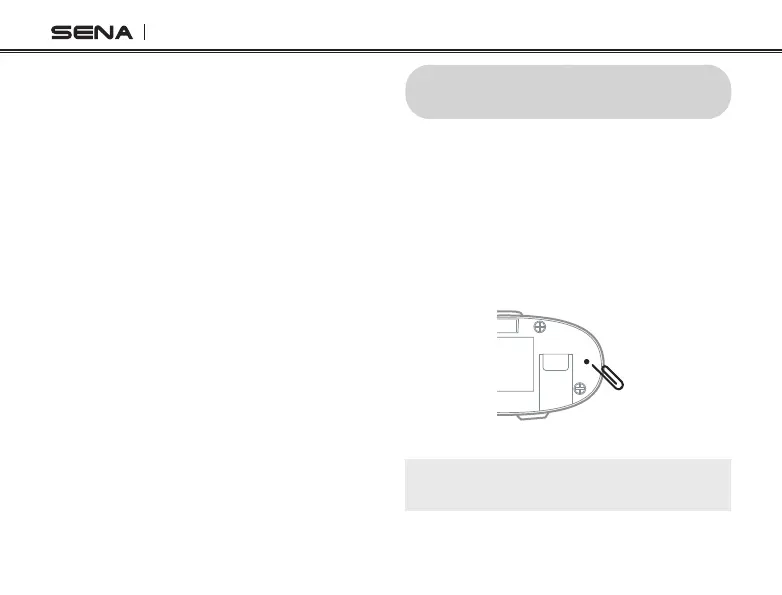
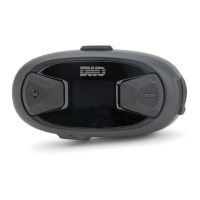
1. Locate the Pinhole Fault Reset Button
below on the back of the main unit.
2. Gently insert a paperclip into the hole and
tap the Pinhole Fault Reset Button with
light pressure.
3. The headset will shut down.
Note:
Fault Reset
will not restore the headset to
factory default settings.
8.2.2 Voice Prompt (Default: Enable)
You can disable voice prompts by conguration
setting, but the following voice prompts are always
on.
• Voice prompts for conguration setting menu
• Voice prompts for factory reset
• Voice prompts for speed dial
8.2.3 Delete All Pairings
Delete all Bluetooth pairing information.
8.3 Firmware Upgrades
The headset supports rmware upgrades. You can
update the rmware using the Cycle Gear
Bluetooth Device Manager. Please visit the
website at http://oem.sena.com/cyclegear to
check the latest software downloads.


 To Next Page