7
DWO 1-Lite
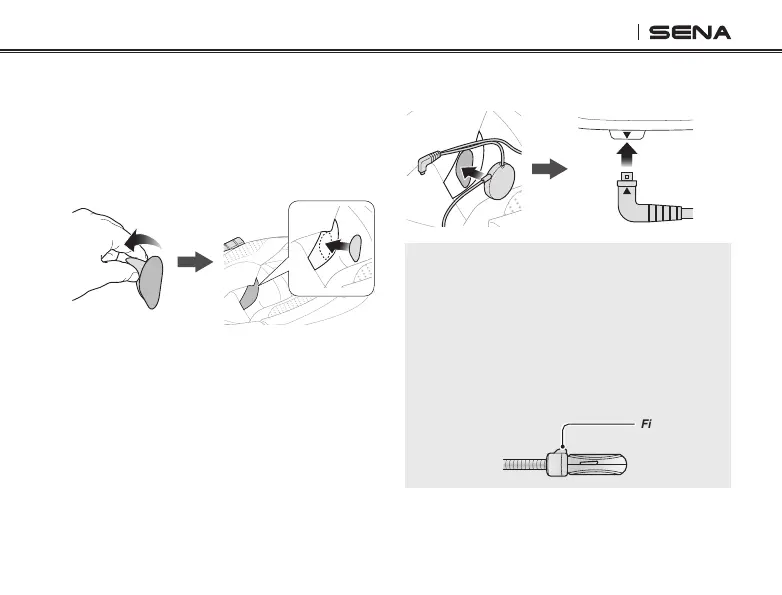
4. Insert the Speakers and Microphone plug
into the headset.
Note:
•
If your speakers are too close to your ears and
your ears are uncomfortable, you can attach a
Speaker Sponge to the front of the speaker.
•
Make sure that the microphone is located
properly close to your mouth when you wear the
helmet. Adjust the direction of the microphone
so that the n side of the microphone is facing
outward, away from your lips.
Fin
2.3 Installing the Speakers
If you want to install speakers into the headset,
follow the steps below:
1. Remove the cover of the adhesive sticker of
the hook and loop fasteners for speakers.
2. Place the sticker on the helmet.
3. Place the speaker on the hook and loop
fasteners.


 To Next Page