106
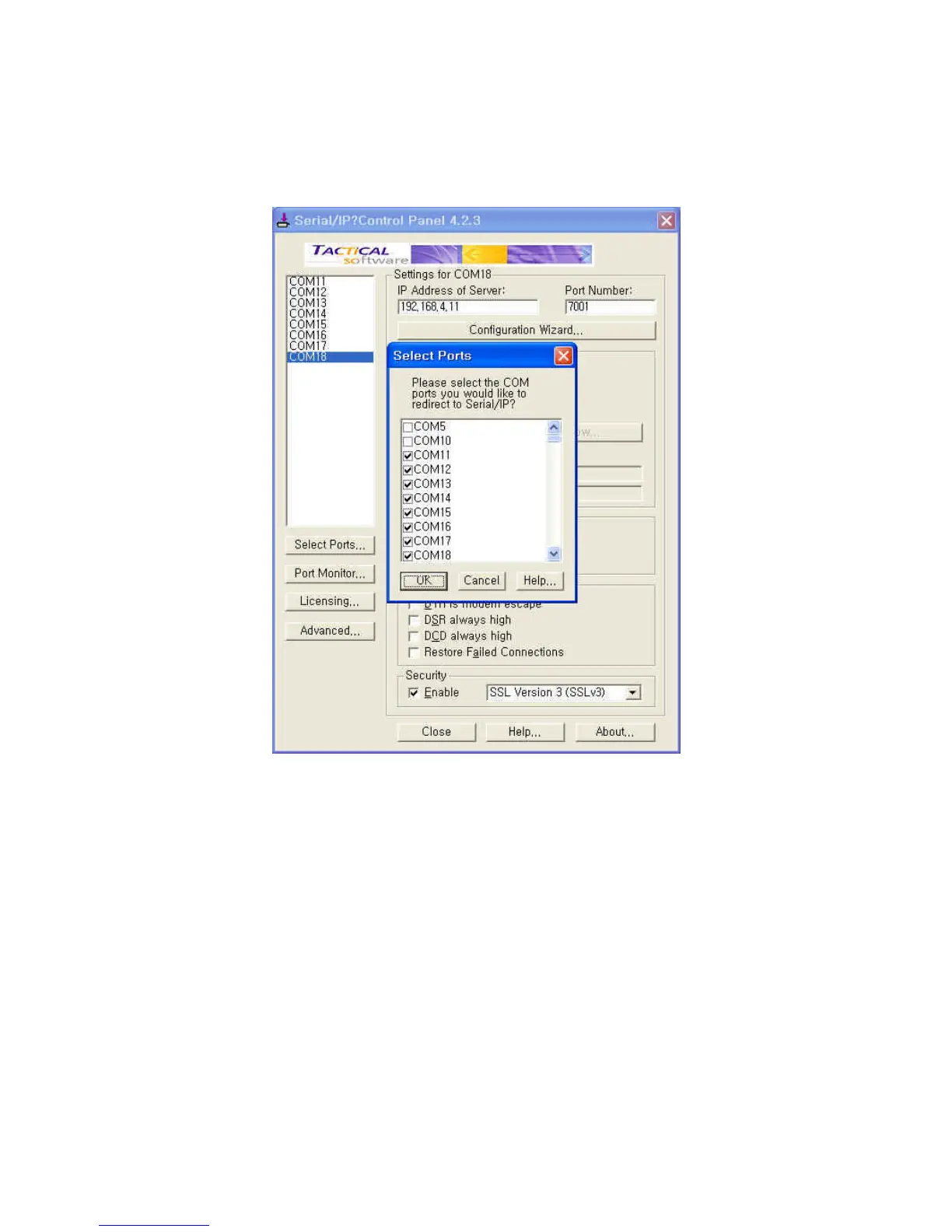
Step 3. Open Serial/IP Control Panel and check the COM port you want to use to communicate
with serial port #1 of Pro Series by pressing “Select Ports” button.
Figure A-18 Select Ports on Serial/IP Control Panel
Step 4. Enter IP address of Server (IP address of Pro Series) and Port number (port number of
serial port #1) correctly and then select other parameters as follows.
Credentials = No Login Required,
Connection Protocol = Telnet,
Security = SSL Version 3 (SSLv3)


 To Next Page