75
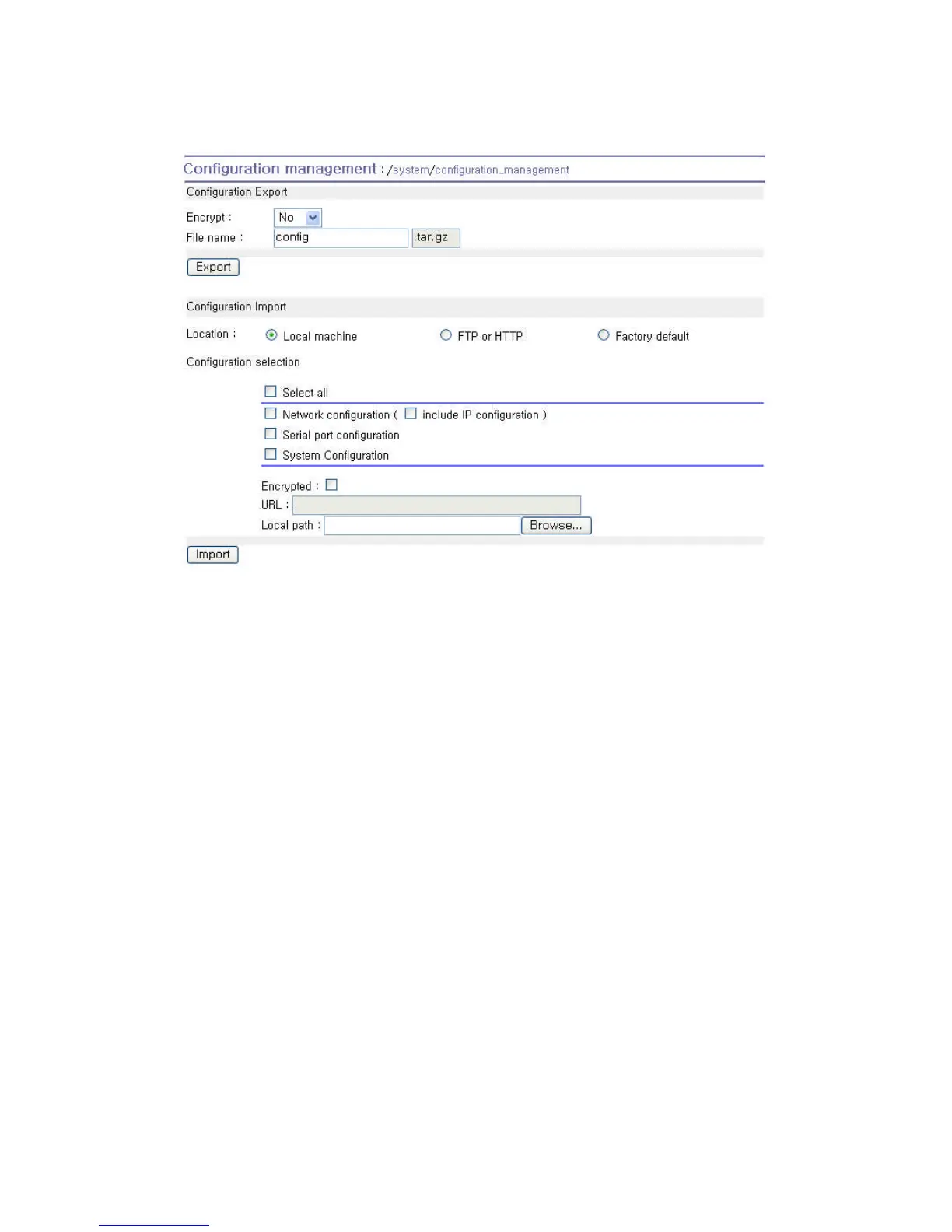
Figure 5-8 Configuration Management
To export the current configurations, follow this:
1. Select the encrypting option
2. Type the file name.
3. Click the [Export] button.
To import the exported configurations, follow this:
1. Select the location to import from.
2. Select the configurations to import.
3. Select the encrypting option.
4. Select the file to import from the file selection list box if location is neither local machine nor
factory default.
5. Select the file to import by clicking browse button if location is local machine.
6. Click the [Import] button.


 To Next Page