Using the Button
A
B
YOU
˝
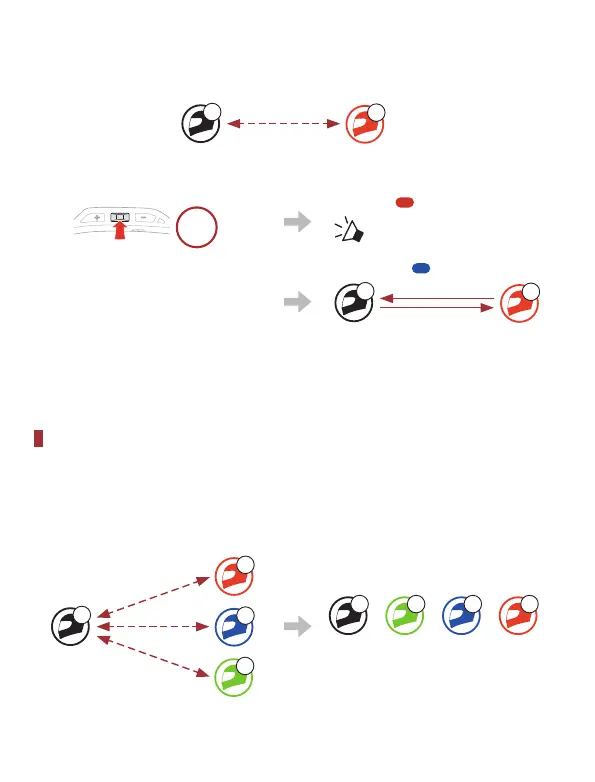
Users (You, B) enter into Intercom Pairing.
5s
HOLD
Blinking
“ Intercom pairing”
˞
The two headsets (A and
B) will be automatically
paired.
Turns blue
A
B
YOU
˟
Repeat the steps above to pair with other headsets (C and D).
Last-Come, First-Served
If the headset has multiple paired headsets for intercom conversations,
the last paired headset is set as the First Intercom Friend.
Intercom Pairing Order Last-Come, First-Served
A
B
C
D
YOU
1
2
3
A D C B
YOU Intercom
Friend 1
Intercom
Friend 2
Intercom
Friend 3


 To Next Page