EN-8
INSTALLATION IN DASHBOARD
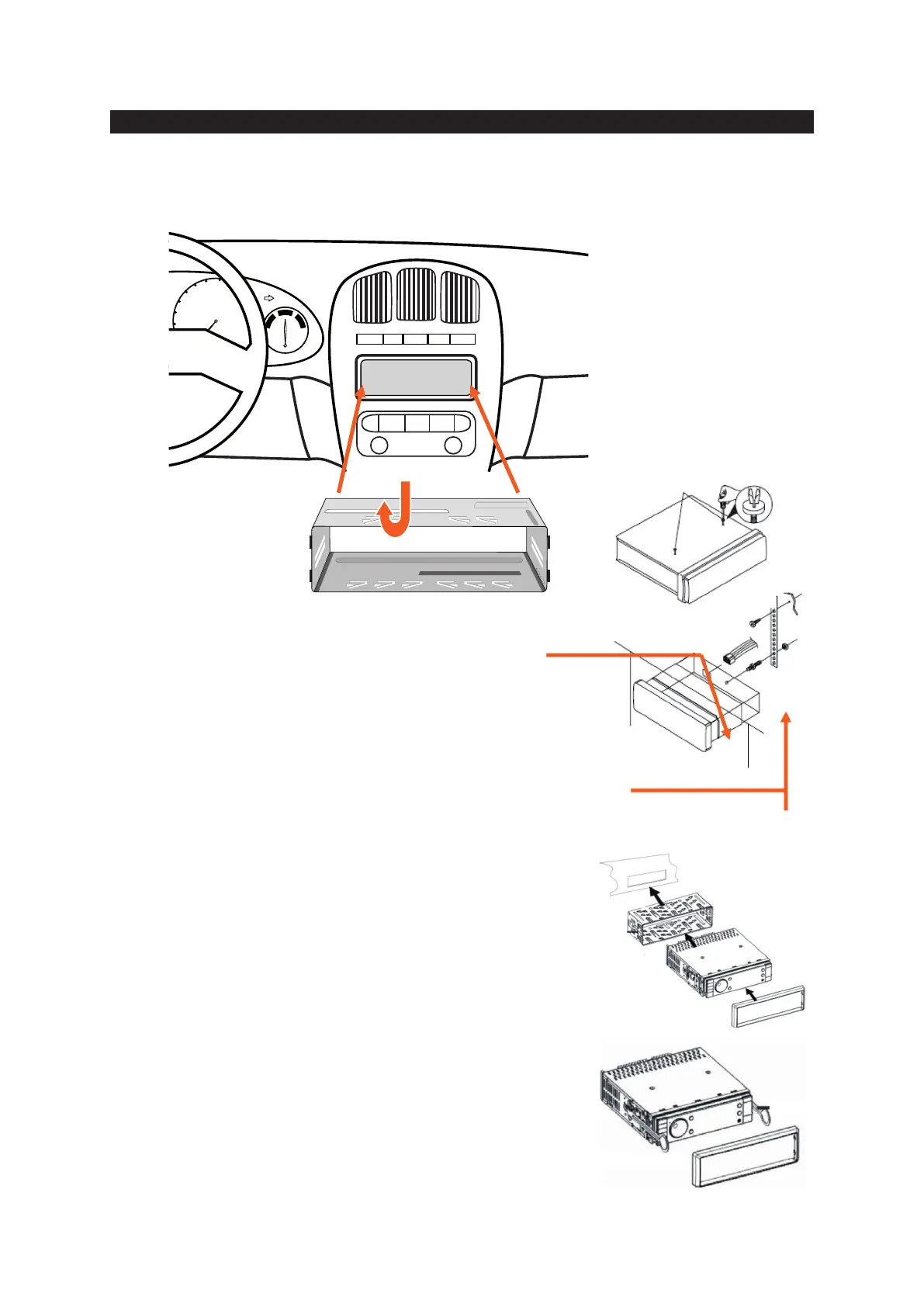
If your car is fi tted with a one (1x) DIN size opening for a car audio system, you can install the car radio according these steps.
Note: Unit should be installed horizontally in an angle less than 30°.
Before installing the unit,
please remove the two screws.
0
1
0
3
0
4
0
5
0
6
0
7
0
8
0
9
0
1
0
0
1
1
0
1
2
0
1
3
0
1
4
0
1
5
0
1
6
0
0030352.602
1X DIN SLOT
1. Insert the mounting bracket into the 1X DIN opening of your dashboard.
2. Bend the mounting tabs outwards with a screwdriver, to tighten
and fi x the mounting bracket in its place.
3. Connect the M5 Bolt to the rear of the unit.
4. Check electrical connections as described earlier
(either an ISO connection or separate wiring).
5. Insert the ISO connector into the unit.
Push the unit into the mounting bracket until you hear a click.
Move the assemble bar (metal strip with holes) over the M5 bolt and use
the M5 nut to tighten the assemble bar.
6. Use the screw Bt5x20 to fi x the other side of the assemble bar to the car body.
7. Place the front rim over the unit to fi nish the installation.
Note: Step 5 and 6 are only possible when you can reach the back of the unit inside
the dashboard.
To remove the unit, CAREFULLY remove the front rim (do not use force, else the
connection pins of the rim will break off) and place the two extraction keys into the
left and right side of the unit until they click in place and pull the unit gently out of the
dashboard.



 To Next Page