EN 17
EN
Revision 09/2016Copyright © 2016, Fast ČR, a. s.
Remote controller
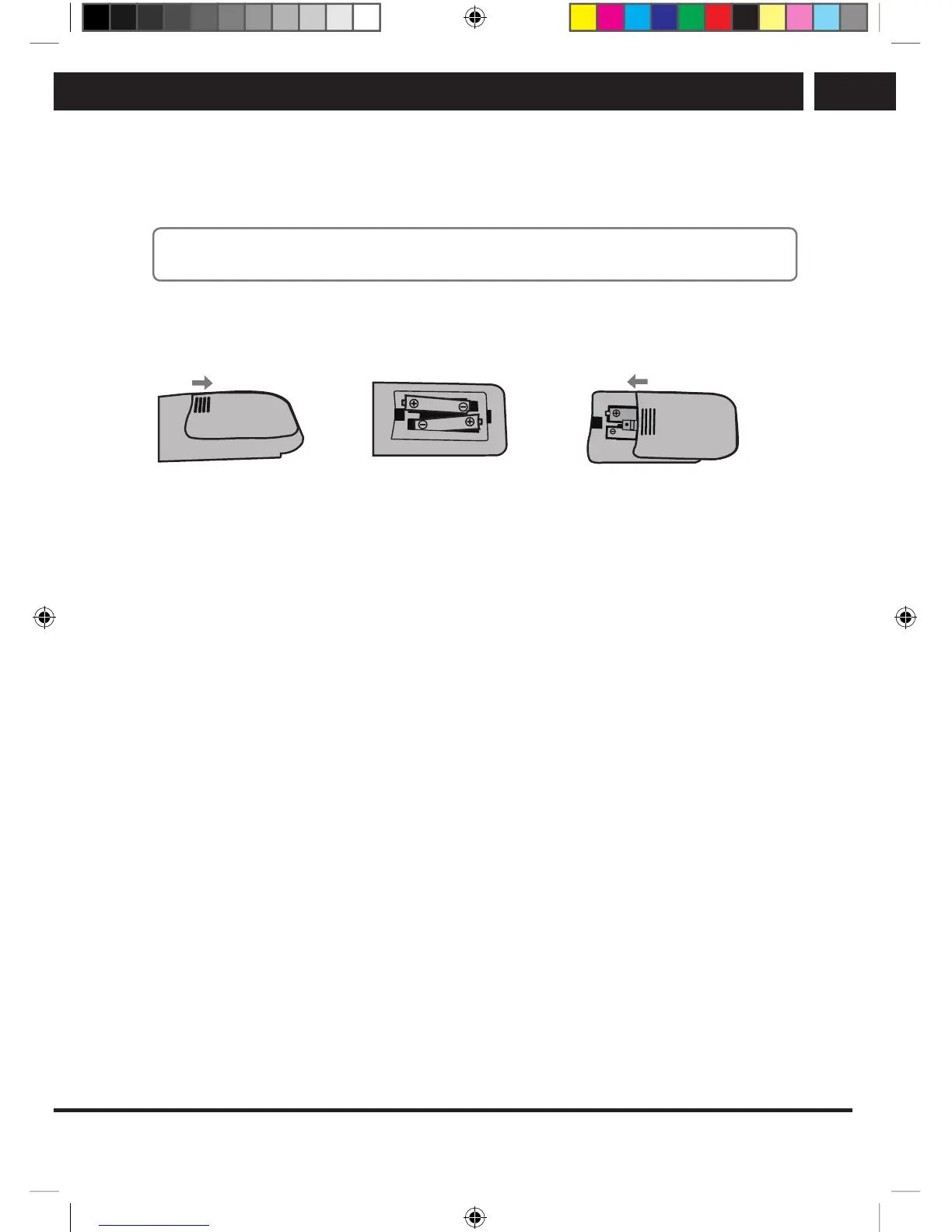
Inserting batteries into the remote controller
Insert two AAA batteries into the battery compartment of the remote controller. Mind the
polarity of the batteries marked inside the compartment.
Note:
Pictures are for reference only. Actual systems may differ.
Slide the cover out
horizontally.
Inert two AAA batteries with
the proper polarity.
Slide the cover out in
horizontally and close the
cover.
4.1. Electronic program guide (EPG)
EPG is adigital service that is delivered (exclusively) in the digital broadcasting by the
program provider and offers information about the programs up to seven days in advance.
The program provider is responsible for the amount and accuracy of the information. Time
information about the programs applies to uniform time, it is therefore necessary to set
the correct time of the TV set, incl. time zone, whether synchronized from broadcast or
set manually.
EPG information is of two types. You can call up the information about currently broadcast
program and following program by pressing INFO or ENTER, and then press the Right
arrow. This information disappears in awhile or you can suppress it by pressing again
INFO/ENTER. Another type of EPG is the table of programs, which you call up by
pressing EPG on the remote control.
1. Press EPG to display the EPG interface. The second line shows the current date and
time, on the right the note Time. Currently viewed channel is highlighted in the list
below. The list shows currently broadcast programs.
2. You can move down in the list of programs. If the data from aparticular multiplex
were not yet loaded, the screen shows “No information”. Load the data by switching
to any multiplex program; using the buttons v/V select the amultiplex program and
press ENTER to view it.
3. If you want to find out about broadcasting of future programs, use the button INDEX
to go to the header and press the b/B buttons to change the display to Channel.
Press v/V to browse through programs and use the green button to view details
(Info) of the selected program.
SLE SLE 2464TCS + SLE 3258TCS EN+CZ+SK+HU+PL.indb 17 08.09.2016 0:57:28



 To Next Page