32 EN
EN
Revision 09/2016Copyright © 2016, Fast ČR, a. s.
USB CONTROL
Play and pause / Stop / Previous / Next
Press [B/X] to start or pause playback; press [x] to stop playing; press [Ib] / [BI] to play
the previous or the next track. Or press [b] / [B] to mark the respective icon on the control
panel and then press ENTER. The TV will respond accordingly.
Fast forward / rewind
Press and hold [
m
] / [
M
] for several seconds to move the playback as you require; then
press [B/X] on the remote controller to start playback from the new position.
Playback mode
Mark the icon and press ENTER to switch to another playback mode.
Information
Select an icon and press ENTER to view information about the played track.
Note:
– This menu displays only supported files.
– The files with different extensions will not be displayed, although they are stored
on the same USB memory device.
– A remodulated MP3 file may cause sound distortion during playback.
– This TV supports song lyrics display (in English). The maximum number of
characters per line is the 48.
– To display text during song playback, the file names with songs and lyrics must be
the same.
– To view the lyrics of related songs on the screen, you need these associated texts
stored in the same folder and with the same file name with the extension .lrc.
8.4. Viewing photos
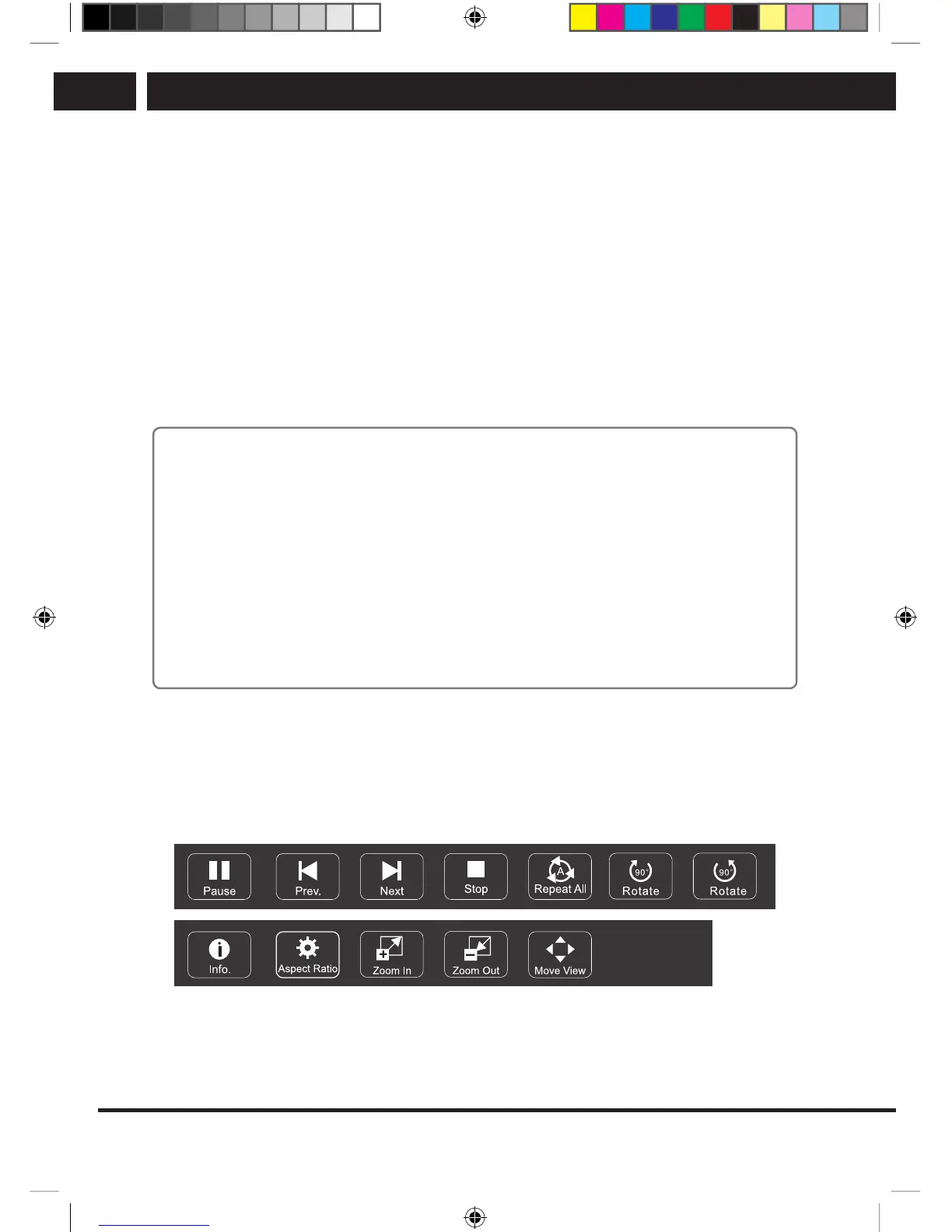
Press INFO / [V] to display /exit the following menu bar. Use the USB device control on
the remote controller to perform actions within the menu.
Photo control bar
SLE SLE 2464TCS + SLE 3258TCS EN+CZ+SK+HU+PL.indb 32 08.09.2016 0:57:29



 To Next Page