English
11
User Interface
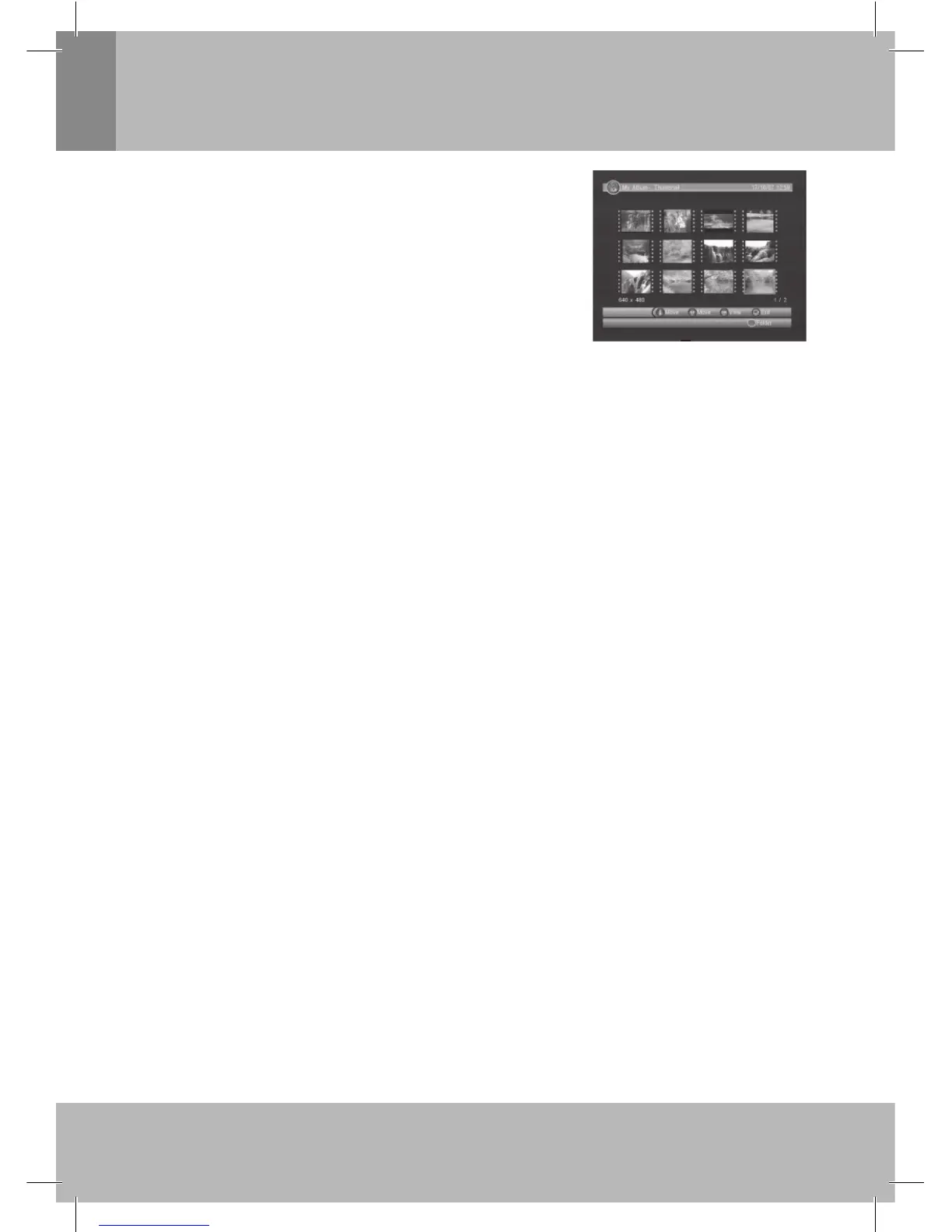
2.4.1.1 Thumbnail/Folder
The info (Width X Height and Date) of selected photo will be displayed
at the left bottom in Thumbnail mode and right up in Folder mode.
See Figure 9.
Press ////OK button to browse folders or fi les.
Press <OK> button to view the selected photo and press again to start
slide show.
Press <Info> button to select device between USB and Card Reader,
or external USB hub.
Figure 9. My Album - Thumbnail
2.4.1.2 Zoom
Press <RED> button to zoom in or zoom out the photo in view mode. The zoom factor can be 25%, 50%,
100%, 150%,2 00%. If zoom factor greater than 100%.
press /// button can move around the photo.
2.4.1.3 Rotation
Press / button to rotate left or right and <YELLOW/BLUE> button to fl ip horizontal or vertical in view
mode. After rotating or fl ipping the photo and return Thumbnail mode, the effect will be keeped.
2.4.1.4 Slide Show
Press <OK> button to view the photo from Thumbnail or Folder mode and press it again to start the slide
show.
Press <RED> button to play or pause the slide show.•
Press <GREEN> button to set music playing at background when slide show.•
Press <YELLOW> button to set repeating or once.•
Press <BLUE> button to set the time interval between current and next photo.•
Press • / button to next or previous photo right away.
2.4.2 My Music
My Music can play most of MP3/WMA fi les. It displays progress bar, audio spectrum, current playing time
and total time while playing. See Figure 10.
Press <Info> button to select device between USB and Card Reader,or external USB hub.•
Press • ////OK button to browse folders and fi les.
Press <OK> button to start play.•
Press <RED> button to play or pause.•
Press <GREEN> button to stop.•
Press <YELLOW> button to set play mode as Repeat All, Repeating, Random,repeat Off.•
Press <BLUE> button to set fast forward speed as x2,x3,x4,Normal.•
Press • //Mute button to adjust volume while playing.
2.4.3 My Movie
My Movie can play most of MPEG2/4 fi les. It displays the played fi le name at the top left corner, and •
use the info key to get the current playing time and total time information while playing.
Press <Info> button to select device if an external USB hub connected while browsing, and to show the •
control info bar while playing.
Press • ////OK to select folders and fi les during browsing, and to switch next/previous fi le or
adjust the volume while playing.
Press <OK> button to select a fi le to play.•
Press <RED> button to play or pause while playing.•
Press <GREEN> button to play the frame one by one while playing.•
Press <YELLOW> button to set fast backward speed as x2, x4, x8, x16, x32, Normal.•
Press <BLUE> button to set fast forward speed as x2, x4, x8, x16, x32, Normal.•


 To Next Page
 Loading...