English
10
User Interface
2.3.1.8 SW Update
Under extraordinary conditions the manufacturer may release new software for the device. If you download
the software specifi cally intended for your device from the website of the manufacturer , you can upgrade it
using USB fl ash memory. Enter fi le browser and press //OK button to change folder and focus on the
update fi le, press <OK> button to start update.
2.3.1.9 Search
User can search the program name by partial keyword.
1. Press
◄/► button to select Search option.
2. Press <OK> button to entry search page.
3. Press
▲/▼/◄/►/OK/0~9/RED/GREEN button to input keyword.
4. Press <OK> button to Search and return List. The matched program will be focused.
5. Press <GREEN/YELLOW> button to the next or previous matched program.
2.3.2 Guide
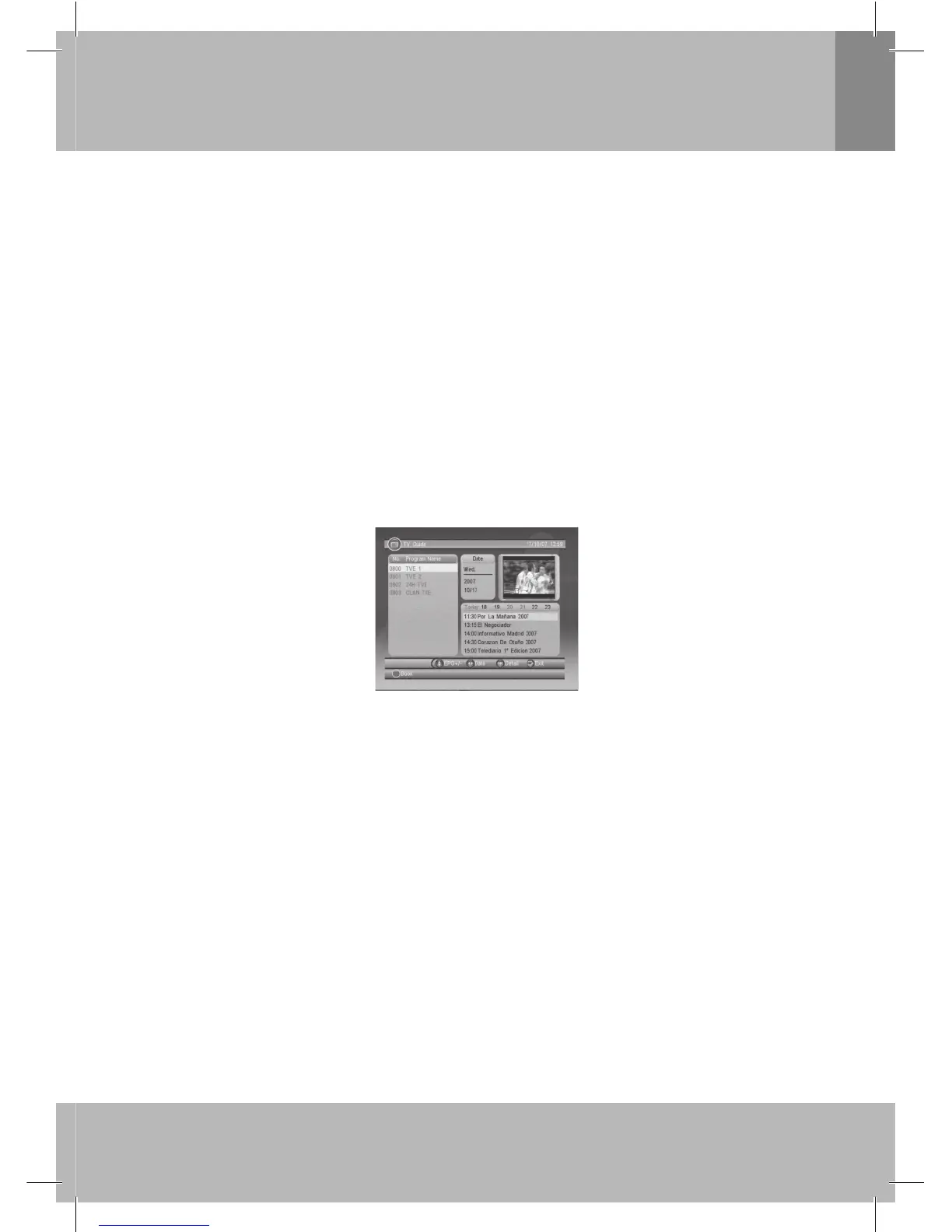
Guide is also naming EPG (Electronic Program Guide). See Figure 8.
1. Press
▲/▼ button to select program or EPG event.
2. Press
◄/► button to change event or date.
3. Press <OK> button to exit all the menus or show the detail information of selected event.
4. Press <Exit> button to exit to previous menu.
Figure 8. Guide - Event
5. Press <RED> button to enter Book page and <YELLOW> button to save after edited. If it confl ict with
itself or other event, a confl ict message will be displayed. The successful booking will be added to
Main Menu-> SETUP->Advance Timer (see section 2.2.4).
Note: Content and actuality of displayed informations depend on broadcaster.
2.4 MULTIMEDIA
Multimedia must be used with external USB device inserted, otherwise the Device is not ready! message
will be displayed, remove device when playing photo or MP3/WMA, the Device is removed! message will
be displayed and return to Main Menu.
2.4.1 My Album
My Album can display JPG/BMP/GIF photos and operate it. If there are photos in device root folder, it
will start at Thumbnail mode, otherwise it will start at Folder mode. Press <BLUE> button can switch to
Folder mode and <Exit> button to Thumbnail mode again.


 To Next Page
 Loading...