EN - 9
The paper shredder is equipped with a safety switch 6 which stops the operation
of the paper shredder when it is activated. The safety switch is activated when the
paper / credit card waste bin qd is not fully inserted into the base unit qf or when
the whole paper shredder is lifted up with the handles 7. You will hear a click
sound when the safety switch is activated or deactivated.
• The paper shredder is equipped with a paper / credit card detection sensor 9
and a CD detection sensor 3 . The paper shredder switches on automatically
only when you insert paper or credit cards at the centre of the paper / credit
card feed slot 8. The same applies when you insert the CD at the centre of the
CD feed slot 2.
The paper, credit card or CD is drawn in automatically after activating the
respective detection sensor. If you feed in paper that is too thin (e.g. airmail,
carbon copy or tracing paper), the paper / credit card detection sensor may not
be activated. This is normal and not a defect. In this case, do not feed in single
sheets, but multiple sheets. Also note that excessively thin paper is difficult to
feed and can thus more easily jam in the cutting unit.
• The paper shredder will automatically switch off in case of overload to prevent
damage to the motor. Disconnect the paper shredder from the power supply
and let it cool down to room temperature before putting it back to use.
• Engage the levers on the castors with locking levers qa to prevent the paper
shredder from rolling during use.
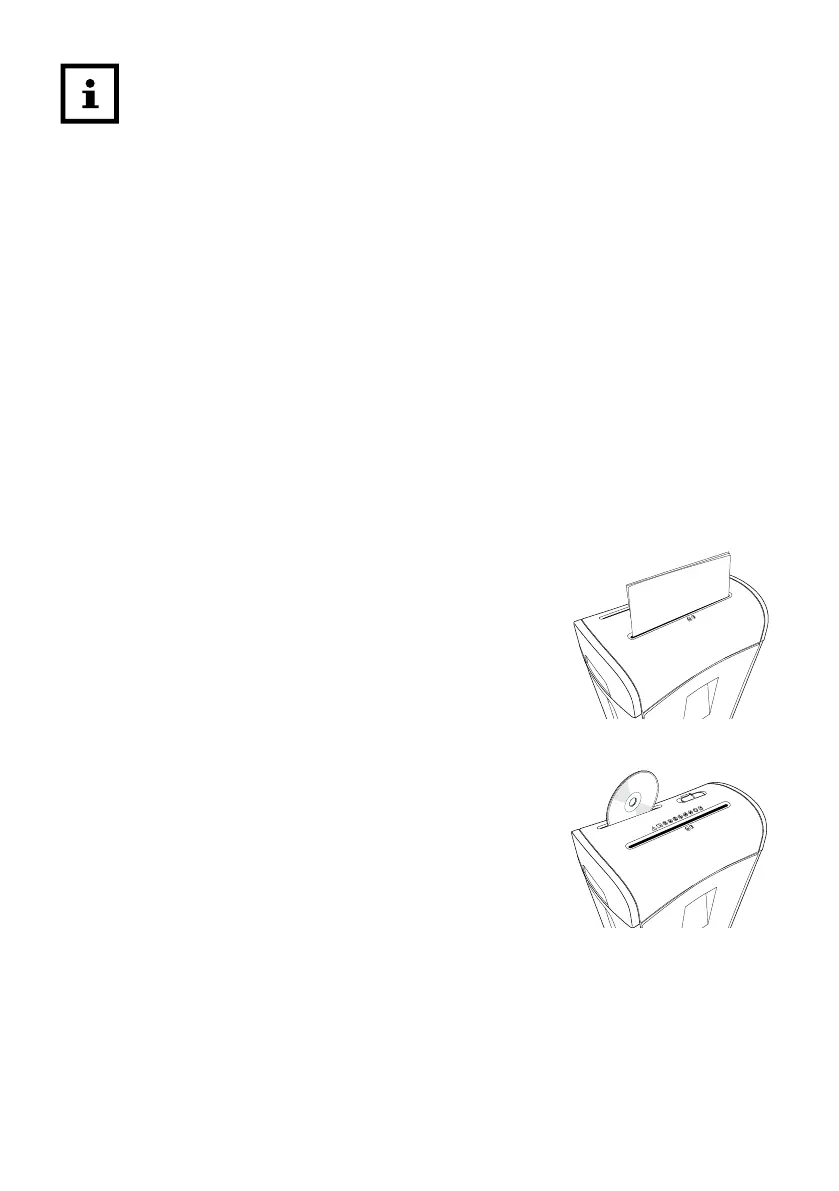
Paper
- Feed the paper to be shredded centrally into the paper / credit card
feed slot 8 (see fig. E).
The paper shredder automatically switches on and draws in the
paper.
Approx. 1-2 seconds after processing the paper, the paper shredder
will automatically stop and switch to standby mode.
fig. E
CDs
- Push the CD to be shredded centrally into the CD feed slot 2 (see
fig. F).
The paper shredder switches on automatically and draws in the CD.
Approx. 1-2 seconds after processing the CD, the paper shredder will
automatically stop and switch to standby mode.
fig. F



 To Next Page