EasyManua.ls Logo

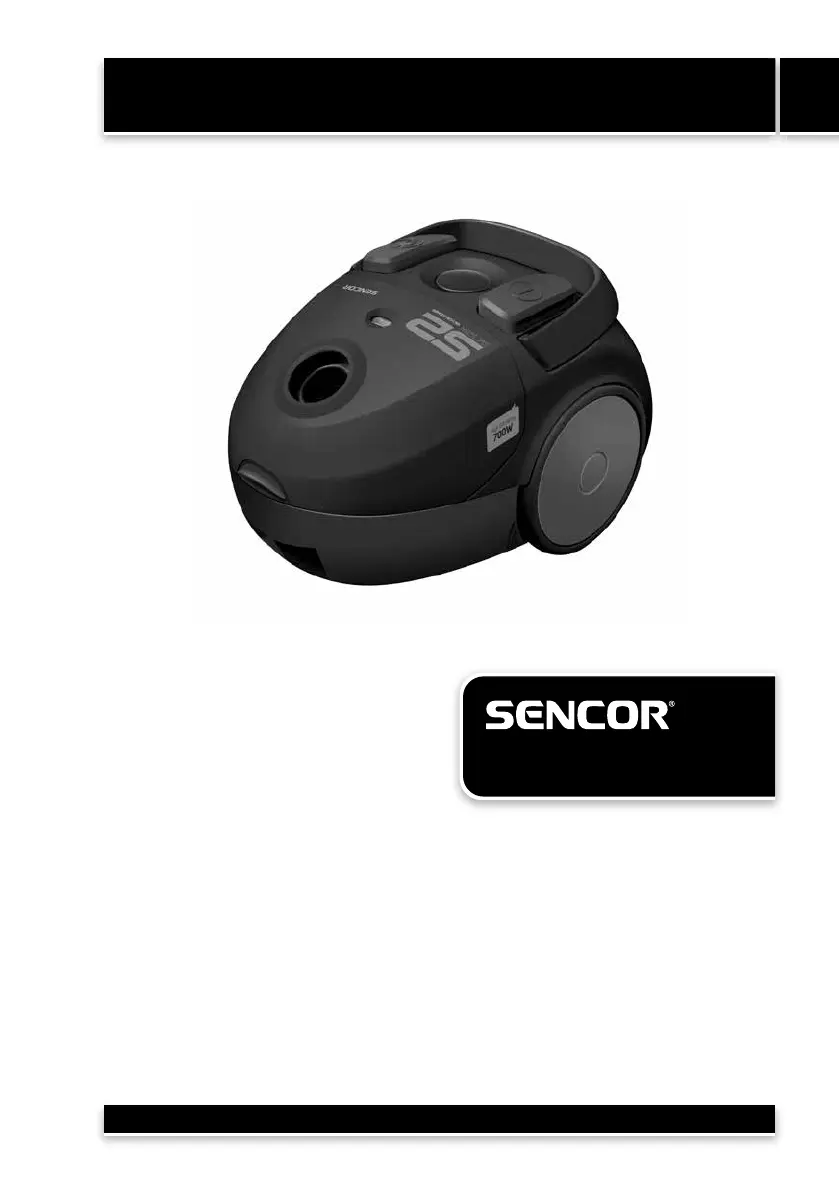
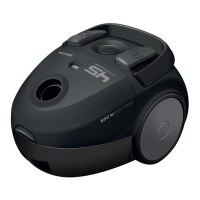
Sencor SVC 52GR - User Manual

Sencor SVC 52GR
12 pages
Print Icon
To Next Page IconTo Next Page
Loading...
Vacuum Cleaner
User's manual
EN
EN-1
SVC 52BK / SVC 52GR
/ SVC 52WH
Copyright © 2019, Fast ČR, a.s. Revision 08/2019
Before first use, please read all instructions contained in this user's manual carefully, even if you are
already familiar with using similar products. Only use this product in accordance with the instructions
described in the user's manual. Keep the user's manual in a safe place where it can be easily retrieved
for future use.
Save the original packaging, including the internal packing material, warranty card and proof of
purchase receipt, at least for the duration of the warranty. If you need to ship this product, pack it
in the original cardboard box to ensure maximum protection during shipping or transport (e.g. when
moving or when you need to send this product for repair).
Translation of the original manual

Questions and Answers

  • A
    Angela NguyenAug 16, 2025
    Why is the suction weak on my Sencor SVC 52GR?
    • K
      Kristie WallaceAug 16, 2025
      If you notice weak suction from your Sencor Vacuum Cleaner, there are a few possible reasons: * The dust bag might be completely full, in which case you should change it. * The vacuum cleaner could be clogged. You’ll need to remove the blockage or any foreign object. * The filter might be clogged, so try cleaning it.
  • R
    Regina CruzAug 19, 2025
    What to do if my Sencor Vacuum Cleaner motor will not start?
    • Z
      Zachary HensleySep 12, 2025
      If the motor of your Sencor Vacuum Cleaner doesn't start, consider these possibilities: * Ensure the power cord is correctly plugged into the wall power outlet. Insert the plug firmly. * Check the wall power socket for any damage. * Make sure that the vacuum cleaner is switched on.
  • J
    James ElliottAug 22, 2025
    What to do if the power cord of my Sencor Vacuum Cleaner cannot be pulled out?
    • A
      Amy SimmonsAug 22, 2025
      If the cable of your Sencor Vacuum Cleaner is wound up incorrectly and cannot be pulled out, press the winding button of the self winding cable and try to rewind the power cord again.
  • S
    Sandra HartAug 25, 2025
    How to fix Sencor Vacuum Cleaner power cord not winding completely?
    • J
      Jessica BrayAug 26, 2025
      If the power cord of your Sencor Vacuum Cleaner is not winding in completely, it may have slipped down from the winding pulley during winding. Hold the cable under tension while winding the cable.
  • P
    pricecynthiaAug 27, 2025
    What to do if the power cord of my Sencor SVC 52GR starts to wind in when it is not required?
    • S
      samantha07Aug 28, 2025
      If the power cord of your Sencor Vacuum Cleaner starts to wind in when it is not required, the winding mechanism is damaged. Have the vacuum cleaner repaired only by a qualified technician.
  • D
    David HowardAug 31, 2025
    What to do if the output control of my Sencor Vacuum Cleaner does not function?
    • D
      Donna LongAug 31, 2025
      If the output control of your Sencor Vacuum Cleaner does not function, the vacuum cleaner is out of order. Have the vacuum cleaner repaired only by a qualified technician.
  • A
    Alexander MartinezSep 3, 2025
    Why the Sencor Vacuum Cleaner cover cannot be closed?
    • D
      Dr. Troy Martin DVMSep 3, 2025
      If the cover of your Sencor Vacuum Cleaner cannot be closed, the dust bag is not inserted, or is inserted incorrectly. Check the position of the dust bag in the plastic holder, or insert a new bag.
  • J
    jeffrey71Sep 6, 2025
    How to fix a Sencor Vacuum Cleaner when the power cord won't wind in?
    • D
      danielarnoldSep 6, 2025
      If the power cord of your Sencor Vacuum Cleaner is not winding in completely, it might have slipped down from the winding pulley during winding. To resolve this, hold the cable under tension while winding it.
  • T
    Toni WilsonSep 9, 2025
    What to do if the Sencor Vacuum Cleaner cover cannot be closed?
    • D
      David StoneSep 9, 2025
      If you cannot close the cover of your Sencor Vacuum Cleaner, the dust bag may not be inserted correctly. Check its position in the plastic holder, or try inserting a new bag to ensure it fits properly.
  • J
    Jamie MezaSep 12, 2025
    What to do if the cable of my Sencor Vacuum Cleaner cannot be pulled out?
    • M
      Michelle StewartSep 12, 2025
      If the cable of your Sencor Vacuum Cleaner cannot be pulled out, the cable may be wound up incorrectly. Press the winding button and try to rewind the power cord again.

Summary

Vacuum Cleaner Safety Notice

Vacuum Cleaner Description and Parts

Vacuum Cleaner Assembly Instructions

Using Your Vacuum Cleaner

Adjusting Floor Inlet Nozzle

Adjusts the inlet nozzle for carpets or hard surfaces by moving the flap.

Turning Vacuum Cleaner On and Off

Operates the vacuum cleaner by pressing the START/STOP button.

Adjusting Suction Strength

Controls suction power using a sliding flap on the hose handle.

Temporary Vacuuming Interruption

Interrupts vacuuming by placing the floor nozzle into the parking position.

Using Vacuum Cleaner Accessories

Details the use of the combination nozzle for various cleaning tasks.

Ending Vacuuming Process

Steps to turn off, unplug, and rewind the power cord safely.

Vacuum Cleaner Storage

Cleaning and Maintenance

Changing the Dust Bag

Procedure for replacing a full dust bag with a new one.

Changing the Inflow Filter

Procedure for replacing the inflow filter with a new one.

Changing the Outflow Filter

Procedure for replacing the outflow filter with a new one.

Vacuum Cleaner Troubleshooting Guide

Vacuum Cleaner Technical Specifications

Supplied Contents and Accessories

Disposal of Packaging Materials

Disposal of Electrical Appliances

Sencor SVC 52GR Specifications

General IconGeneral
Power700 W
Dust Container Volume1.5 L
Weight3.8 kg
Cord Length5 m
Noise Level82 dB
Dust container capacity1.5 L
Cable length5 m
TypeBagless
FiltrationHEPA
Power SourceCorded

Related product manuals