EN – 3
PACKAGE CONTENTS
1× Digital Weather Station
1× Remote Sensor
1× User Manual
1× DC Adaptor (Batteries are not included)
1× Power Supply
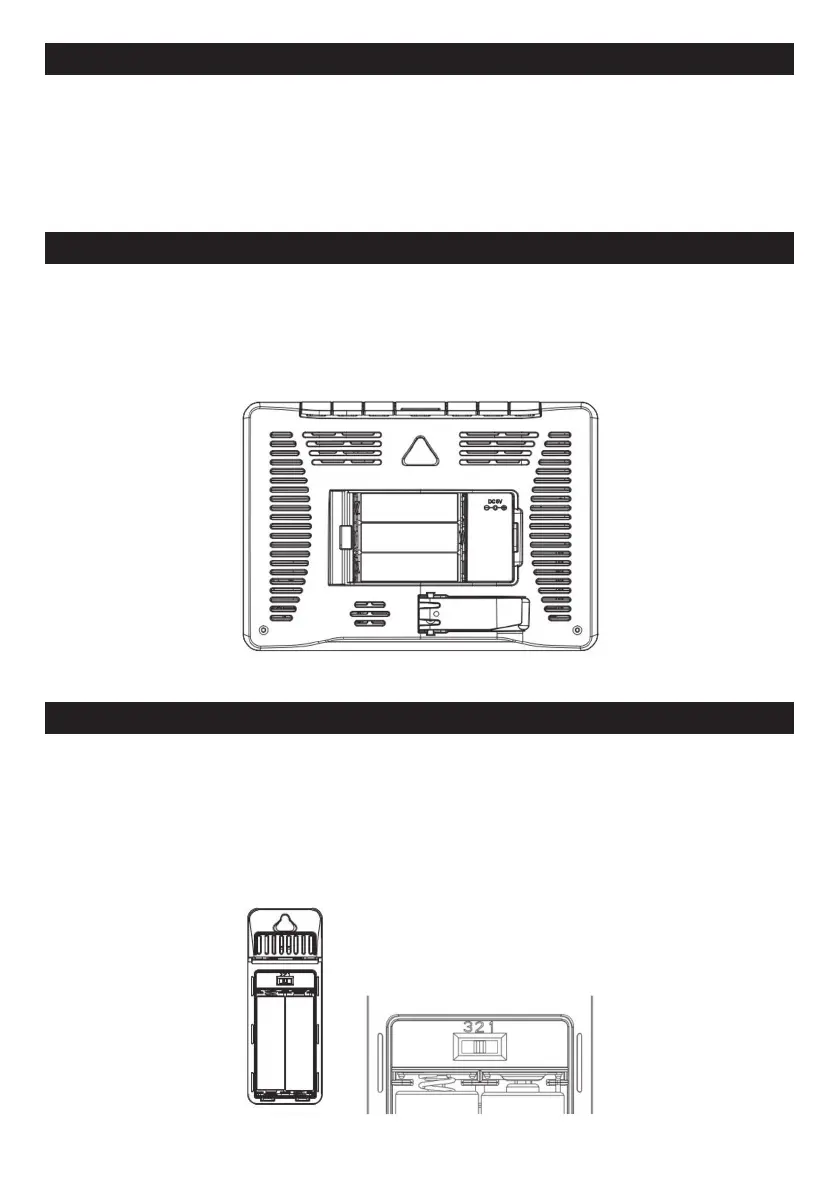
MAIN UNIT INSTALLATION
– Remove the protective film that is applied to the LCD screen prior to using the product.
– Open the battery compartment cover, plugged in with power adapter and use, battery-power is
optional, since previous setting will be reset when plugged out, we recommend install the batteries for
the base station.
– Base station can stand upright on the table or mount on the wall.
SENSOR INSTALLATION
Base station supports up to 3 sensors connection, the sensor switch is located inside the battery
compartment, it can be switched 1,2,3,
matching the info of Channel 1, Channel 2, Channel 3 that synchronize on the OUTDOOR position.
1. Remove the battery compartment cover, chose the channel (1,2,3)by switching the channel shift.
2. Insert 2 x AA batteries matching the correct polarity (+ and -), the red led light will flash for once, then
assemble the battery compartment.
3. Put the sensor the position you desire.



 To Next Page