EN – 1
CREATING AN ACCOUNT ON THE METEOROLOGICAL
SERVER AND SETTING UP THE WI-FI CONNECTION
The device allows you to share the meteorological values measured from your
environment.
The meteorological values are stored in third-party database servers (WUnderground and/
or Weathercloud) over an Internet service. You can set up your machine using the following
steps.
NOTE:
The Weather Underground and Weathercloud websites are subject to change.
CREATING AN WEATHER UNDERGROUND ACCOUNT
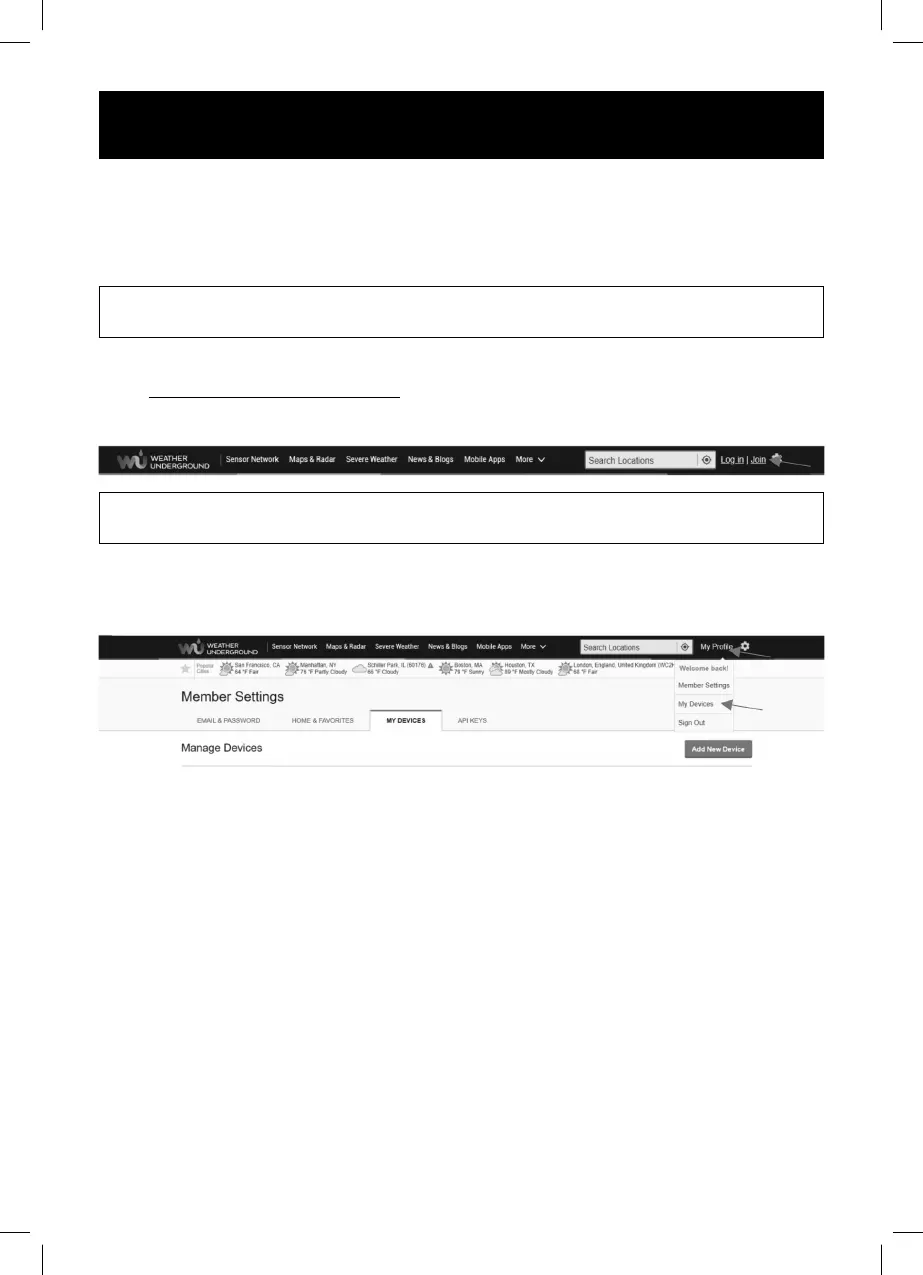
1. At https://www.wunderground.com, click “Join” in the upper right corner to open the
registration page. Follow the instructions to create your account.
NOTE:
Please enter a valid email address to register your account.
2. After creating your account and completing your email verifi cation, return to the
WUndergound website and log in. Then click on the “My Profi le” button at the top to
open the drop-down menu and click on “My Devices”.
3. In the middle of the page “My Devices”, press the button on the right “Add New
Device“ to add your device.
4. Follow the server operator’s instructions. All important parameters to connect to your
Weather Station will be required in the following steps.
• TYPE - In the section Personal Weather Station choose “Other“
• LOCATION - Select a location on the map where your Weather Station will be
located.
• DETAILS - Fill in the required fi elds for the next step:
– “Name“ naming your device
– “Elevation“
– “Device Hardware“ Choose “Other“
Check the fi lled in parameters by checking “I Accept“. To adopt the Weather
Underground privacy policy, click on the button “Next“. This will create an ID and key
for your station.



 To Next Page