EN – 5
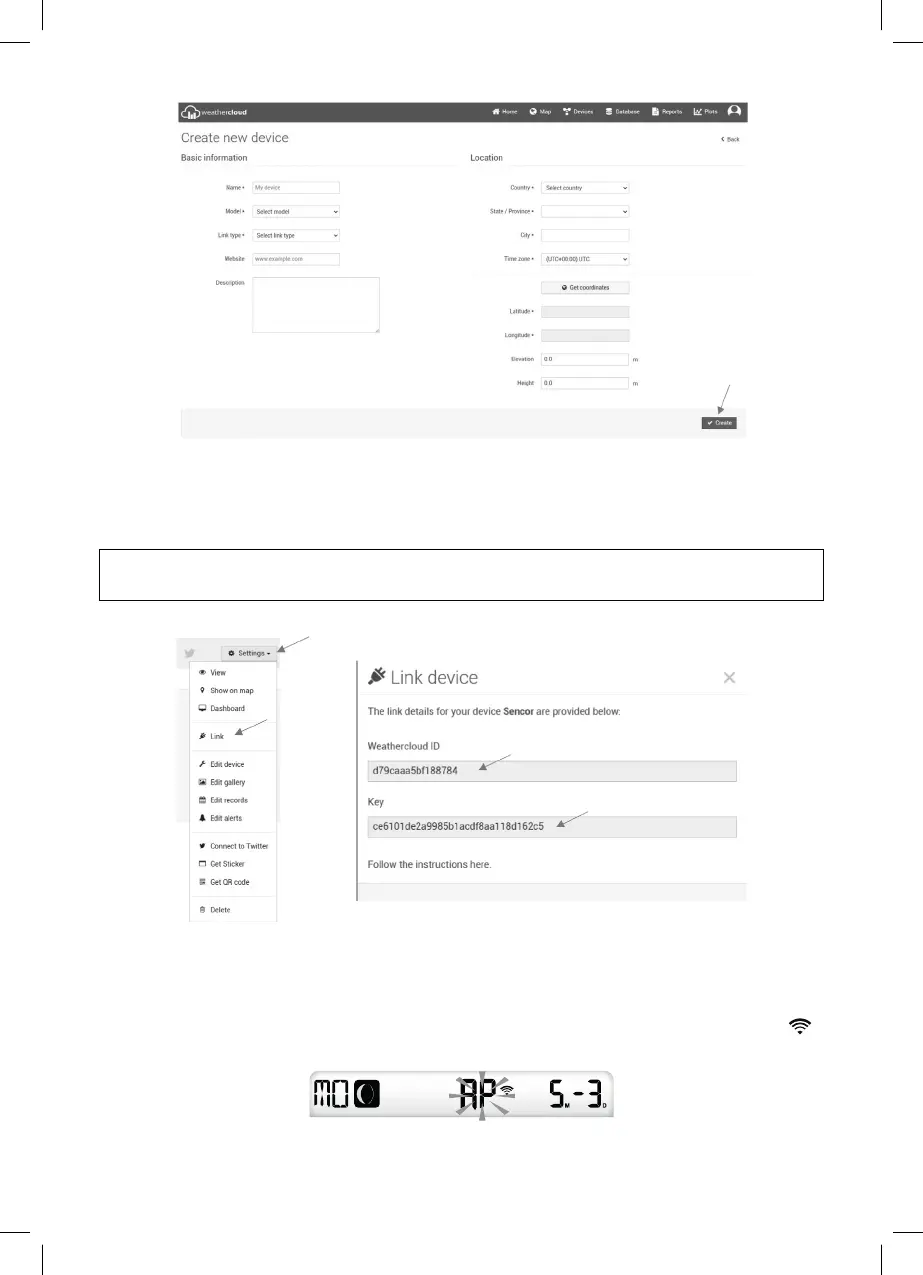
4. Hover the mouse cursor over the button to obtain a unique key ID “Settings“, and the
menu expands. Select “Link“, then Weathercloud displays “ID“ and “Key“.
A note of the generated data displayed.
NOTE:
Use uppercase and lowercase letters when overwriting data.
WI-FI CONNECTION SETTINGS
1.
When you turn on the station for the fi rst time or press and hold[SENSOR / WI-FI] for
6 seconds in normal mode on the station's LCD display, “AP“ appears and the icon “ “
to signal activation of AP mode (access point) and readiness for WI-FI settings.
2. Use a smartphone, tablet or computer to connect the station over WI-FI.



 To Next Page