AC 3 | 13
Cleaning the AC 3
Setting the AC 3 to standby mode
왘
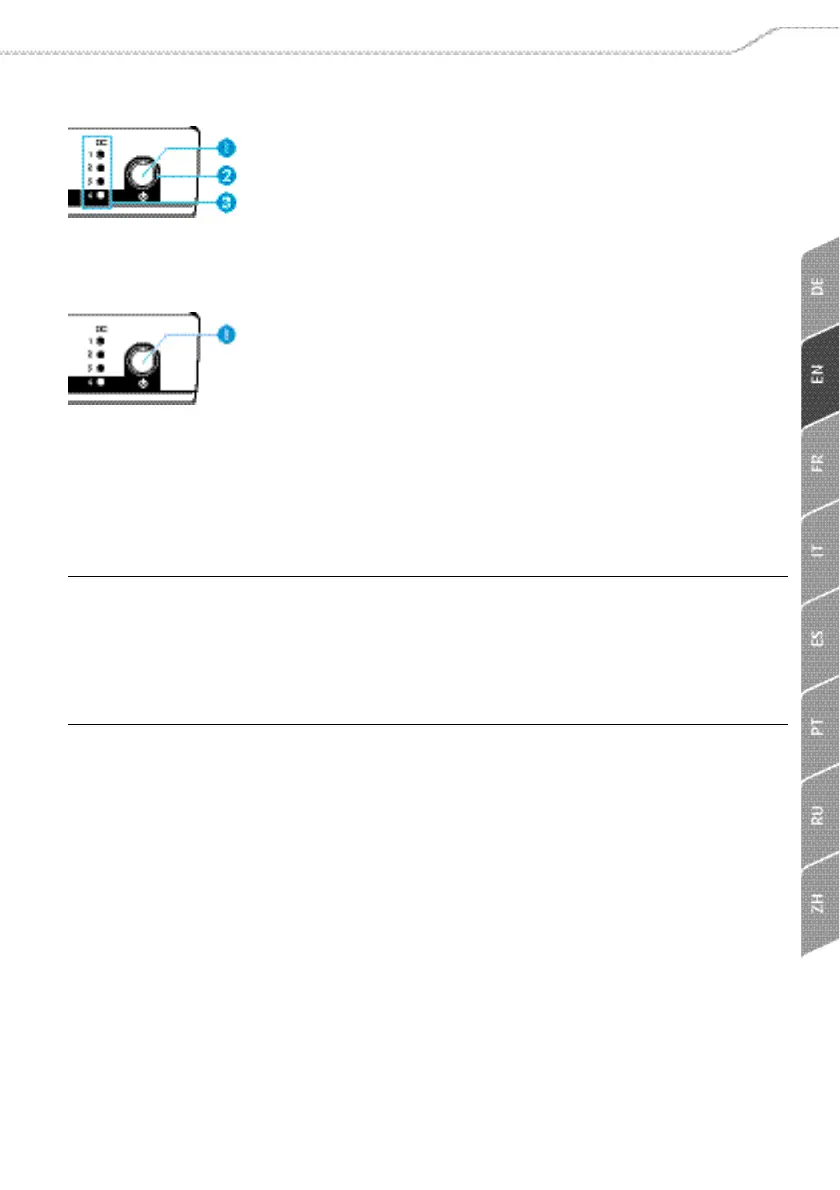
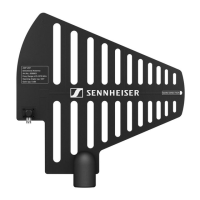
Press the STANDBY button 쐃 for approx. 2 seconds.
The operation indicator
쐇 and the 4 status LEDs 쐋 go off.
The AC 3 switches to standby mode. Connected transmitters
are switched off, provided that they are powered via the BNC
sockets
RF IN 1 to RF IN 4 쐂.
Disconnecting the AC 3 from the mains
The STANDBY button 쐃 does not disconnect the AC 3 from the
mains. To disconnect the AC 3 from the mains:
왘 Unplug the NT 3-1 table top power supply from the wall
socket.
The AC 3 is switched off.
Cleaning the AC 3
왘 Before cleaning, disconnect the AC 3 from the mains
(see page 13).
왘 Only use a slightly damp cloth to clean the device.
CAUTION! Liquids can damage the electronics of the device!
Liquids entering the housing of the device can cause a short-
circuit and damage the electronics.
왘 Keep all liquids away from the device.
왘 Do not use any solvents or cleansing agents.


 To Next Page