Getting started
12 | CX True Wireless
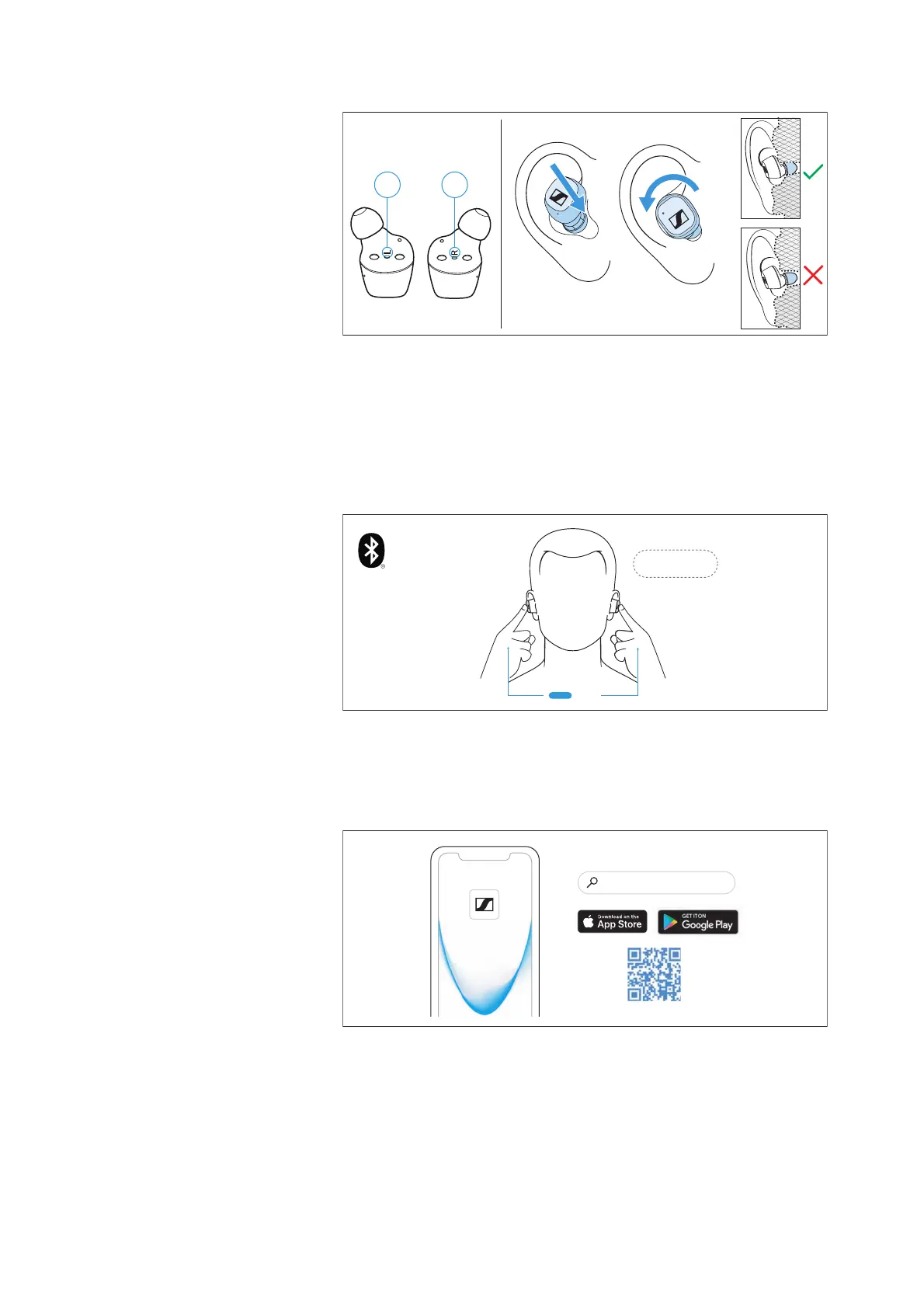
▷ Assign the right earbud to your right ear and the left earbud to
your left ear.
▷ Insert the earbuds at a slight angle into the ears and twist them
slightly into the ear canal so that they sit comfortably and snugly
in the ear canal.
3. Connecting the earbuds to a Bluetooth device
Connect the earbuds to your smartphone via Bluetooth (> 16).
4. Installing the Smart Control app on your
smartphone
The Sennheiser Smart Control app allows you to use all functions
and settings of the earbuds and to e.g. adjust the sound to your liking
using the equalizer (>
19).
Smart Control
“Sennheiser Smart Control”







 To Next Page