Using the earbuds
CX True Wireless | 23
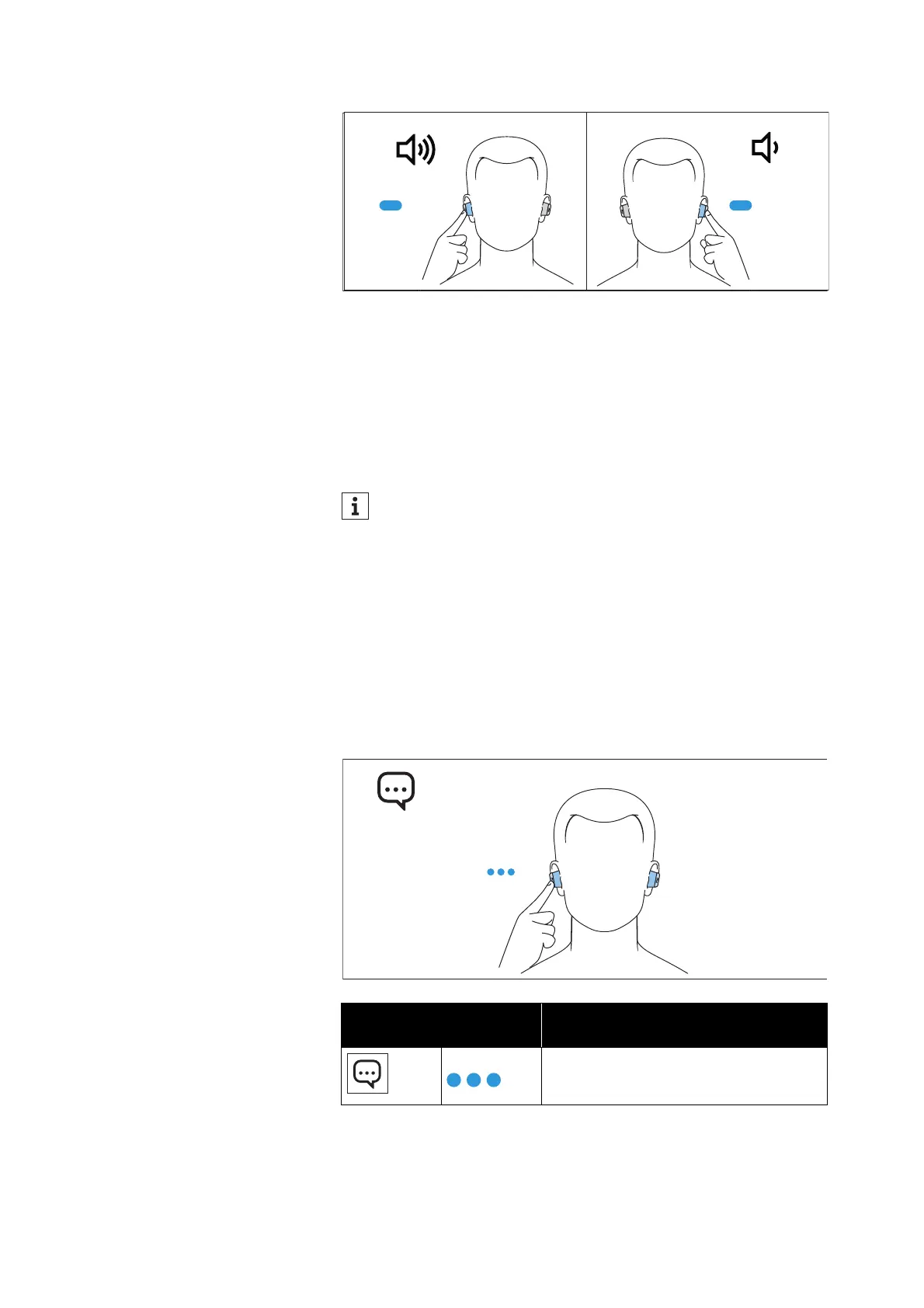
To increase the volume:
▷ Touch and hold the touch control panel of the right earbud until
the volume is increased.
To reduce the volume:
▷ Touch and hold the touch control panel of the left earbud until the
volume is reduced.
When the maximum or minimum volume is reached, you hear a beep.
Using the voice assistant/voice dialing
▷ Tap the touch control panel of the right or left earbud 3x.
The available voice assistant of your smartphone is activated
(*depending on the system or app on your smartphone: Siri, Goo
-
gle Assistant, ...).
▷ Ask the voice assistant your question or make a request.
To cancel the voice assistant/voice dialing:
▷ Tap the touch control panel of the right or left earbud 3x.
You can also adjust the volume using the connected Bluetooth
device.
Right or left touch control
panel
Function
Tap 3x
Activates the voice assistant






 To Next Page