EasyManua.ls Logo

Sennheiser evolution wireless ew 500 G2 Series - User Manual

Sennheiser evolution wireless ew 500 G2 Series
32 pages
Print Icon
To Next Page IconTo Next Page
Loading...
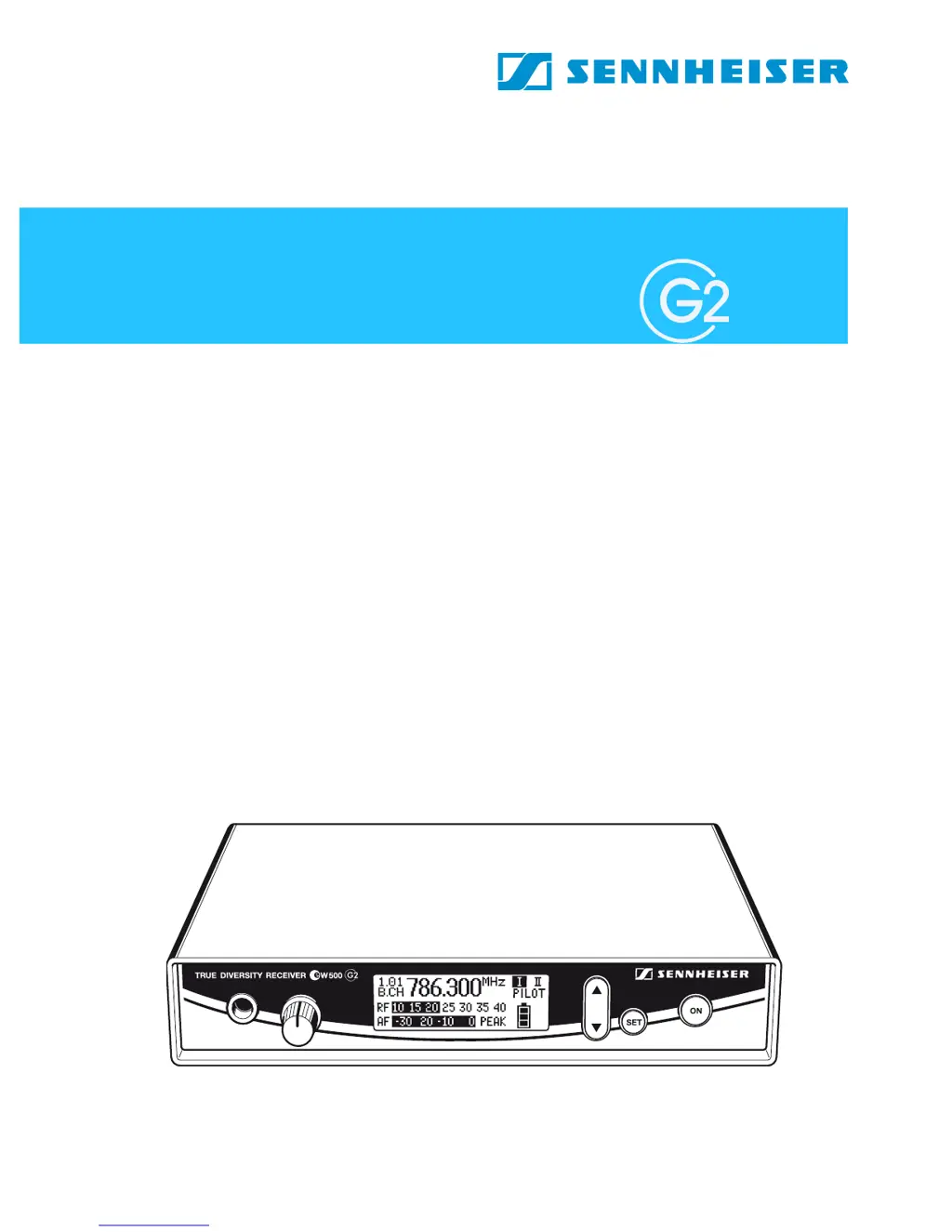
EM 500
Instructions for use

Table of Contents

Questions and Answers

  • J
    Jennifer KirbyAug 6, 2025
    What to do if my Sennheiser evolution wireless ew 500 G2 has RF signal but no audio and shows 'MUTE'?
    • C
      Charles RobinsonAug 6, 2025
      If you see the “MUTE” display on your Sennheiser Receiver but have an RF signal and no audio, here's what you can check: * Ensure the transmitter isn't muted. Deactivate the muting function on the transmitter. * Verify that the receiver's squelch threshold isn't set too high. * Confirm that the transmitter is sending a pilot tone, or disable pilot tone evaluation on the receiver. * Check if the transmitter sensitivity is properly adjusted.
  • F
    Francisco NelsonAug 11, 2025
    Why does my Sennheiser evolution wireless ew 500 G2 show no RF signal?
    • F
      Frederick AndersonAug 11, 2025
      If your Sennheiser Receiver shows no RF signal, the possible causes are: * The transmitter and receiver are not on the same channel. To solve this, set both to the same channel. * The transmitter is out of range. You can adjust the squelch threshold or reduce the distance between the transmitter and receiving antenna.
  • J
    James NelsonAug 16, 2025
    How to reduce background noise on Sennheiser evolution wireless ew 500 G2 Receiver audio signal?
    • J
      James GlennAug 16, 2025
      If the audio signal from your Sennheiser Receiver has a high level of background noise: * Check the receiver’s AF output level. * Verify that the transmitter sensitivity isn't set too high.
  • S
    Sean KirbyAug 20, 2025
    What to do if audio signal is distorted on Sennheiser evolution wireless ew 500 G2?
    • C
      Crystal HollandAug 20, 2025
      If the audio signal from your Sennheiser Receiver is distorted, the receiver’s AF output level may be adjusted too high. In this case you should adjust the audio output level.
  • J
    Joanna NewmanAug 27, 2025
    Why is there no operation indication on my Sennheiser evolution wireless ew 500 G2 Receiver?
    • S
      stevensdebraAug 27, 2025
      If there is no operation indication on your Sennheiser Receiver, check the connections of the mains unit.
  • F
    fordtiffanyAug 30, 2025
    What does it mean if only one diversity display appears on my Sennheiser evolution wireless ew 500 G2 Receiver?
    • M
      Mary HamiltonAug 30, 2025
      If only one diversity display (I or II) appears on the display panel of your Sennheiser Receiver during a soundcheck, it may indicate that one of the antennas is not connected correctly. Check the antenna connections.

Summary

EM 500 G2 Receiver Overview

The Channel Bank System

Explains the receiver's nine channel banks, each with up to 20 switchable channels.

Safety Instructions

High Volume Warning

Warns about potential hearing damage from prolonged exposure to high sound pressure levels.

Areas of Application

Delivery Includes

Operating Controls Overview

Graphic Display Panel Elements

Details the various elements and indicators shown on the receiver's graphic display.

Receiver Indications and Displays

Pilot and Diversity Indicators

Describes the "PILOT" and "Diversity" indicators on the receiver display.

Button Backlighting and Transmitter Status

Explains receiver button backlighting and transmitter battery status.

MUTE and Modulation Display Indicators

Preparing the Receiver for Use

Mounting Receiver Feet

Instructions on how to attach the self-adhesive rubber feet to the base of the receiver.

Connecting Antennas

Guide to connecting the telescopic antennas to the receiver's BNC sockets.

Connecting the Mains Unit

Steps for connecting the receiver to the power supply using the mains unit.

Connecting Amplifier and Mixing Console

Service Interface Information

19 Rack Adapter and Antenna Mount

Rack Mounting Procedures

Mounting Two Receivers in a Rack

Step-by-step guide for installing two receivers into a 19" rack.

Mounting a Single Receiver in a Rack

Instructions for installing a single receiver into a 19" rack with mounting accessories.

Mounting Telescopic Antennas to Rack Adapter

Guide to attaching antennas to the front of the rack adapter using the AM 2 mount.

Using the Receiver - Basic Operations

Switching Receiver On and Off

How to power the receiver on and off correctly.

Headphone Connection and Volume

Guide to connecting headphones and adjusting the volume safely.

Lock Mode Functionality

Explains how to activate/deactivate the lock mode to prevent accidental changes.

The Operating Menu Structure

Button Functions in the Operating Menu

Details the function of each button (ON, SET, A/V) in different menu modes.

Overview of Available Menus

Lists all available menus and their functions within the operating system.

Working with the Operating Menu

Navigating and Adjusting Menu Settings

Step-by-step guide on how to enter, navigate, adjust, and save settings in the menu.

Menu Operations: Bank, Channel, Tune

Channel Bank and Frequency Tuning

How to switch between channel banks and tune frequencies for the user bank.

Scanning for Free Channels

Procedures for scanning and releasing channels to find available frequencies.

Menu Operations: AF Out, Squelch, Soundcheck

Audio Output and Squelch Adjustment

Adjusting audio output levels and squelch threshold for optimal sound.

Performing a Soundcheck

Steps to check reception area for signal gaps and optimize RF levels.

Menu Operations: Reset, Pilot, Lock

System Reset and Pilot Tone Evaluation

Loading factory presets and managing pilot tone evaluation for interference protection.

Lock Mode Activation and Operation

Activating lock mode to prevent accidental changes and its operation.

Adjustment Tips for Operating Menu

Channel Bank Navigation Tips

Guidance on switching between channel banks and within channels.

Frequency Selection and Scanning Tips

Tips for selecting frequencies for the user bank and scanning for free channels.

Channel Scanning and Multi-channel Operation

Audio Output, Squelch, and Soundcheck Adjustments

Adjusting Audio Output Level

Adjusting the audio output level for optimal sound.

Adjusting Squelch Threshold

Adjusting the squelch threshold to suppress hissing noise.

Performing a Soundcheck

Steps to check reception area for signal gaps and optimize RF levels.

Selecting the Standard Display Mode

Entering a Name for the Receiver

Loading Factory-Preset Default Settings

Pilot Tone Evaluation Management

Activating;Deactivating Pilot Tone

How to enable or disable pilot tone evaluation for signal identification and muting.

Activating;Deactivating the Lock Mode

Using the Equalizer Function

Equalizer Presets Explained

Details the available equalizer presets for modifying audio signal treble and bass.

Adjusting Graphic Display Contrast

Exiting the Operating Menu

Troubleshooting Guide

Error Checklist and Solutions

A table listing common problems, their possible causes, and solutions.

Recommendations and Tips

Tips for Optimum Reception

Advice on maximizing transmission range and improving signal reception.

Tips for Multi-channel Operation

Guidance for setting up and operating multiple transmission links simultaneously.

Care and Maintenance

Additional Information

HDX Noise Reduction System

Explanation of the Sennheiser HDX noise reduction technology and its benefits.

Wireless Transmission Systems Overview

Information about UHF band operation, reliability, and advantages of wireless systems.

Squelch Functionality

Pilot Tone Squelch Operation

How the pilot tone helps in muting the audio output when no transmitter signal is present.

Field Strength-Dependent Squelch

How the squelch threshold adjusts audio output based on the received RF signal strength.

Diversity Reception Principle

True Diversity Principle Explained

Explanation of how true diversity uses two antennas to prevent signal dropouts.

Technical Specifications

RF Characteristics

Technical details about radio frequency performance, including ranges, bandwidth, and sensitivity.

AF Characteristics and EQ Presets

Information on audio frequency response, noise reduction, and equalizer presets.

Overall Unit Specifications

Details on operating temperature, power, dimensions, and weight of the unit.

Connector Assignment Diagrams

Available Accessories

Manufacturer Declarations

Warranty Regulations

Information regarding the product's 24-month guarantee period and claim procedures.

CE Declaration of Conformity

Statement of compliance with essential requirements of relevant EU directives.

Battery and WEEE Disposal Guidelines

Guidelines for recycling batteries and disposing of electronic equipment responsibly.

Sennheiser evolution wireless ew 500 G2 Series Specifications

General IconGeneral
BrandSennheiser
Modelevolution wireless ew 500 G2 Series
CategoryReceiver
LanguageEnglish

Related product manuals