Using the SK 100 G4
75
4 UP button
• See “Buttons for navigating the SK 100 G4 menu”
5 SET button
• See “Buttons for navigating the SK 100 G4 menu”
6 DOWN button
• See “Buttons for navigating the SK 100 G4 menu”
7 ON/OFF button with ESC function in the operating menu
• Switch the transmitter on or off
See “Switching the SK 100 G4 bodypack transmitter on and off”
• Escape function in the menu
See “Buttons for navigating the SK 100 G4 menu”
8 Infra-red interface
• See “Synchronizing devices”
9 MUTE switch
• Deactivate and activate audio signal
See “Muting the bodypack transmitter (AF mute)”
• Deactivate and activate RF signal
See “Deactivating the RF signal (RF mute)”
Switching the SK 100 G4 bodypack transmitter on
and off
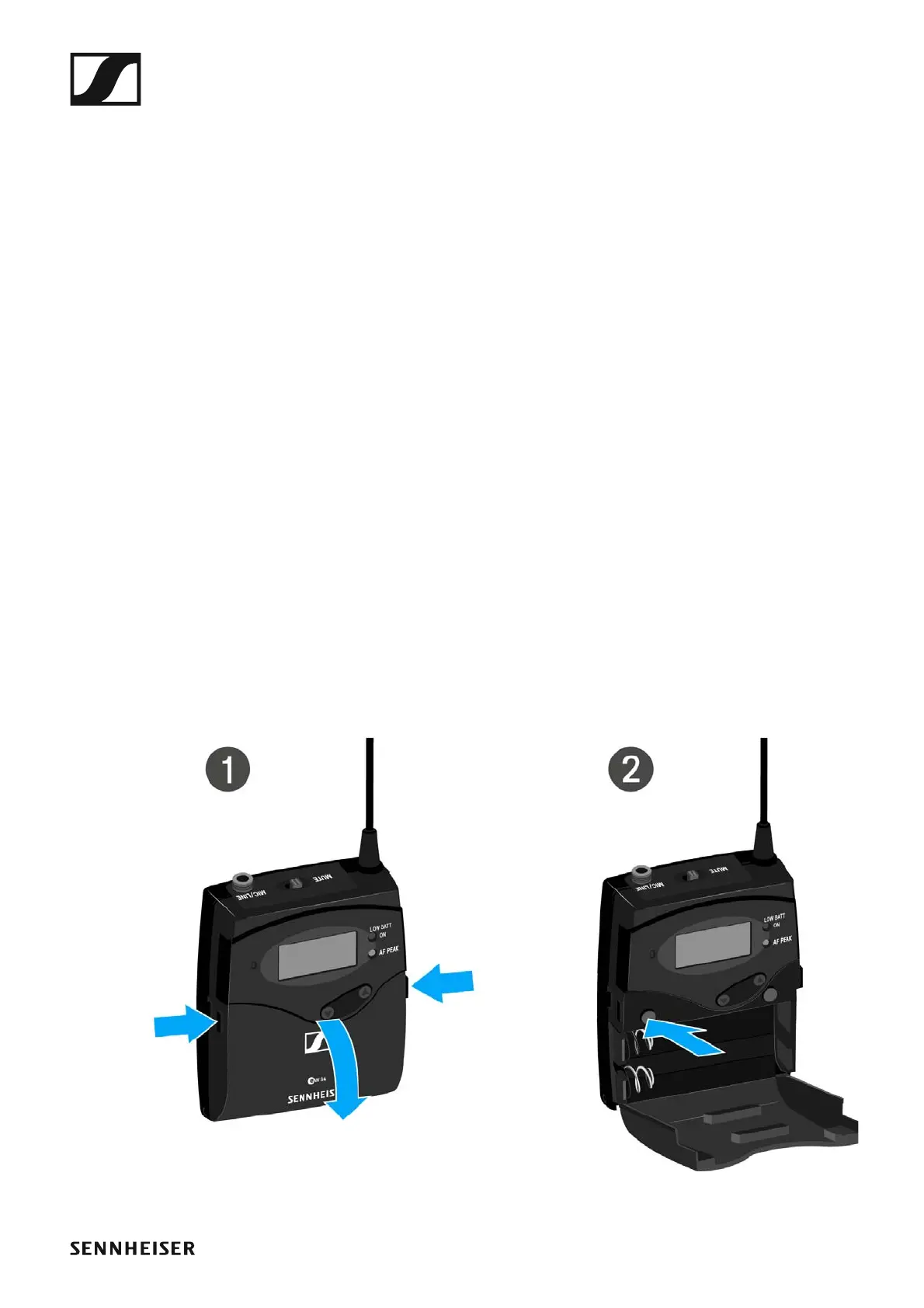
▷ Press the two catches and open the battery compartment cover.
To switch on the SK 100 G4:
▷ Hold down the ON/OFF button until the Sennheiser logo appears on the
display.
To switch off the SK 100 G4:
▷ Hold down the ON/OFF button until the display goes off.




 To Next Page