This document outlines the operation and features of the Sennheiser ew 100 G4 wireless microphone system, encompassing the EM 100 receiver, SK 100 bodypack transmitter, SKM 100 handheld transmitter, and SKM 100-S handheld transmitter. The system is designed for professional audio applications, offering robust wireless performance and user-friendly controls.
Function Description:
The Sennheiser ew 100 G4 system provides high-quality wireless audio transmission, allowing for freedom of movement without compromising sound fidelity. The core components work together to capture audio, transmit it wirelessly, and receive it for integration into a sound system.
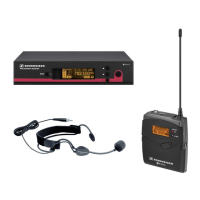
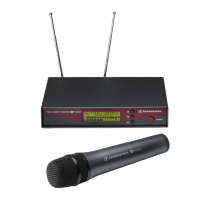
- EM 100 Receiver: This is the central receiving unit that captures the audio signal from the transmitters. It features a display for monitoring system status, frequency, and audio levels. The receiver offers various setup options, including automatic frequency scanning and synchronization with transmitters, ensuring a clear and stable connection. It provides both XLR-3 and 6.3 mm jack outputs for versatile connectivity to mixing consoles or other audio equipment.
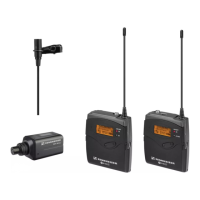
- SK 100 Bodypack Transmitter: Designed for discreet wear, the SK 100 connects to lavalier microphones (like the ME 2 or ME 4) or instrument cables. It transmits the audio signal wirelessly to the EM 100 receiver. The bodypack includes controls for sensitivity, mute functions, and battery status indication.
- SKM 100 Handheld Transmitter: This integrated microphone and transmitter unit is ideal for vocal performances or interviews. It features a microphone capsule (e.g., ME 3-II) and transmits the audio signal wirelessly to the EM 100 receiver. It includes controls for mute, sensitivity, and battery status.
- SKM 100-S Handheld Transmitter: Similar to the SKM 100, the SKM 100-S offers an additional mute mode feature, providing enhanced control over audio transmission.
Usage Features:
The ew 100 G4 system is designed for ease of use, with intuitive controls and helpful indicators.
- Power and Battery Management: All components feature clear battery indicators. The EM 100 receiver displays battery life as a percentage and estimated hours remaining (> 8h, 4-6h, 2-3h, Low Batt). Transmitters also show battery status. The manual details how to insert batteries into the SK 100, SKM 100, and SKM 100-S.
- Display and Navigation: The EM 100 receiver has a standard display showing frequency, bank, channel, frequency name, RF level, audio level, and battery status. Navigation is done via "SET" and arrow buttons (▲ UP, ▼ DOWN, ESC). Transmitters also have displays for essential information.
- Menu System: The EM 100 receiver offers a comprehensive menu structure:
- Main Menu ("Menu"): Includes Squelch, Easy Setup, Frequency Preset, Name, AF Out, Equalizer, Auto Lock, and Advanced options.
- "Easy Setup": Provides Reset List, Current List, and Scan New List for quick frequency configuration.
- "Advanced Menu": Offers Tune, Guitar Tuner, Pilot Tone, LCD Contrast, Reset, and Software Revision.
- Transmitters (SK and SKM) also have "Advanced Menu" options, including Tune, Mute Mode, Cable Emulation (SK only), Pilot Tone, LCD Contrast, Reset, and Software Revision.
- Auto Lock: This feature prevents accidental changes to settings. It can be enabled or disabled on the EM 100 receiver, SK 100, and SKM 100/SKM 100-S transmitters. A 10-second timer is available for auto-lock activation on transmitters.
- Squelch: The EM 100 receiver allows adjustment of the squelch level (Low, Middle, High) to minimize background noise and interference.
- Frequency Management:
- Easy Setup: The system offers an "Easy Setup" mode for quick frequency scanning and assignment. Users can scan for new lists or select from current lists.
- Frequency Preset: Pre-programmed frequency banks and channels are available for convenient selection.
- Change Frequency: Frequencies can be manually adjusted.
- Sync Function: The "SYNC" feature allows for quick and automatic synchronization of frequency and other settings between the EM 100 receiver and transmitters (SK 100, SKM 100, SKM 100-S) via infrared. This ensures all components are operating on the same settings.
- Mute Functions:
- Transmitter Mute: SK 100, SKM 100, and SKM 100-S transmitters have mute functions. The SKM 100-S specifically offers different mute modes.
- Receiver Mute: The EM 100 receiver can display the mute status of connected transmitters.
- Sensitivity Adjustment: Both the EM 100 receiver (AF Out) and transmitters (Sensitivity) allow for adjustment of audio input and output levels to optimize sound quality and prevent clipping. The EM 100 receiver's AF Out can be adjusted from -24 dB to +24 dB, while transmitter sensitivity can be adjusted from -60 dB to 0 dB.
- Multichannel Easy Setup: For systems with multiple wireless channels, the "Multichannel - Easy Setup" guides users through setting up multiple transmitters and receivers, supporting up to 12 channels or more.
- Microphone Connectivity: The SK 100 bodypack is designed to connect with various Sennheiser microphones, such as the ME 2 (lavalier, 25 cm distance) and ME 4 (lavalier, 2-3 cm distance). The SKM 100 and SKM 100-S handheld transmitters integrate microphone capsules like the ME 3-II.
Maintenance Features:
While the manual primarily focuses on operational aspects, some features contribute to system maintenance and longevity.
- Software Revision: The "Advanced Menu" on both the EM 100 receiver and transmitters allows users to check the software revision, which can be useful for troubleshooting or ensuring the system is up-to-date.
- Reset Function: A "Reset" option is available in the "Advanced Menu" to restore the device to its factory default settings, which can be helpful for resolving configuration issues.
- Documentation App and Online Resources: Sennheiser provides a documentation app (available on Google Play and App Store) and online resources (www.sennheiser.com/download) for accessing manuals and support, facilitating user maintenance and understanding of the system.
- LCD Contrast: The "LCD Contrast" setting in the "Advanced Menu" allows users to adjust the display's readability, ensuring clear visibility of information under various lighting conditions.

 Need help?
 General
 Weight and Dimensions






 To Next Page
