8
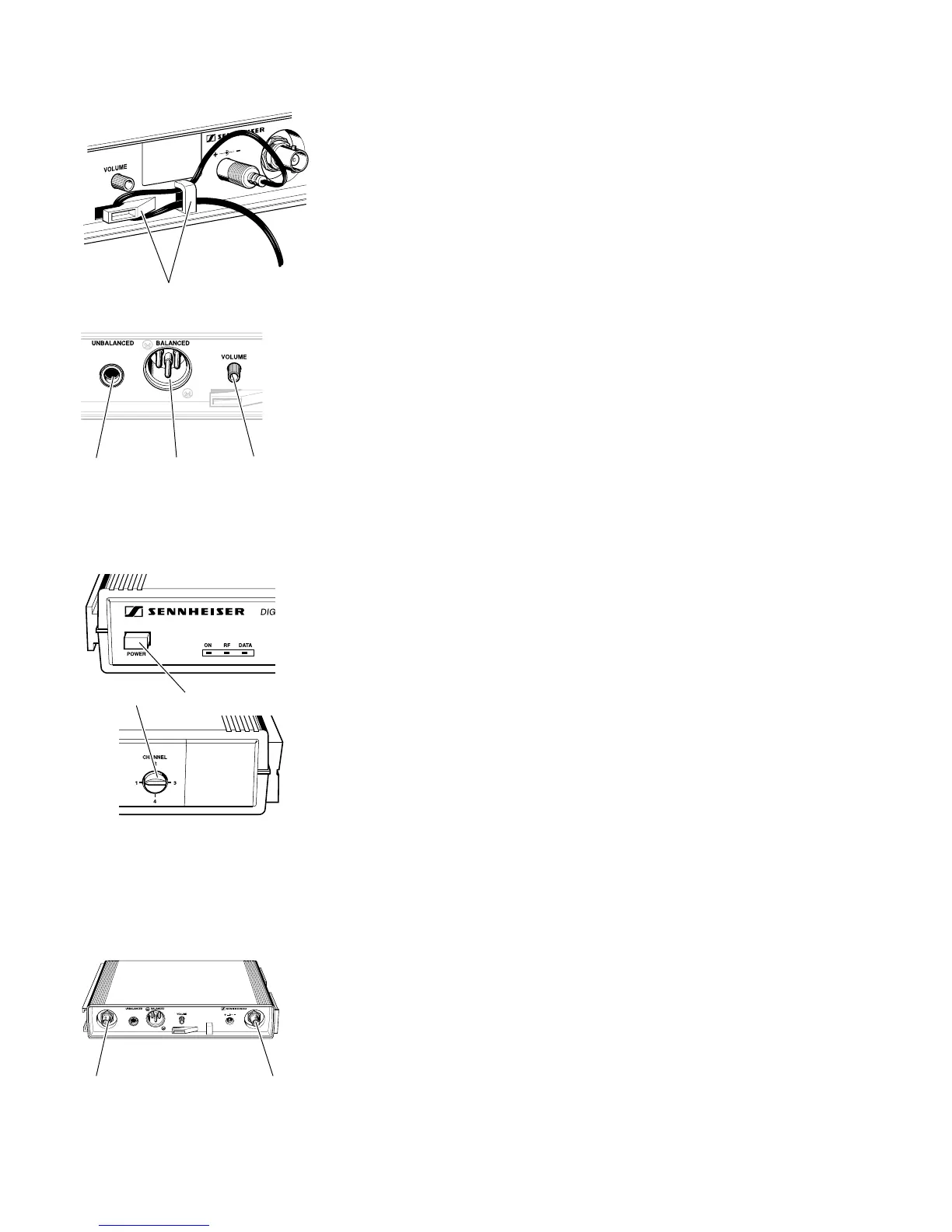
Connecting the mains unit
씰 Insert the DC connector on the power supply output cable into
socket (refer to page 7) at the rear of the receiver.
씰 Pass the cable through the cable grip .
Connecting the amplifier/mixing console
씰 Connect the amplifier/mixing console either
– to the XLR-3M socket or
– to the 1/4” jack socket .
Adjusting the AF output level
씰 Use the AF output level control to adjust the AF signal level that
appears at outputs and .
Switching the receiver on/off – Selecting a channel
씰 Press the POWER button to switch the receiver on.
씰 Use the channel selector switch to select a channel.
Connecting additional A 1090 DIGITAL antennas
Additional digital antennas can be connected to the BNC sockets and
if the range of the receiver’s internal antennas is not sufficient. This may
happen if receivers are mounted into a rack or are installed between metal
constructions on a stage.
For connecting the antennas, use 50 Ω coaxial cable with BNC connectors.
Ready made up antenna cables from Sennheiser are available as accessories
(see chapter 11).
Depending on the location you can connect one or two digital antennas.
Attention:
Never connect conventional RF antennas to the BNC sockets as these
can damage the receiver!













 To Next Page