EasyManua.ls Logo

Sensaphone 1104 - Interrogating Input Recognition Time

Sensaphone 1104
108 pages
Print Icon
To Next Page IconTo Next Page
To Previous Page IconTo Previous Page
Loading...
programmed.
The Model 1104 responds: “Enter minutes.
4. Using the number keys, enter the minutes. For example, to set
a Recognition Time of five minutes, simply press “5” on the
keypad. The Model 1104 recites the digits as they are pressed.
5. Press ENTER. The Model 1104 responds: “Enter seconds.
6. Using the number keys, enter the seconds. The Model 1104
recites the digits as they are pressed.
7. Press ENTER. The Model 1104 responds: “Enter.
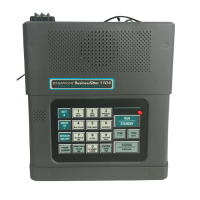
5.3.2 Interrogating Input Recognition Time
1. Press WHAT IS.
2. Press RECOGNITION TIME.

7
RECOGNITION
TIME
WHAT
IS
*
ENTER
TONE
PM
ENTER
TONE
PM
1
CALL
DELAY
2
VOICE
REPS
3
INTERCALL
TIME
4
MAX CALLS
5
TEMP LIMITS
6
CALIBRATE
7
RECOGNITION
TIME
8
CLOCK
9
LISTEN TIME
SOUND
0
ID NUMBER
POWER
ENTER
TONE
PM
ENTER
TONE
PM
1
CALL
DELAY
2
VOICE
REPS
3
INTERCALL
TIME
4
MAX CALLS
5
TEMP LIMITS
6
CALIBRATE
7
RECOGNITION
TIME
8
CLOCK
9
LISTEN TIME
SOUND
0
ID NUMBER
POWER
1
CALL
DELAY
2
VOICE
REPS
3
INTERCALL
TIME
4
MAX CALLS
Chapter 5: Alarm Programming
67

Table of Contents