Sentry AutoVREL Flow Controller 17
Manual Operation through AutoVREL Controller
In the AutoVREL menu there is a manual control option. In this menu you can use the up
and down arrows to change the desired percent open of the VREL.
To get to the menu:
1. Place the unit in standby mode.
2. Press up or down until ‘MANUAL CONTROL’ is visible on the controller screen.
3. Press enter to proceed to manual control mode.
4. Pressing up or down will cause ‘Seek XX’ to appear where xx is the desired percent
open.
5. The controller will proceed to move the VREL to the desired position where ‘Seek XX’
will disappear.
6. To exit press the back key
7. The controller will return the VREL to the default position before exiting to the main
menu.
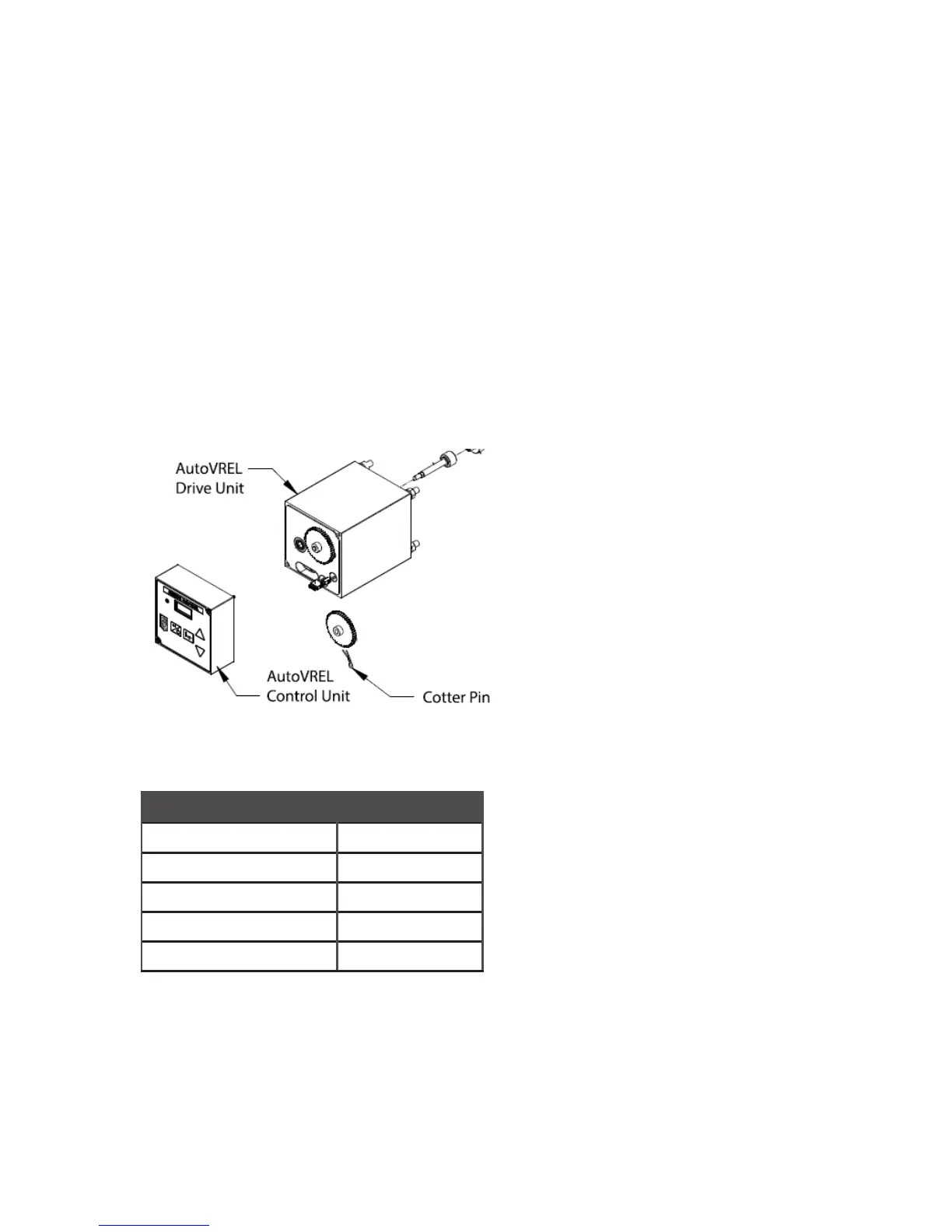
Parts List
Description Part Number
AutoVREL control unit 6-05790J
AutoVREL drive unit 6-05790B
Flow meter 6-05790G
Cotter pin 4-06595P
DC power cord 4-01981G



 To Next Page