Need help?
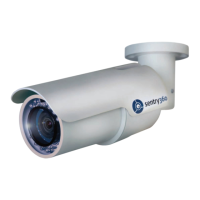
Do you have a question about the Sentry360 FS-IP3000-M and is the answer not in the manual?
Lists core functionalities including progressive scan CMOS sensor, H.264/MJPEG compression, wide dynamic range, motion detection, and weatherproof design.
Provides a step-by-step procedure for installing the camera, emphasizing crucial steps to ensure its waterproof integrity.
Outlines the necessary PC hardware, operating system, web browser compatibility, and network card specifications for accessing the camera.
Guides users through powering the camera and using sentryView™ to scan, auto-configure, or manually set network settings (IP, Subnet, Gateway).
 General
| Sensor Type | CMOS |
|---|---|
| Video Compression | H.264, MJPEG |
| Network Interface | 10/100 Ethernet |
| Ingress Protection | IP66 |
| Resolution | 2048x1536 |
| Lens | 3.6mm |
| Field of View | 70° |
| Minimum Illumination | 0.5 Lux |
| Day/Night | Yes |
| IR Distance | 30m (98.4ft) |
| Frame Rate | 30 fps |
| Power Supply | PoE (802.3af) or 12V DC |
| Operating Temperature | 50°C |
| Dimensions | 153mm |
| Weight | 500g |

 To Next Page