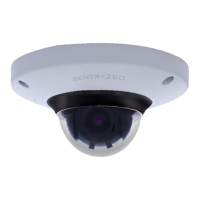
Need help?
Do you have a question about the Sentry360 IS-DM260 and is the answer not in the manual?
Lists key features of the IS-DM260 camera, including sensor, compression, and special functions.
Details the items included in the camera package, such as camera, washers, and screws.
Provides the physical dimensions of the IS-DM260 camera in millimeters.
Step-by-step guide for installing the IS-DM260-R model outdoors to ensure waterproofing.
Identifies and explains the function of the camera's reset button, lens, and SD card slot.
Explains how to connect the Ethernet cable for the indoor IS-DM260, including PoE and RJ-45 Lite.
Details the Ethernet cable connection for the outdoor IS-DM260-R using the RJ-45 Dongle Cable.
Guide on powering the camera, installing sentryView, scanning, and configuring network settings for camera access.
Provides the default administrator login ID and password for accessing the camera.
Instructions for installing the DC Viewer client program required for camera access and viewing.
Details how to set video resolution, frame rate, and compression for different H.264 streams.
Options to include date, time, or custom text strings on the video stream.
Allows changing the video orientation, such as rotating it by 90 degrees.
Configuration options for Group of Pictures (GOV) length for H.264 streams.
Selection of H.264 profiles (e.g., Main, High) for video encoding.
Procedure to save current system settings to a configuration file (.bin) for backup.
Process to load a saved configuration file (.bin) to restore settings on the IS-DM260.
Instructions on how to remove the DC Viewer software from the Windows Control Panel.
Steps to delete temporary internet files in the browser for improved performance.
Guide to setting Internet Explorer's security level to default to resolve access issues.
Instructions to enable ActiveX controls and plug-ins in Internet Explorer for proper camera functionality.
 General
| Type | - |
|---|---|
| Placement supported | Indoor |
| Connectivity technology | Wired |
| Wide Dynamic Range (WDR) | Yes |
| Form factor | Dome |
| Product color | White |
| Total megapixels | 15 MP |
| Maximum resolution | 1920 x 1080 pixels |
| Video formats supported | H.264, M-JPEG |
| Supported graphics resolutions | 1920 x 1080 (HD 1080) |
| White balance | Auto |
| Minimum illumination | 0.1 lx |
| Sensor type | CMOS |
| Optical zoom | - x |
| Fixed focal length | 4 mm |
| Compatible memory cards | MicroSD (TransFlash) |
| Cabling technology | 10/100Base-T(X) |
| Supported network protocols | UDP, TCP/IP, HTTP, TFTP, RTP/RTSP |
| Power source type | PoE |
| Power consumption (typical) | 3.5 W |
 Weight and Dimensions
| Width | 110.2 mm |
|---|---|
| Height | 47.4 mm |
| Weight | 180 g |

 To Next Page