6 7
English
Troubleshooting / Customer Service
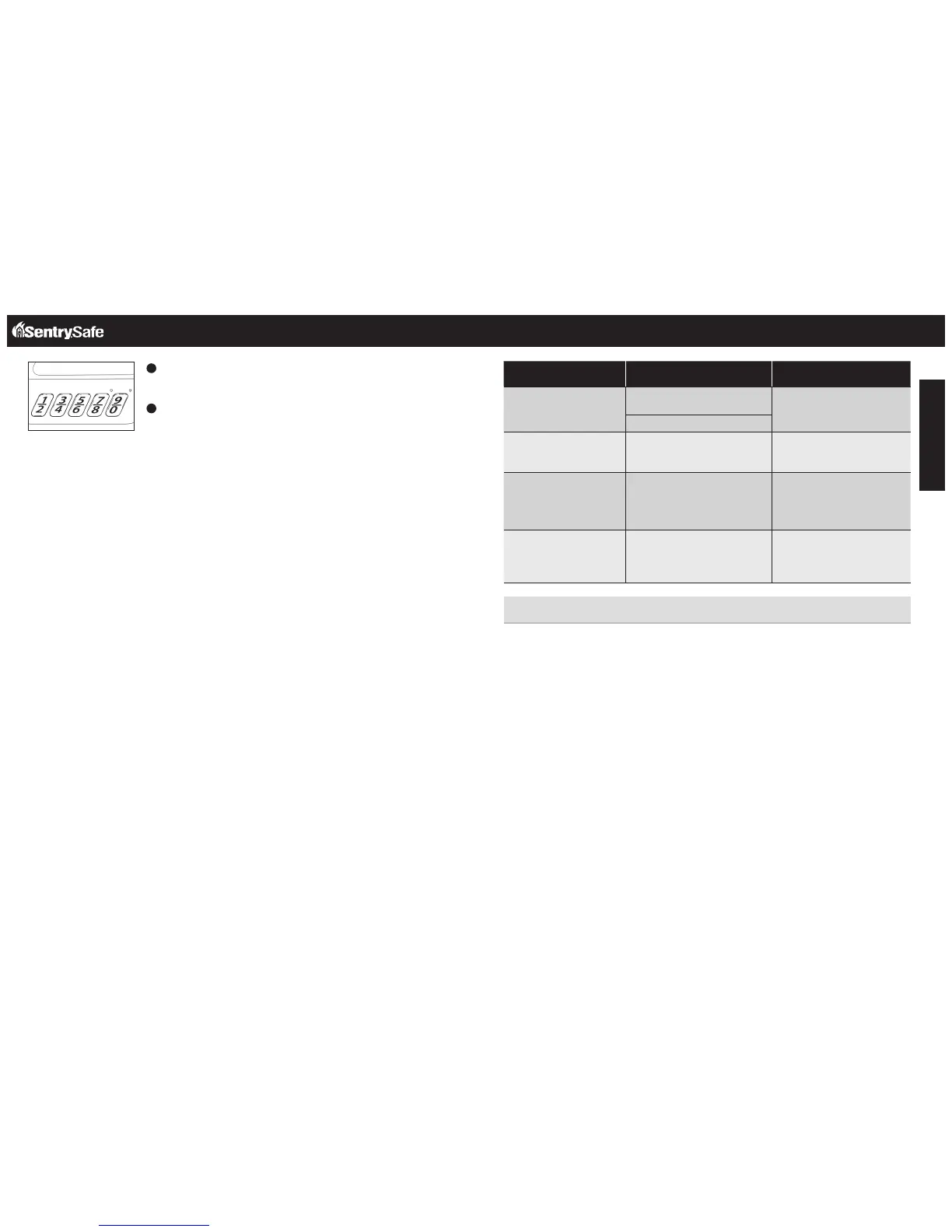
Enabling / Disabling Beeper
Press and hold the 1 and 9 on the keypad simultaneously for 3
seconds.
If the beeper is enabled, the green LED light will flash and the
beeper will sound. If the beeper is disabled, the green LED will
flash but have no sound.
1
2
The Problem: Why It Is Happening: The Solution:
Red LED blinks three times Incorrect code has been entered/
programming error
Verify the code and re-enter or
reprogram
Programming error
Red LED slowly blinks for
two minutes
An incorrect code has been entered
three times, safe is in lockout mode
Wait for two minutes, re-enter
personal or factory code
Yellow LED blinks once
every thirty seconds
Battery power is low Replace with 9 volt alkaline
batteries (do not use rechargeable
or any other type of non-alkaline
battery)
No LED indication when
pressing key pad buttons
Power failure Replace with 9 volt alkaline
batteries (do not use rechargeable
or any other type of non-alkaline
battery)
Customer Service
www.sentrysafe.com
Phone Number: 1-800-828-1438
Customer Service


 To Next Page