EasyManua.ls Logo

SEP LEM012SD - User Manual

SEP LEM012SD
11 pages
Print Icon
To Next Page IconTo Next Page
Loading...
1 SEP LEMO12SD / LEM012SS 2015
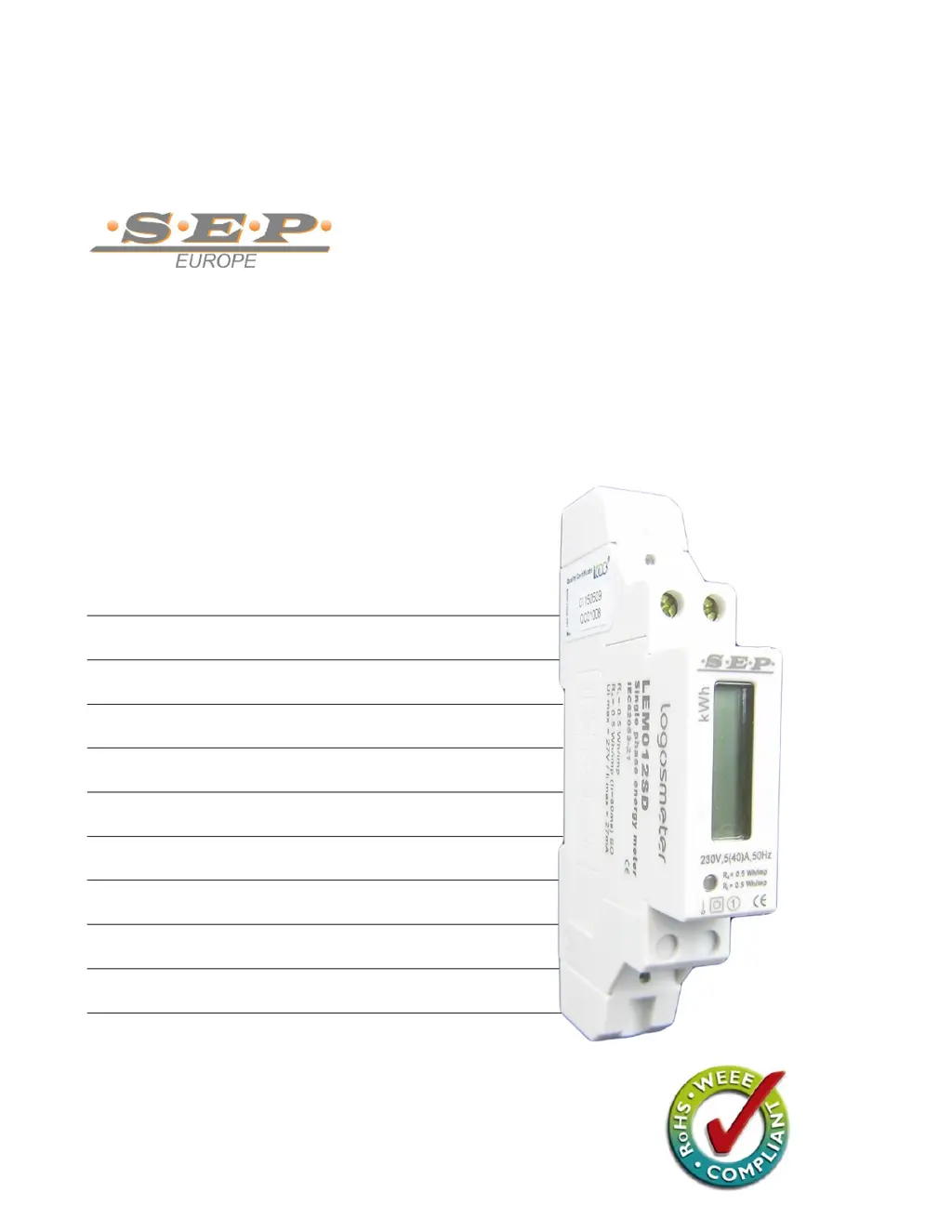
LEM012SD DIGITAL DISPLAY KWH METER
LEM012SS ANALOG DISPLAY KWH METER
230V | 5-40A | 50Hz | class 1
DIN rail single phase two wire energy meter
1.1 Safety instruction
1.2 Foreword
1.3 Performance criteria
1.4 Specifications
1.5 Intrinsic errors
1.6 Description
1.7 Dimensions
1.8 Installation
1.9 Operating
1.10 Troubleshooting
1.11 Technical support
1.1 Safety
instruction
1.2
Foreword
1.3
Performance
criteria
1.4
Specifications
1.5 Basic
errors
1.6
Description
1.7
Dimensions
1.8
Installation
1.9
Operating
1.10
Troubleshooting
1.11
Technical
support
User manual

Questions and Answers

  • S
    Sarah YoungAug 4, 2025
    What to do if there is no light for the Power supply indicator on my SEP Measuring Instruments?
    • J
      Joel MoralesAug 4, 2025
      If the power supply indicator light isn't on, it might be due to an internal circuit fault. First, check the switch, circuit-breaker, fuse, or thermal cut-off. Reinstall terminal screws on positions 1 and 4, ensuring they are securely fixed. Verify that there is a 230V 50Hz AC voltage between terminal screws 1 and 4 when the power supply is input. If the problem persists, contact a qualified technician. Replacement of the meter may be necessary.
  • T
    Tammy CampbellAug 10, 2025
    Why is there no pulse output from my SEP Measuring Instruments?
    • J
      Jason WallaceAug 10, 2025
      If there is no pulse output, the issue might stem from an internal circuit fault. Begin by verifying that the external voltage source (Ui) is within the range of 5-27V DC. Also, confirm the correct connection: connect 5-27V DC to connector 20 (anode) and the signal wire (S) to connector 21 (cathode). If problems persist, contact a qualified technician for assistance. Replacement of the meter might be required.
  • J
    Jeremy FloresAug 16, 2025
    What to do if the register can’t run on my SEP LEM012SD Measuring Instruments?
    • M
      Michael BurkeAug 16, 2025
      If the register isn't running, it could be due to an internal circuit fault. First, ensure that the power supply indicator is lit. If the operating power is too low, the spacing interval of running will be prolonged so that people is under the delusion that register can’t run. If the issue persists, contact a qualified technician. When necessary, the meter should be replaced.
  • R
    Robert SmithAug 22, 2025
    What to do if LCD backlight can’t lit on my SEP Measuring Instruments?
    • J
      josephriceAug 22, 2025
      If the LCD backlight isn't lighting up, it might be due to a fault in the internal circuit. Ensure that the power supply indicator is lit. If the problem continues, please connect with technical support to replace this meter.
  • J
    Jennifer DixonAug 27, 2025
    What to do if there is no light for the consumption indicator on my SEP LEM012SD Measuring Instruments?
    • D
      Deanna LaneAug 27, 2025
      If the consumption indicator light isn't illuminating, it could indicate an internal circuit fault. Note that this LED will only flash when a load is running. If the operating power is too low, the flashing intervals may be prolonged, creating the impression that the LED is not functioning. Please connect with technical support to replace this meter.

Summary

Safety Instructions

Foreword

Performance Criteria

Specifications

Intrinsic Errors

Description

Dimensions

Installation

Operating

Working Indication

Details the function of the green/red LED status indicator.

Consumption Indication

Explains the red LED for energy consumption monitoring.

Reading the Meter

Describes the LCD display and energy data readings.

Troubleshooting

Technical Support

SEP LEM012SD Specifications

General IconGeneral
BrandSEP
ModelLEM012SD
CategoryMeasuring Instruments
LanguageEnglish

Related product manuals