SeQual Technologies Inc. Part No: 7040
10
Power Management Feature
In the event of a Power Interruption:
Warning: Because the duration of a power interruption is unknown, seek an alternate supply of oxygen
during the power interruption. Resume use of the Integra E-Z when power is restored.
If a power outage occurs, the Integra E-Z will activate both an audible and a visual red light alarm to inform you that
the Integra E-Z is not operating. The Integra E-Z must be located where the alarms can be seen and heard.
If the duration of the interruption is shorter than twenty seconds and the unit has not been turned off, the Integra E-Z
will resume operation twenty seconds after the initial interruption.
Important:
During the power interruption:
• The user can press the ON/OFF button to silence the alarms and turn the unit off.
• If the unit was not turned off the Integra E-Z will automatically resume operation once power is restored..
• If the unit was turned off during the power interruption, the user must press the ON/OFF button again, after
the power is restored, to turn the unit on.
Operating Conditions
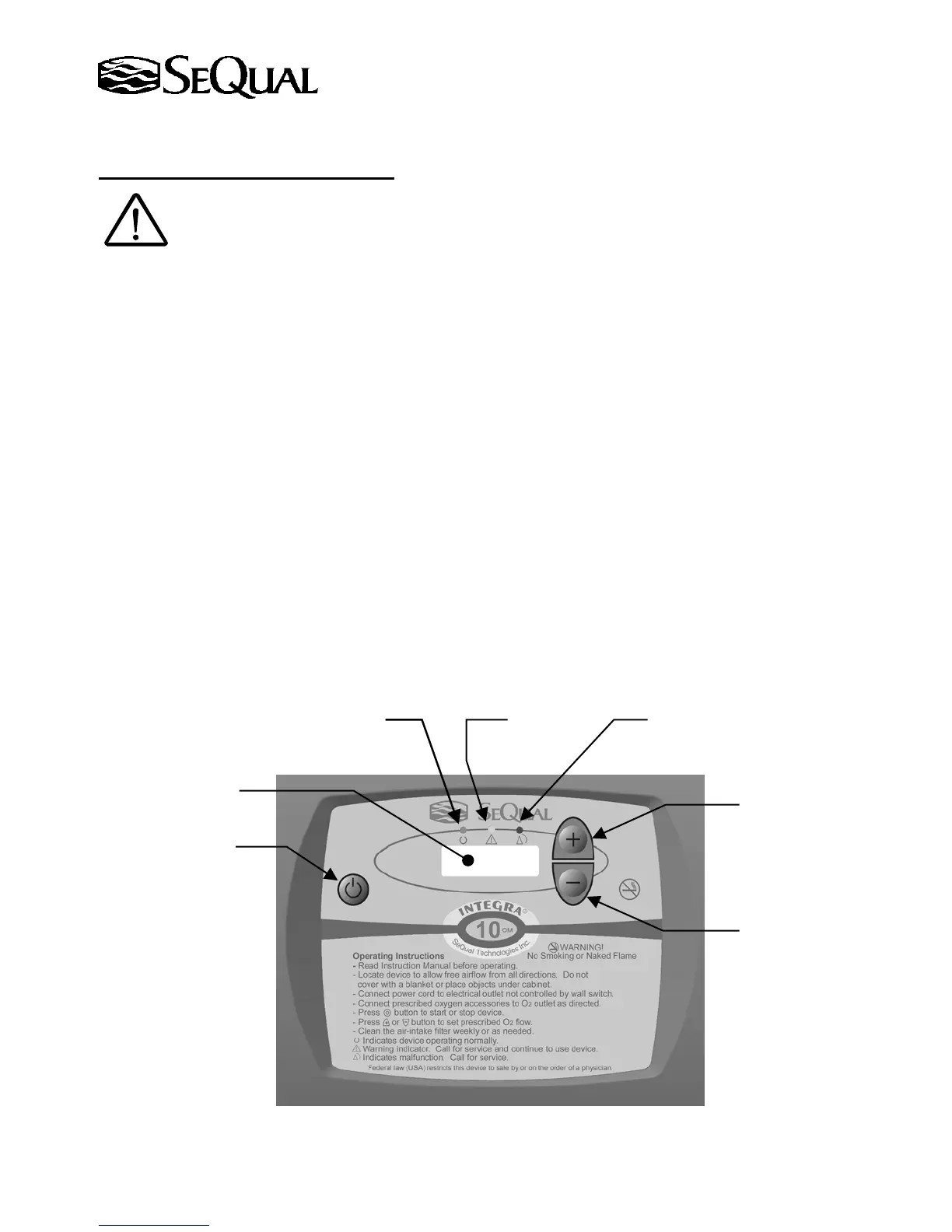
1. Control Panel Display – If the concentrator is an OM Model (equipped with an oxygen monitor), the
oxygen concentration is being continuously monitored while the Integra E-Z is running and oxygen is being
produced.
If the concentration level falls below preset levels, an indicator light will activate. Operating
conditions are described in the table on the following page.
Green Light
On/Off Button
Red Light Yellow Light
Increase Flow Button
Decrease Flow Button
LCD Flow Indicato
(LPM)


 To Next Page