EasyManua.ls Logo

Sera LED Moonlight Set - User Manual

Sera LED Moonlight Set
80 pages
Go to English
Print Icon
To Next Page IconTo Next Page
Loading...
304043-00
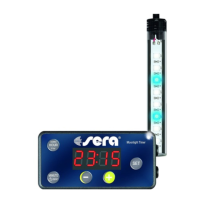
LED Moonlight
Set
LED Moonlight
Set
GmbH • Borsigstr. 49 • 52525 Heinsberg/Germany
D
Mondphasensimulation
für alle Aquarien und
Terrarien
Individuell
programmier bare
Mondauf- und -untergänge
Nächtliche Wolken -
szenarien
US
Moon phase
simulation for
all aquariums
and terrariums
Individually
programmable
moonrises and
moonsets
Nocturnal cloud
scenarios
F
Simulation des
phases de la lune
pour tous les aquariums
et terrariums
Programmation
personnalisée du lever
et du coucher de la lune
Simulation nocturne de
nuages
304043-00_sera LED Moonlight Set_INT_GBI.indd 2 26.04.2017 08:46:31
Question and Answer IconNeed help?

Do you have a question about the Sera LED Moonlight Set and is the answer not in the manual?

Summary

Information for use

Safety Precautions

Use the timer within specified application range and voltage limits.

Application and application range

Details timer's capability to dim multiple LED tubes and wattage limits.

Kit includes

Lists all components included in the LED Moonlight Set.

Assembly instruction

Explains how to connect the timer between the LED driver and the LED lamp.

Location

Guidance on installing the timer in an accessible and dry area.

Operation

ON;OFF

Instructions for switching the LED moonlight on and off.

Adjusting the actual time

Procedure to set the current time using the SET, HOUR, and MINUTE keys.

Programming the moonrise

Steps to program the start time for the moonrise simulation.

Programming the moonset

Steps to program the start time for the moonset simulation.

Adjusting the switch mode

How to select between different lighting programs (F1, F2, F3).

Adjusting Brightness and Settings

Adjusting brightness by program

Setting overall brightness levels using predefined program options.

Manual brightness adjustment

Individually adjusting brightness levels using the '+' and '-' keys.

Reset function

Restoring the timer to its default factory settings.

Demo Mode

Simulating moonrise, moonset, and cloud phases within 75 seconds.

Power supply considerations

Information on settings loss due to power interruption.

Maintenance and Troubleshooting

Cleaning

Instructions for cleaning the unit with a moist cloth and neutral detergent.

Maintenance

States that the timer and other components do not require servicing.

Safety Precautions

Warnings about handling the unit, avoiding humidity, and not using AC voltage.

Possible errors and solution

A guide to common errors and their corresponding solutions.

Disposal and Warranty

Disposal of the unit

Legal obligation to hand in WEEE separately from domestic waste.

Manufacturer warranty

Details the 2-year warranty period and exclusions for wear and tear.

Important warranty addendum

Exclusions for power/mains cord damage and glass damage.

Summary

Information for use

Safety Precautions

Use the timer within specified application range and voltage limits.

Application and application range

Details timer's capability to dim multiple LED tubes and wattage limits.

Kit includes

Lists all components included in the LED Moonlight Set.

Assembly instruction

Explains how to connect the timer between the LED driver and the LED lamp.

Location

Guidance on installing the timer in an accessible and dry area.

Operation

ON;OFF

Instructions for switching the LED moonlight on and off.

Adjusting the actual time

Procedure to set the current time using the SET, HOUR, and MINUTE keys.

Programming the moonrise

Steps to program the start time for the moonrise simulation.

Programming the moonset

Steps to program the start time for the moonset simulation.

Adjusting the switch mode

How to select between different lighting programs (F1, F2, F3).

Adjusting Brightness and Settings

Adjusting brightness by program

Setting overall brightness levels using predefined program options.

Manual brightness adjustment

Individually adjusting brightness levels using the '+' and '-' keys.

Reset function

Restoring the timer to its default factory settings.

Demo Mode

Simulating moonrise, moonset, and cloud phases within 75 seconds.

Power supply considerations

Information on settings loss due to power interruption.

Maintenance and Troubleshooting

Cleaning

Instructions for cleaning the unit with a moist cloth and neutral detergent.

Maintenance

States that the timer and other components do not require servicing.

Safety Precautions

Warnings about handling the unit, avoiding humidity, and not using AC voltage.

Possible errors and solution

A guide to common errors and their corresponding solutions.

Disposal and Warranty

Disposal of the unit

Legal obligation to hand in WEEE separately from domestic waste.

Manufacturer warranty

Details the 2-year warranty period and exclusions for wear and tear.

Important warranty addendum

Exclusions for power/mains cord damage and glass damage.

Sera LED Moonlight Set Specifications

General IconGeneral
TypeLED
CategoryAquarium Lighting
ColorBlue
Voltage12 V
PurposeMoonlight simulation for aquariums
Length30cm

Related product manuals