12
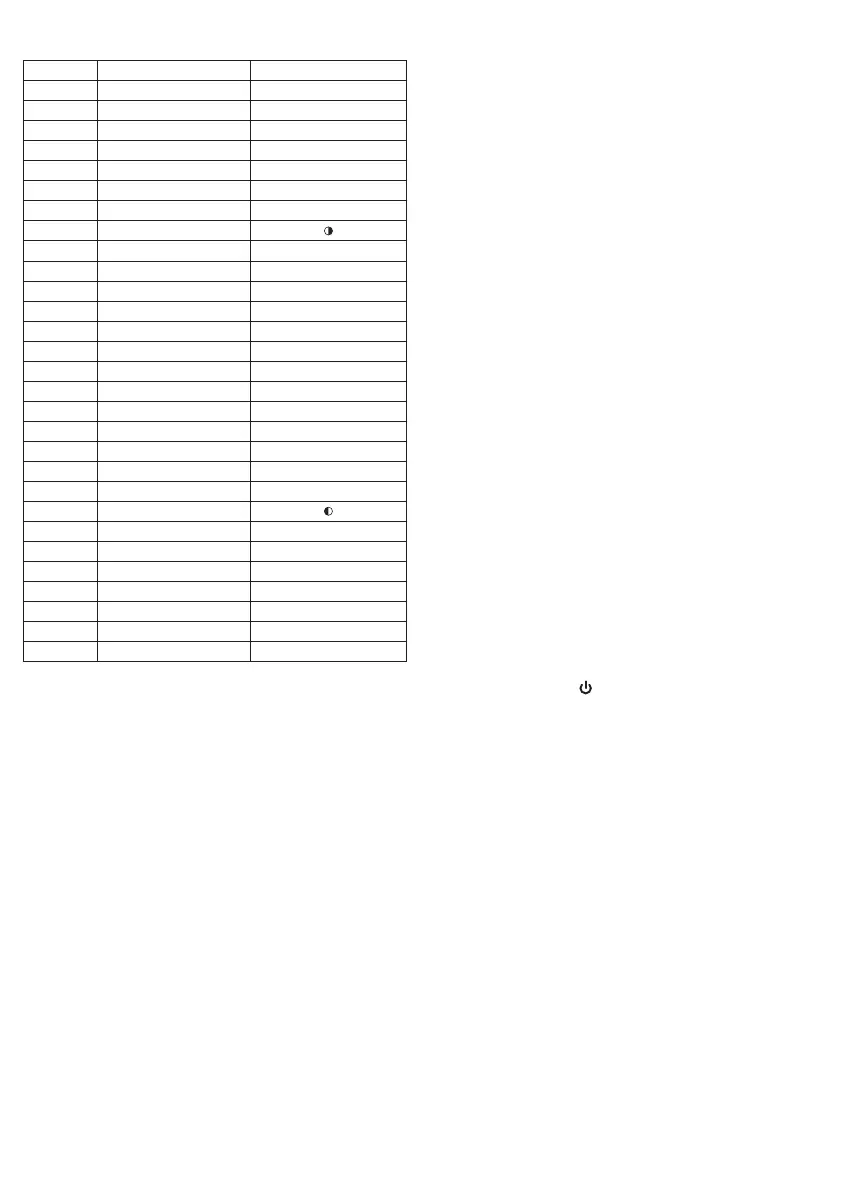
Description of the programmed calendar
Day (d) Brightness (br) Tendency
1 100%
2 96%
3 92%
4 88%
5 80%
6 72%
7 64%
8 56%
9 48%
10 40%
11 32%
12 24%
13 16%
14 8%
15 0%
16 8%
17 16%
18 24%
19 32%
20 40%
21 48%
22 56%
23 64%
24 72%
25 80%
26 88%
27 92%
28 96%
29 98%
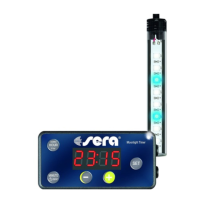
Press the “SET” key for approximately 3 seconds.
The display will then start to icker. Then briey press
the “SET” key four times (ON »OFF » F » d ) until the
display shows “d --”. Press the “+” or “-” keys for
selecting the desired day. Conrm the settings by
pressing the “SET” key, and you will proceed to the
next setup step – Adjusting the brightness by select-
ing the “br adjustment” program (please see item 7.1).
Advice
a. The sera LED moonlight is not lit during new
moon.
b. Maximum brightness is already reached before the
end during the low light moon phases.
c. We recommend selecting the day once per year
as to keep the programmed moon cycles in time
with natural moon phases.
7. Adjusting brightness
7.1 Adjusting the brightness by selecting the pro-
gram (br adjustment)
Press the “SET” key for approximately 3 seconds.
The display will then start to icker. Then briey press
the “SET” key ve times (ON »OFF » F » d » br) until
the display shows “br --”. Press the “HOUR/br” key
for selecting the desired overall brightness.
br 01 = approx. 40% br 03 = approx. 80%
br 02 = approx. 60% br 04 = 100%
Conrm the settings by pressing the “SET” key, and
you will return to the operation mode.
7.2 Manual adjustment
You can adjust the brightness individually as desired.
Set the maximum brightness by pressing the “+” and
“-” keys. The automatic dimming process will also
end at the brightness adjusted here. You can adjust
different brightness levels by pressing the “+” key for
a long time, and you can also reach other positions
stored with 100% brightness. These depend on the
system. In case you stored one of these positions
and later on wish to reduce the brightness, you may
need to press the “-” key for a longer time to reduce
the brightness in visible steps.
Attention!
Check whether the maximum brightness of the
moonlight timers is set correctly and possibly cor-
rect it before applying it on the aquarium, or in case
of apparently insufcient brightness in the aquarium
in spite of sufcient LED equipment.
8. Reset function
Press the “MINUTE/ /RESET” key for 5 seconds,
until the display shows “-- --”. This will restore the
default settings.
The default settings are as follows:
ON: 7:00 (7 a.m.) Switching mode: F1
OFF: 19:00 (7 p.m.) Day: 01 (full moon)
9. Demo Mode
Press the “HOUR/F∙br/DEMO” key for approximately
3 seconds: Now moonrise and moonset as well as
one cloud simulation phase are being simulated with-
in 75 seconds, independently of any programming.
The unit will then return to the previous operation
mode.
Power supply
The stored settings will be lost and need to be en-
tered again in case the power supply of the sera LED
Digital Moonlight Timer is interrupted for several
minutes or longer.
304043-00_sera LED Moonlight Set_INT_GBI.indd 12 20.04.2017 13:41:33


 To Next Page