Chapter 3 ADT Pulse Enrollment
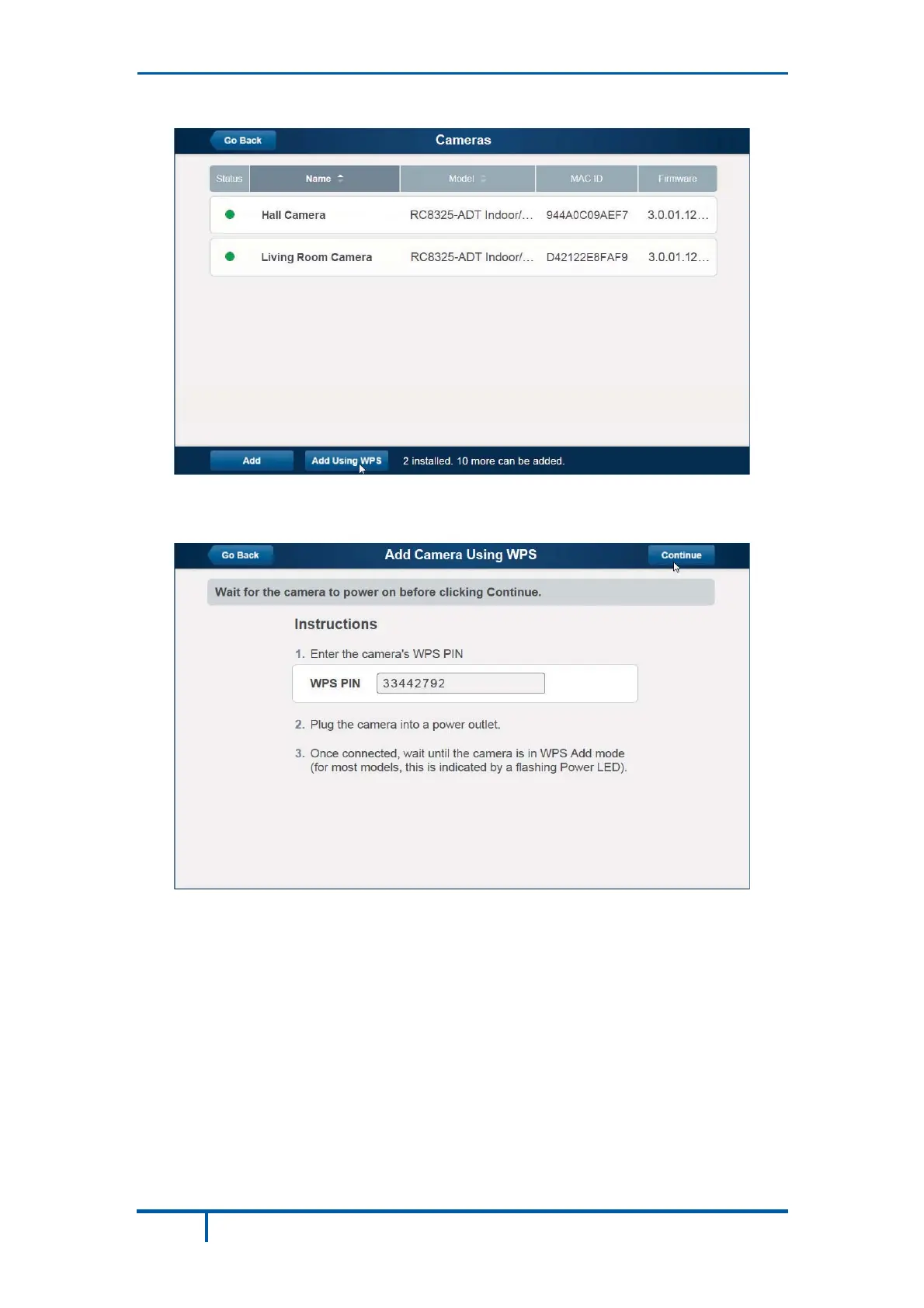
Click the Add Using WPS button, located at the bottom of the screen.
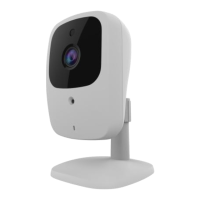
Locate the PIN number located on the label on the rear of the camera and
enter that number in the WPS PIN field.
Ensure that the camera is powered on, and then click the Continue button to
initiate the WPS process.
18 OC835-ADT Outdoor HD Camera Installation Guide


 To Next Page