EasyManua.ls Logo

Sercomm RC8221 - User Manual

Sercomm RC8221
118 pages
Print Icon
To Next Page IconTo Next Page
Loading...
Compact HD (11N) Wireless
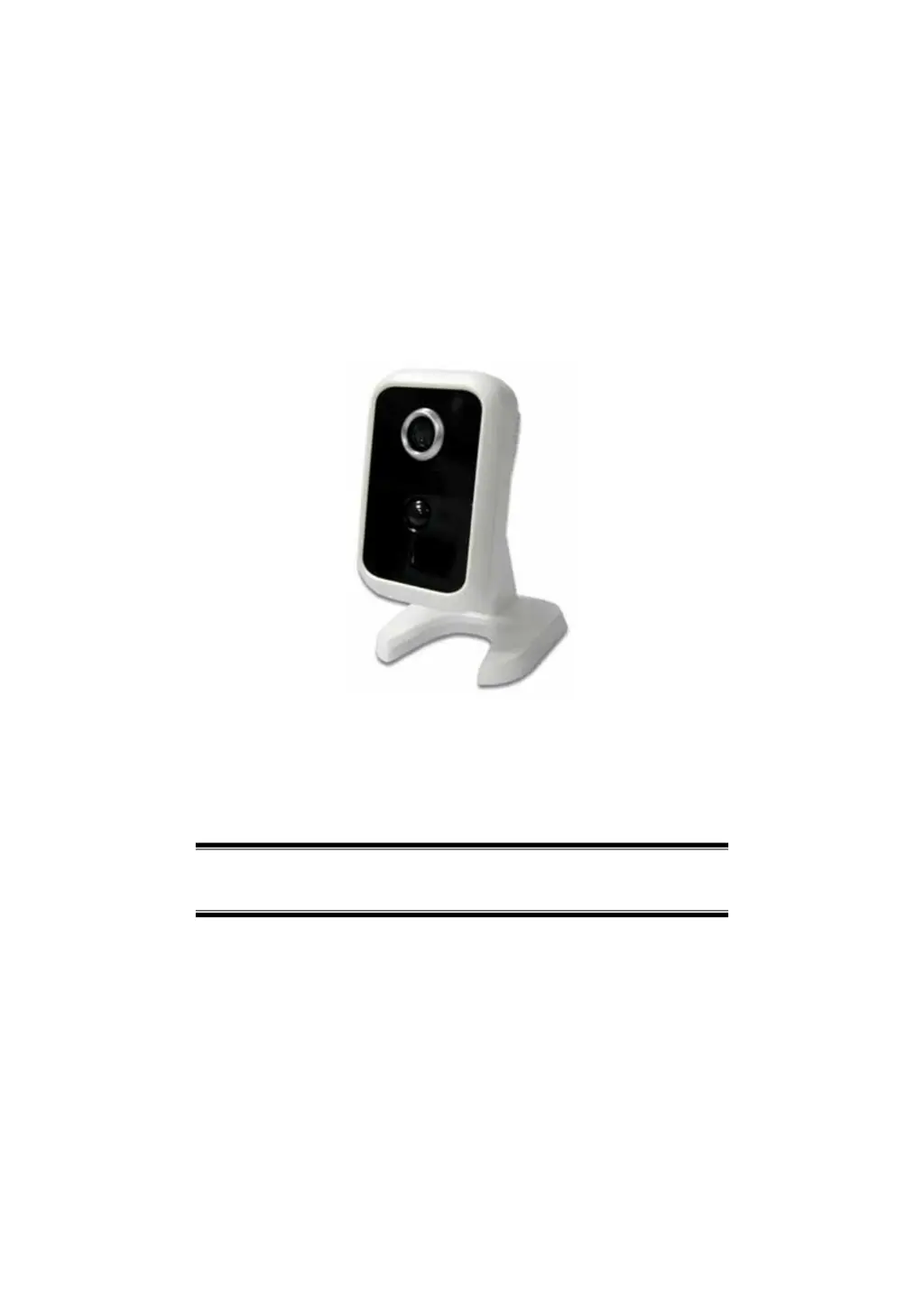
Network Camera
User’s Guide

Table of Contents

Questions and Answers

Summary

Chapter 1 Introduction

Overview of Network Camera Features

Provides an overview of the Network Camera's features, components, and capabilities.

Key Network Camera Features

Lists the key features of the Network Camera, such as standalone design and triple video support.

Live Video Streaming Options

Explains how to stream live video to multiple users and details multi-protocol support.

Easy Configuration and Utilities

Describes setup using a Windows Wizard and the Windows Utility for viewing/recording.

Motion Detection and Security Features

Details motion detection, PIR sensor, and security features like user authentication.

Internet Connectivity Features

Covers internet features like DDNS support and NTP for clock synchronization.

Wireless Network Capabilities

Explains wireless compatibility, security (WEP/WPA/WPA2), and WPS setup.

Chapter 2 Basic Setup

System Requirements for Setup

Lists the requirements for using wired and wireless network interfaces.

Network Camera Installation Guide

Steps for assembling and connecting the Network Camera via LAN.

Windows Wizard Setup Procedure

Comprehensive guide to configuring the camera with the Windows setup wizard.

IP Address Configuration Options

Options for IP address configuration: Fixed, Dynamic, or PPPoE.

Chapter 3 Viewing Live Video

Overview of Live Video Viewing

Introduction to viewing live video via LAN and Internet.

System and Browser Requirements

Lists system and browser requirements for viewing video streams.

Connecting to Camera on Local Network

Steps to connect to the camera via the local network using a web browser.

Connecting to Camera via the Internet

Instructions for connecting to the camera over the internet.

Live Video Screen Controls

Details the live video screen and its general viewing options like zoom.

Chapter 4 Advanced Viewing Setup

Introduction to Advanced Settings

Lists advanced topics covered in the chapter, including image adjustment and user access.

Adjusting Video Image Settings

Instructions for adjusting video image settings like resolution and frame rate.

Controlling User Access to Video Stream

How to manage user access and set scheduled periods for video viewing.

Making Video Available Over the Internet

Details on configuring router/gateway for internet access via port forwarding.

Network Camera Configuration Settings

Covers HTTPS port configuration and DDNS setup for internet access.

Motion Detection Alerts Configuration

How to configure motion detection areas, thresholds, and alerts.

Chapter 5 Web-based Management

Connecting and Accessing the Camera

Steps to connect to the camera via web browser and navigate the welcome screen.

Administration Menu Options

Lists the available configuration options under the Administration menu.

System Configuration Settings

Configuration settings related to system, date, time, and time zone.

Network Screen Configuration

Configuration for network settings like connection type, DNS, and protocols.

Wireless Screen Configuration

Configuration for wireless network settings, including site survey and security.

DDNS and IP Filter Settings

Configuration for Dynamic DNS and IP filtering to control access.

I;O Port and Streaming Settings

Configuration for input/output ports and video streaming parameters.

Video & Audio and Video Access Settings

Settings for video/audio adjustments and controlling user access to video.

User Database and Motion Detection

Managing user accounts and configuring motion detection areas.

Audio Detection and Email Alerts

Settings for audio detection and configuring email alerts via SMTP.

FTP, HTTP, and SD Card Configuration

Configuration for FTP uploads, HTTP notifications, and SD card management.

SMB;CIFS Client and Event Trigger

Configuring SMB/CIFS clients and setting up event triggers for various actions.

Maintenance and System Status

Firmware upgrade, backup/restore, and viewing system status.

Log Screen Configuration

Displays system activity logs and configuration for Syslog Service.

Chapter 6 Windows Viewing;Recording Utility

Utility Overview and Requirements

Introduces utility functions (LiveView, Recordings, Setup) and lists system requirements.

Utility Installation Process

Steps to install the utility software, including the welcome screen and tray icon.

LiveView Screen and Camera Setup

The main screen for viewing live camera streams and setting up cameras.

Live Viewing and Recording Programs

Details icons and controls for live viewing and programs for viewing recorded files.

Streams Configuration Setup

Tabs for camera, recording options, and settings to configure streams.

Recording Path and Time Limits

Setting the drive/folder for recorded files and instant recording time limits.

Chapter 7 Troubleshooting

Troubleshooting Overview

Covers common problems encountered while using the camera and their solutions.

Common Connection and Configuration Issues

Addresses problems like inability to connect, utility not listing cameras, and login prompts.

Video Quality and Motion Detection Problems

Troubleshooting issues like video quality deterioration, false motion detection, and blurry images.

Wireless and Streaming Troubleshooting

Resolving wireless connection issues and problems viewing H.264/MPEG4 streams.

Appendix A Specifications

Network Camera Model and Dimensions

Specifies the camera model (RC8221) and its physical dimensions.

Environmental and Performance Specifications

Details operating/storage temperatures, video compression, and resolutions.

Network and Wireless Interface Details

Lists supported network protocols and wireless interface specifications.

Regulatory Approvals and Copyright

Covers CE approvals, compliance standards, and copyright notices.

Appendix B Network Camera HTTP CGI

User-Level CGI Commands for Streaming

CGI commands accessible with user privileges for video and image streaming.

RTP;RTSP and SWF;FLV Media URLs

URLs for streaming video and audio via RTP/RTSP and SWF/FLV protocols.

Streaming URL Parameter Extensions

Explains URL extensions for multiple streamings, codecs, and parameters.

Query and Control Peripheral Components

CGI commands to query and control peripheral component status like privacy mode.

System Date;Time and Firmware Upgrade CGI

CGI commands to get/set system date/time and upgrade camera firmware.

Configuration Upload;Download and Logs

CGI for downloading/uploading configuration and downloading system logs.

Motion Detection and Padding Data Formats

Commands for motion detection configuration and formats of padding data.

Wireless Site Survey and Status Query

CGI for performing wireless site survey and querying wireless status.

SMB;CIFS Server and SharedFolder Commands

CGI for surveying SMB/CIFS servers and controlling shared folders.

Sercomm RC8221 Specifications

General IconGeneral
Night VisionYes
Motion DetectionYes
Resolution1920x1080 (Full HD)
IR DistanceUp to 10 meters
WirelessYes
Power5V DC
Power SupplyIncluded
AudioTwo-way audio
StorageMicroSD card (up to 128GB)

Related product manuals