Chapter 4 Wall Mounting
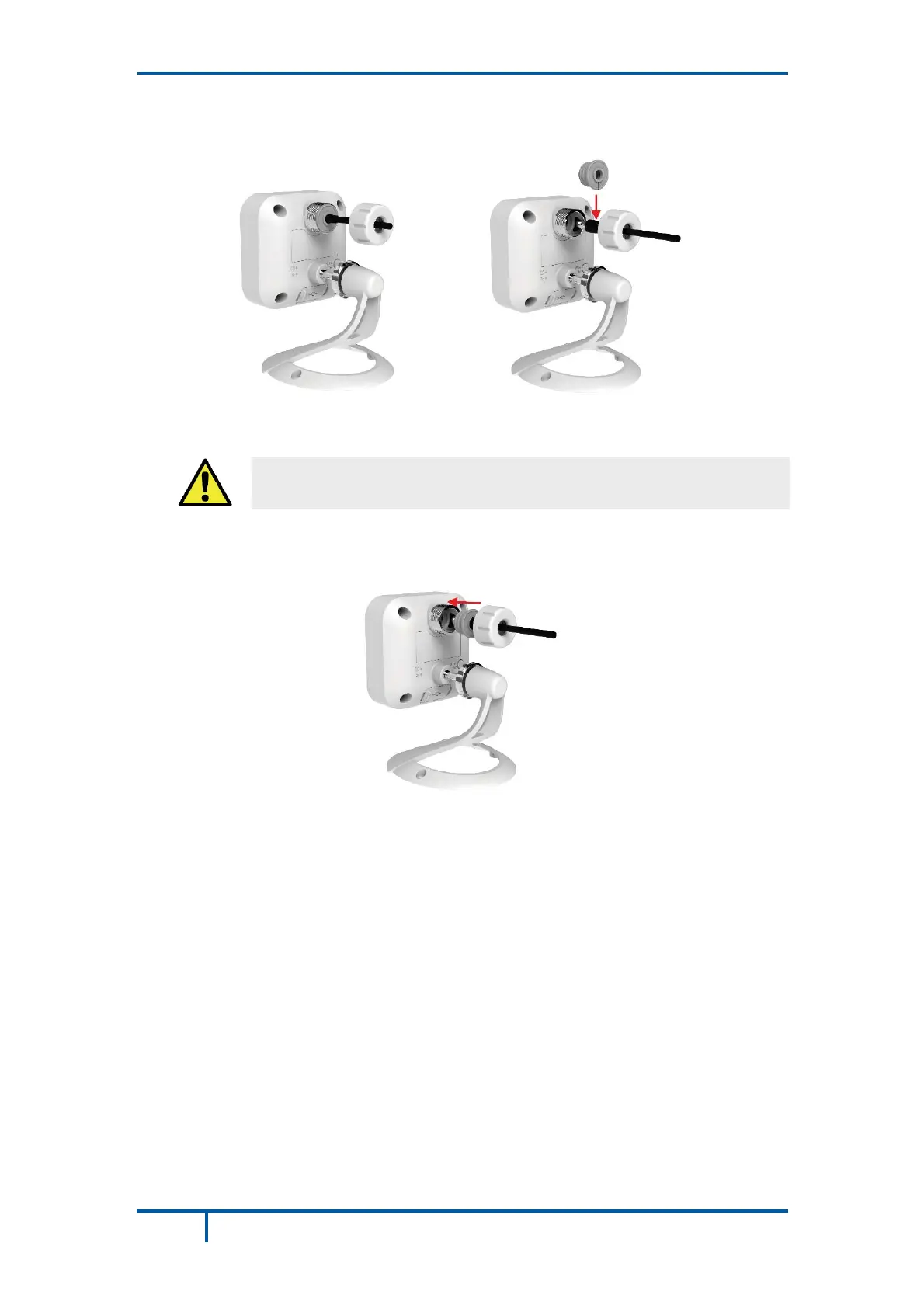
Connect the power cable into the back of the camera, and then insert the
grommet as shown in the figures below.
Figure 8: Attaching the Power Cable
Ensure that the grommet is positioned properly to prevent water
from entering the camera.
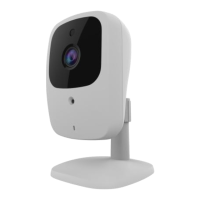
Rotate the power input cover to tighten it, providing a watertight seal for the
power cable.
Figure 9: Securing the Power Cable
Plug the adapter end into a power outlet.
Adjust the camera to a desired position and secure it firmly.
Verify that the camera is active on the wireless network and is recognized by
ADT Pulse.
Note: If the camera does not re-connect, use of the ADT Wi-Fi extender, part #
WN3000RPH-2ADPAS may be recommended to improve wireless connectivity.
22 OC835-ADT Outdoor HD Camera Installation Guide


 To Next Page