21
Chapter 4
Advanced Viewing Setup
This Chapter provides information about the optional settings and features for
viewing video via the Network Camera. This Chapter is for the Camera
Administrator only.
Introduction
This chapter describes some additional settings and options for viewing live Video:
Adjusting the video image
Controlling user access to the live video stream
Making video available from the Internet
Using the Motion Detection feature
Adjusting the Video Image
If necessary, the Network Camera Administrator can adjust the Video image.
To Adjust the Video Image:
1. Connect to the Web-based interface of the Network Camera. (See Chapter 5 - Web-based
Management for details.)
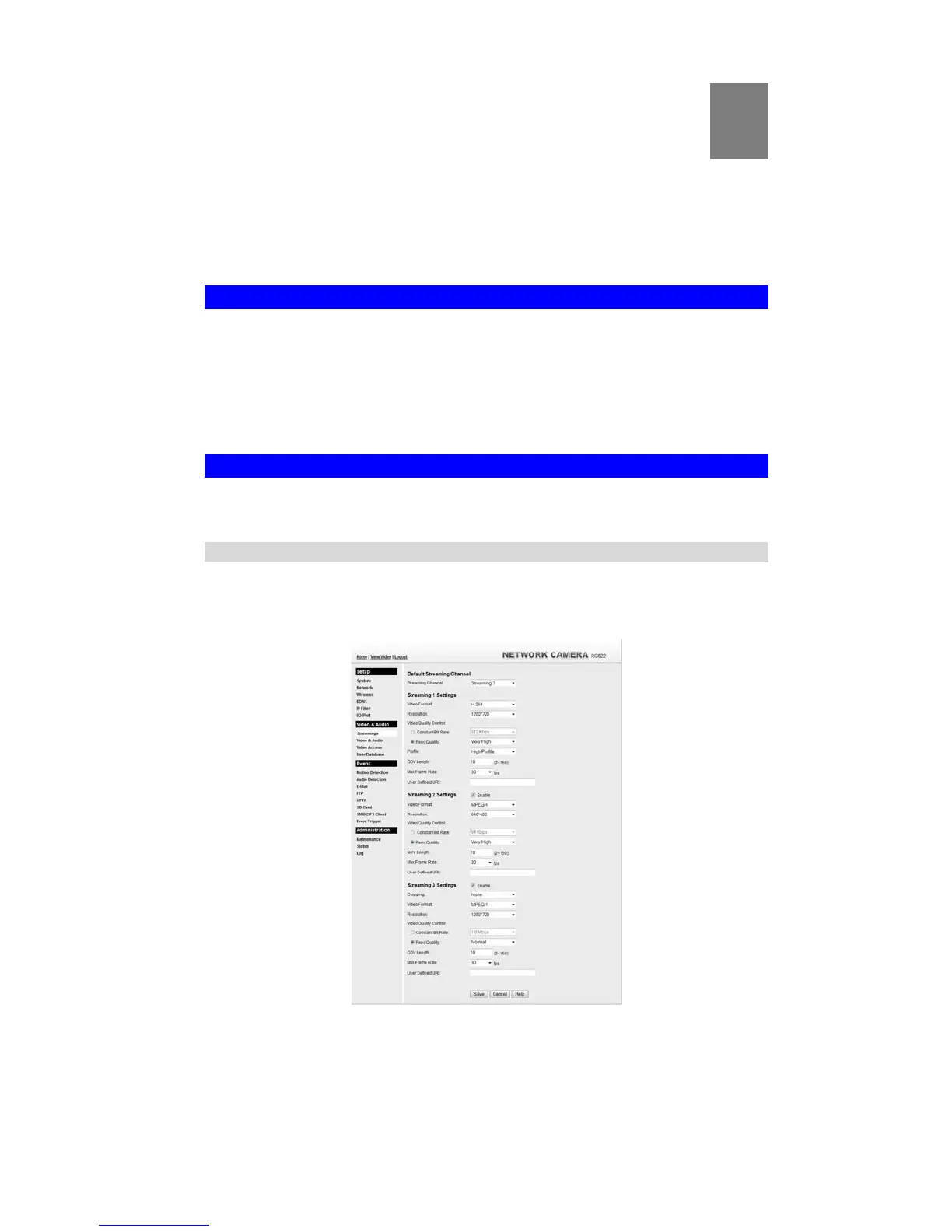
2. Select Administration, then Streamings. You will see a screen like the example below.
Figure 20: Streamings Screen
4


 To Next Page