4
Physical Details – Wireless Network Camera
Front – Wireless Network Camera
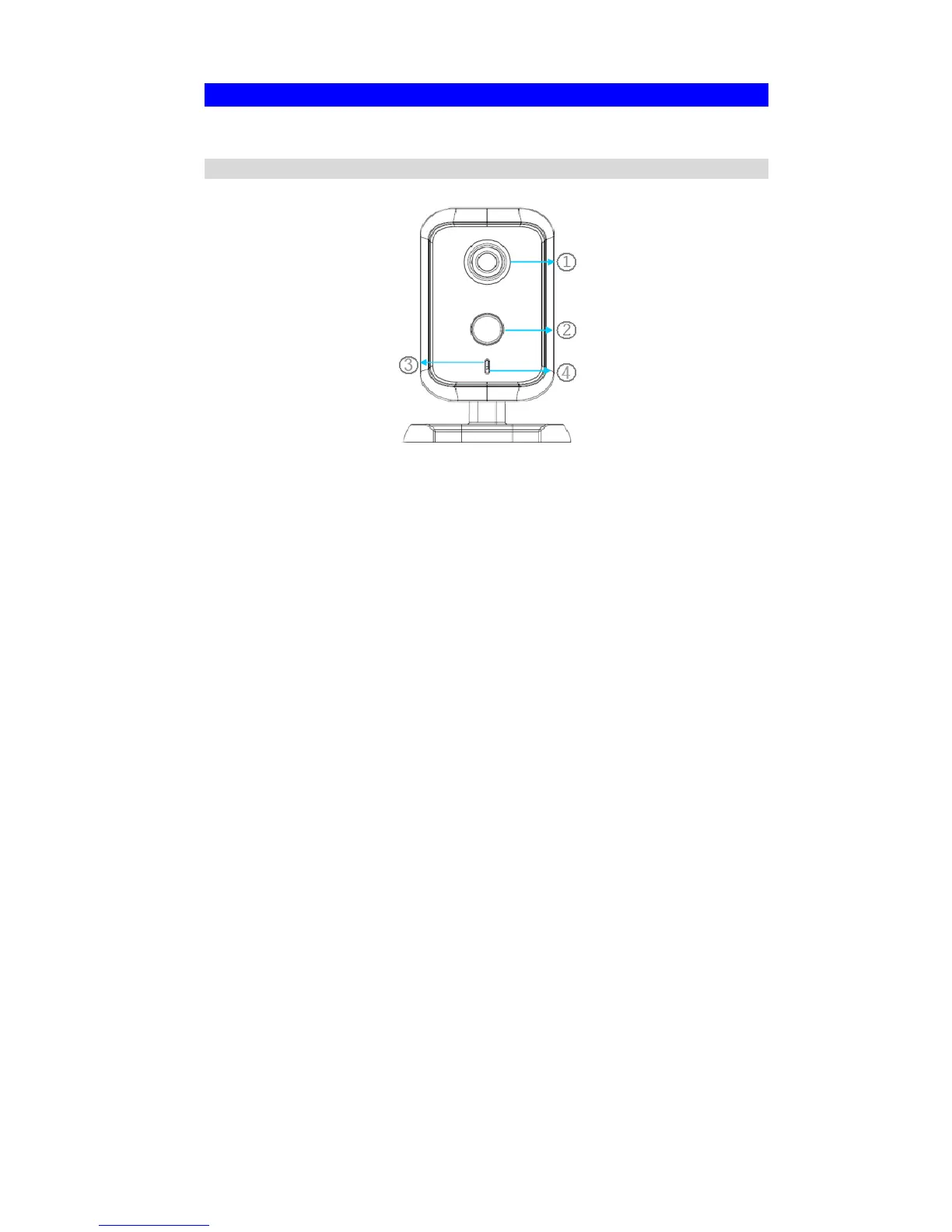
Figure 2: Front Panel
1. Lens
No physical adjustment is required or possible for the lens, but you
should ensure that the lens cover remain clean. The image quality is
degraded if the lens cover is dirty or smudged.
2. PIR Sensor
The PIR sensor is designed for human body detection.
3. Privacy LED
On - The Privacy function is enabled.
Off - The Privacy function is disabled.
4. Microphone
The built-in microphone is useful for bi-direction voice
conversation.


 To Next Page