46
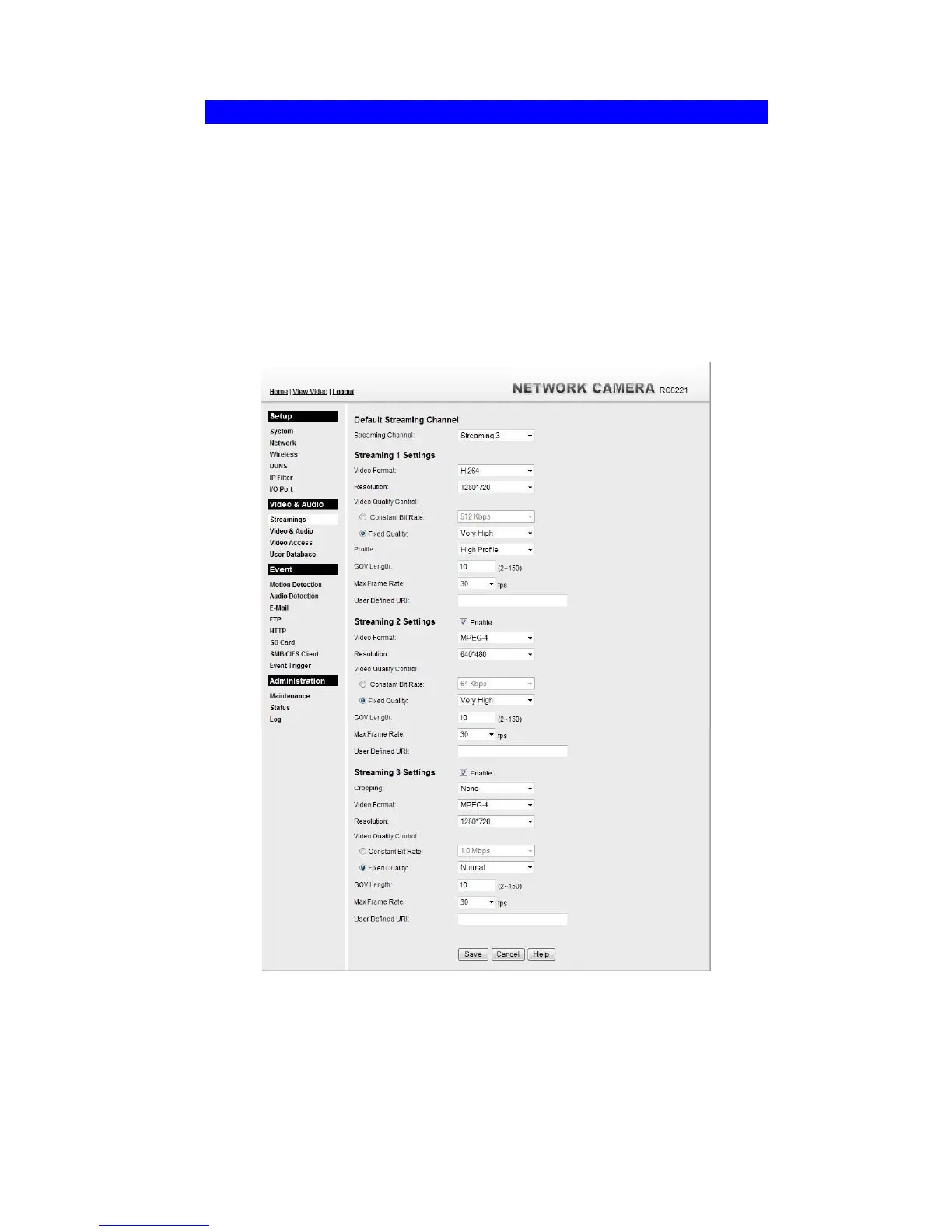
Streamings
This screen is displayed when the Streamings menu option is clicked.
If you want to view streaming via the cell phone:
1. Cell phone should be supported by 3GPP protocol.
2. Enter 554 for RTSP port number in the Network screen.
3. Both MPEG-4 and H.264 format support cell phone option.
4. Enter the following address in the URI:
RTSP:// Router IP address / User Defined URI
5. Select 15 fps for Max Frame Rate.
Note! Due to the bandwidth limitation for the cell phone usage, please set the resolution,
quality and frame rate to lower values.
Figure 34: Streamings Screen


 To Next Page