27
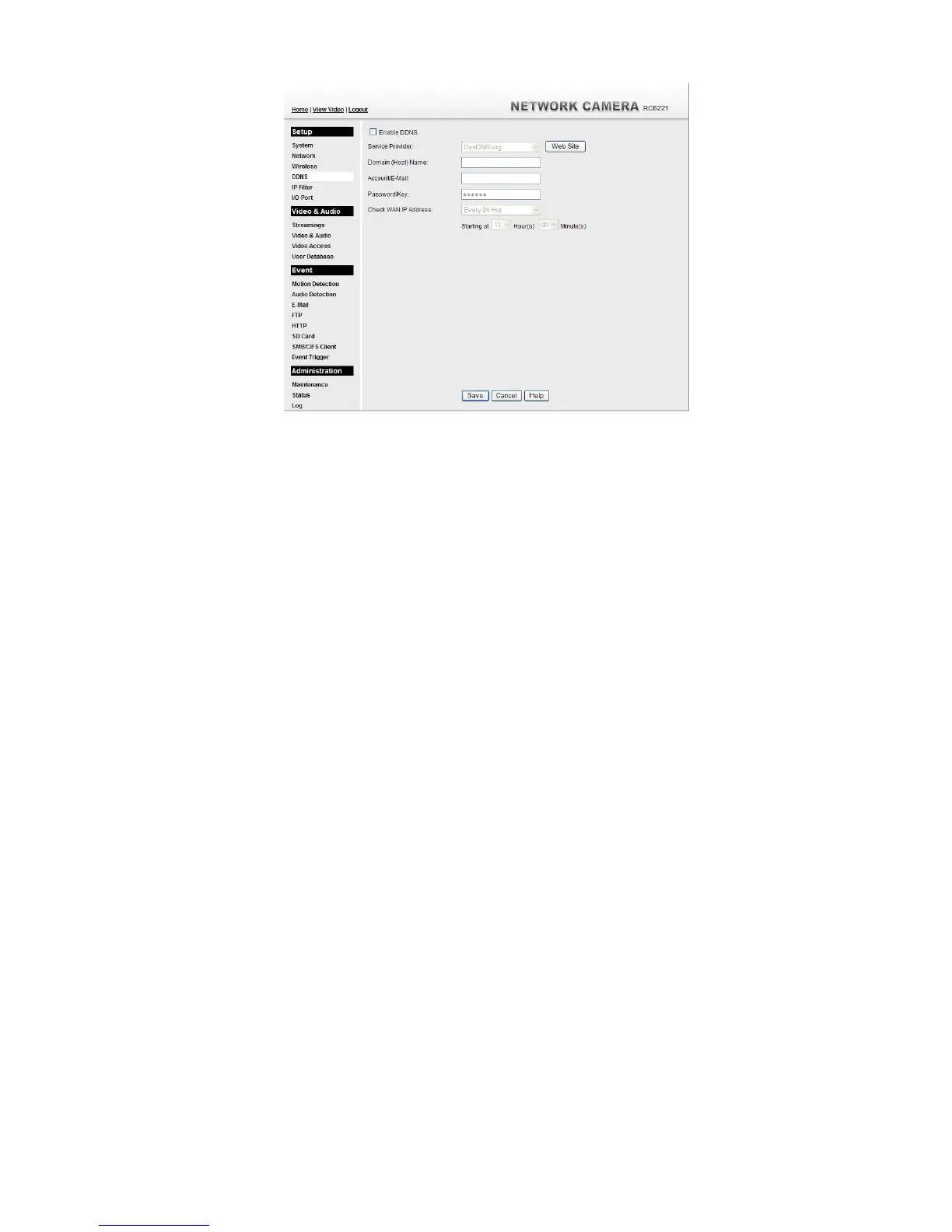
Figure 24: DDNS Screen
4. Operation is then automatic:
The Network Camera will automatically contact the DDNS server whenever it detects
that the Internet IP address has changed, and inform the DDNS server of the new IP
address.
Internet users can then connect to the camera using the Domain Name allocated by the
DDNS service provider.
Example: HTTP://mycamera.dyndns.tv:1024
mycamera.dyndns.tv is domain host name. 1024 is the port number.


 To Next Page