LKS-CD17SR / CD19SR User Manual
17
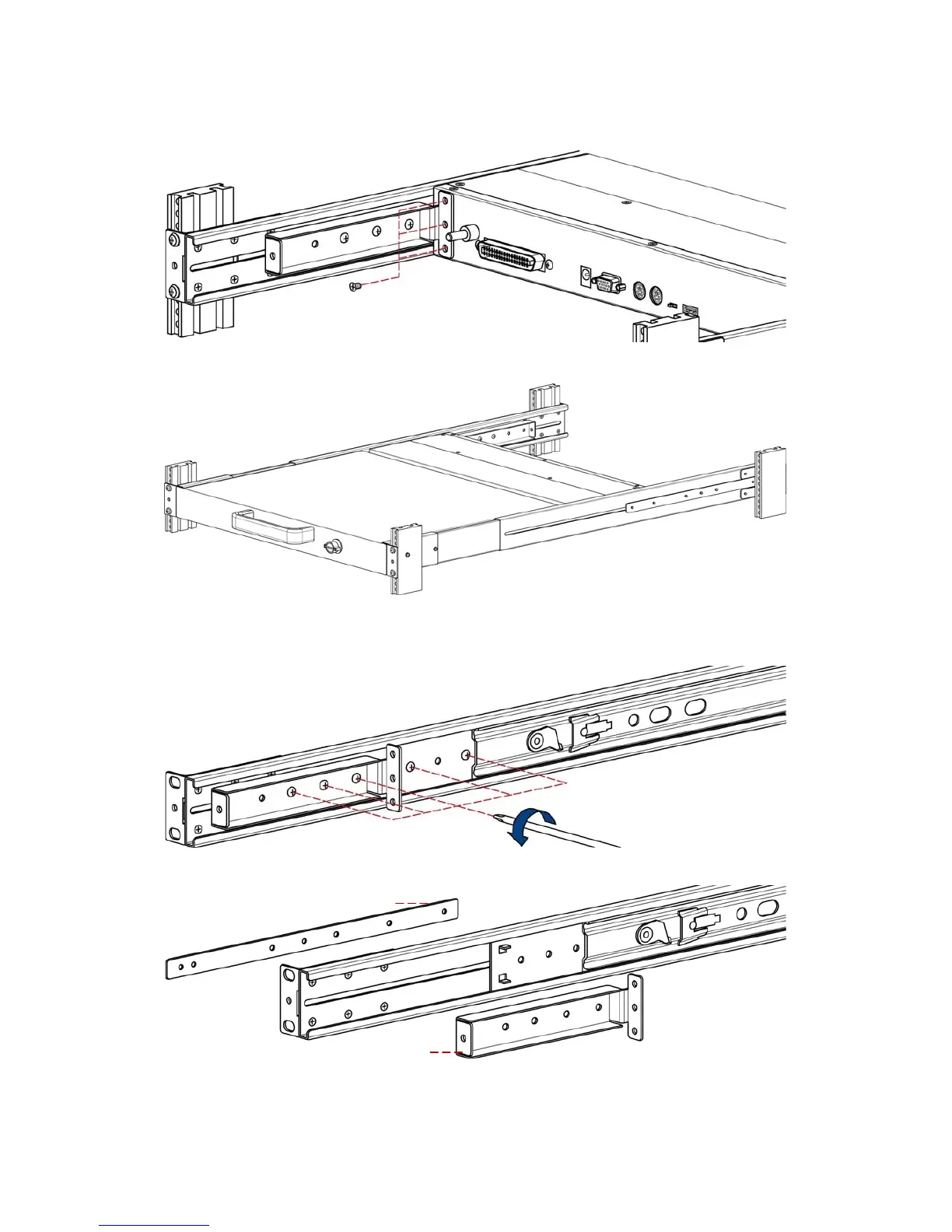
9. Install three screws (length = 6 mm) in rear of the console. (Both sides)
10. Finish installation as below.
3.1.4 Step B (Replace short bracket)
1. Remove five screws and keep them.
2. Take two original brackets out.
original bracket
original bracket attachment


 To Next Page