LKS-CD17SR / CD19SR User Manual
18
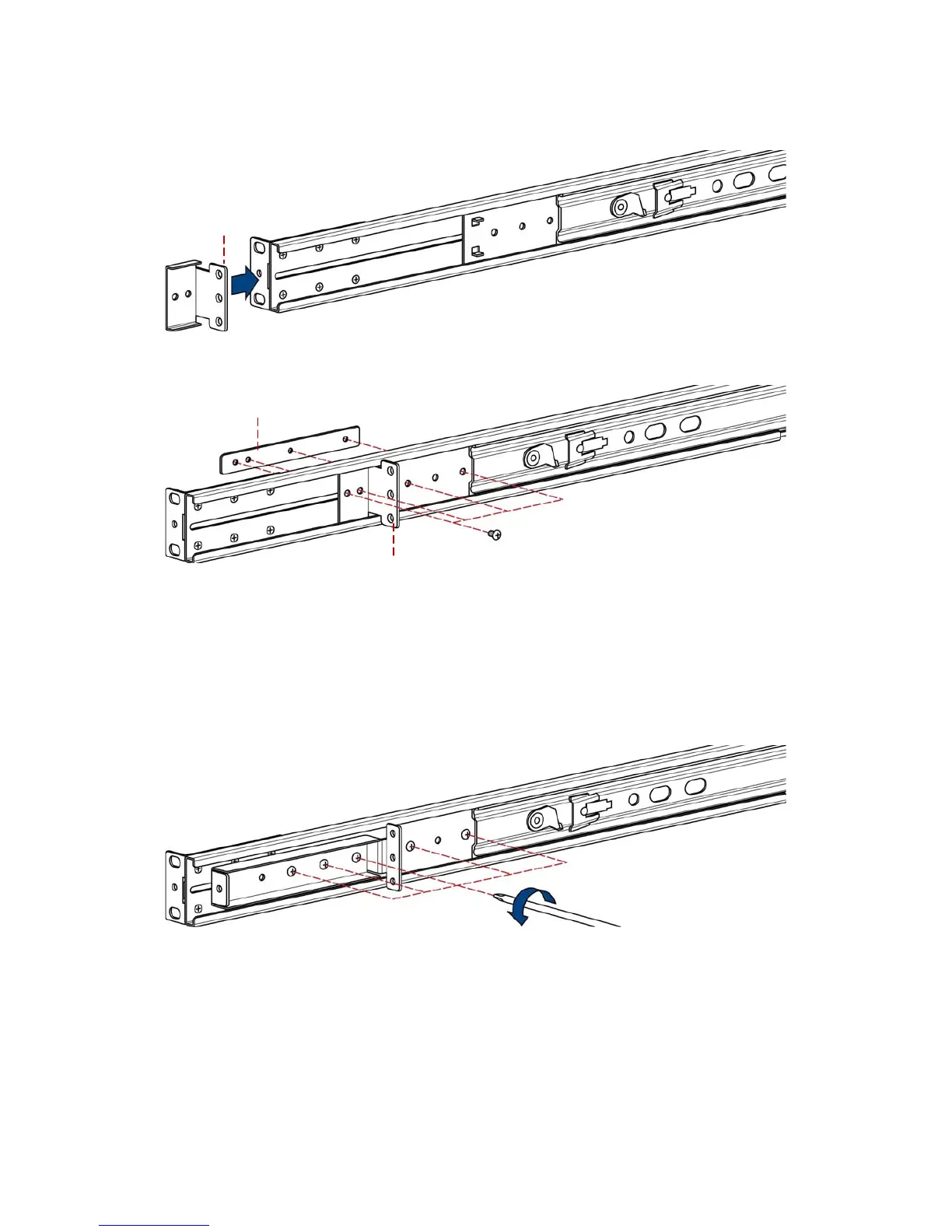
3. Put short bracket to rear of the rail.
4. Install four screws (don’t tight-up) to combine rail, short bracket and bracket
attachment.
5. Repeat step 1 ~ 4 for the other side.
6. Repeat step 3 ~ 10 of step A to finish the installation.
3.1.5 Step C (Replace extended bracket)
1. Loose (Not remove) five screws.
short bracket
short bracket
bracket attachment


 To Next Page