LKS-CD17SR / CD19SR User Manual
19
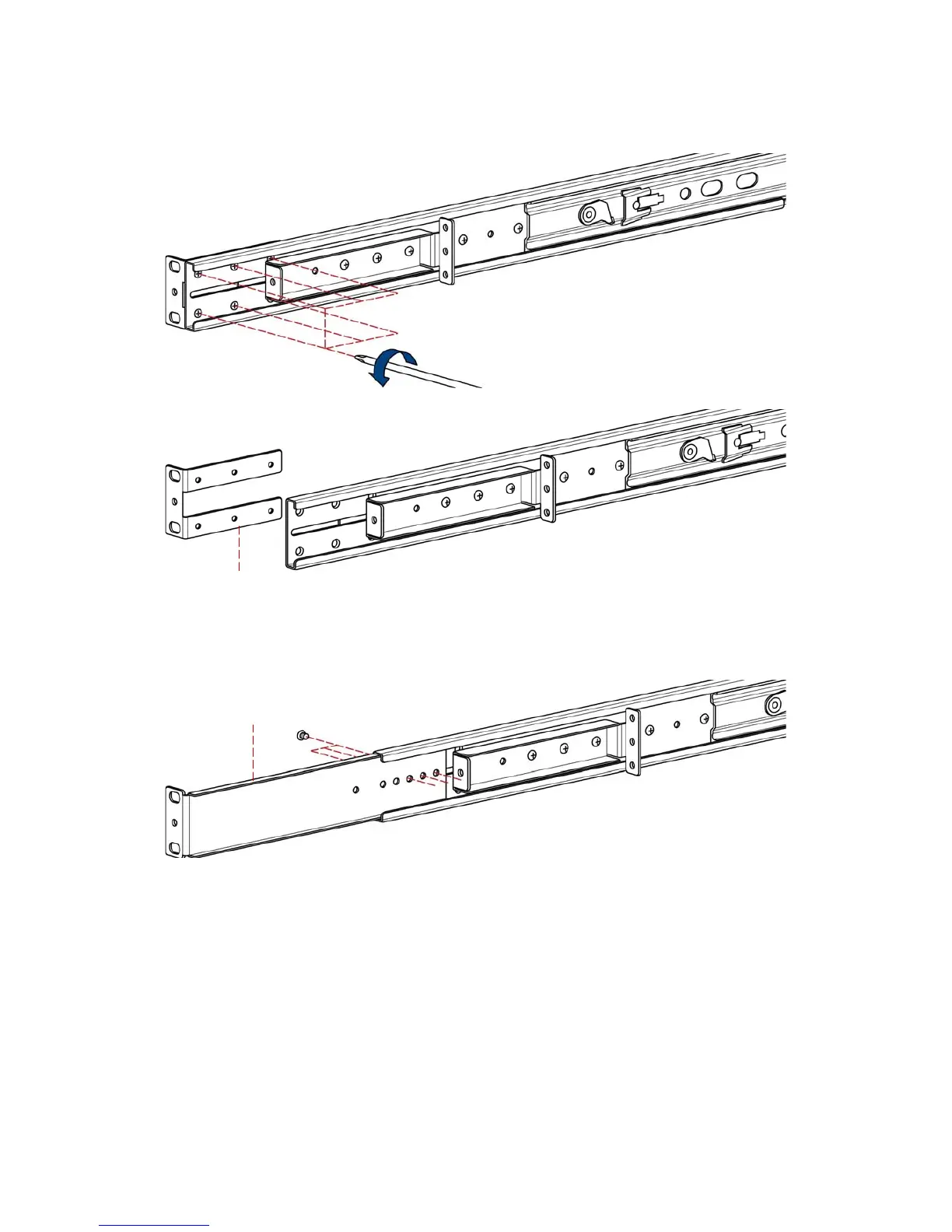
2. Adjust rail and release six screws.
3. Take rear bracket out.
4. Adjust rail and input extended bracket to rear of the rail then adjust extended
bracket to fit your cabinet. Install unless 2~3 screws (don’t tight-up) upon the
length you need. One is forbidden.
5. Repeat step 1 ~ 4 for the other side.
6. Repeat step 3 ~ 10 of step A to finish the installation.
original bracket
extended bracket


 To Next Page