LKS-CD17SR / CD19SR User Manual
24
3.2.3 Unload Steps
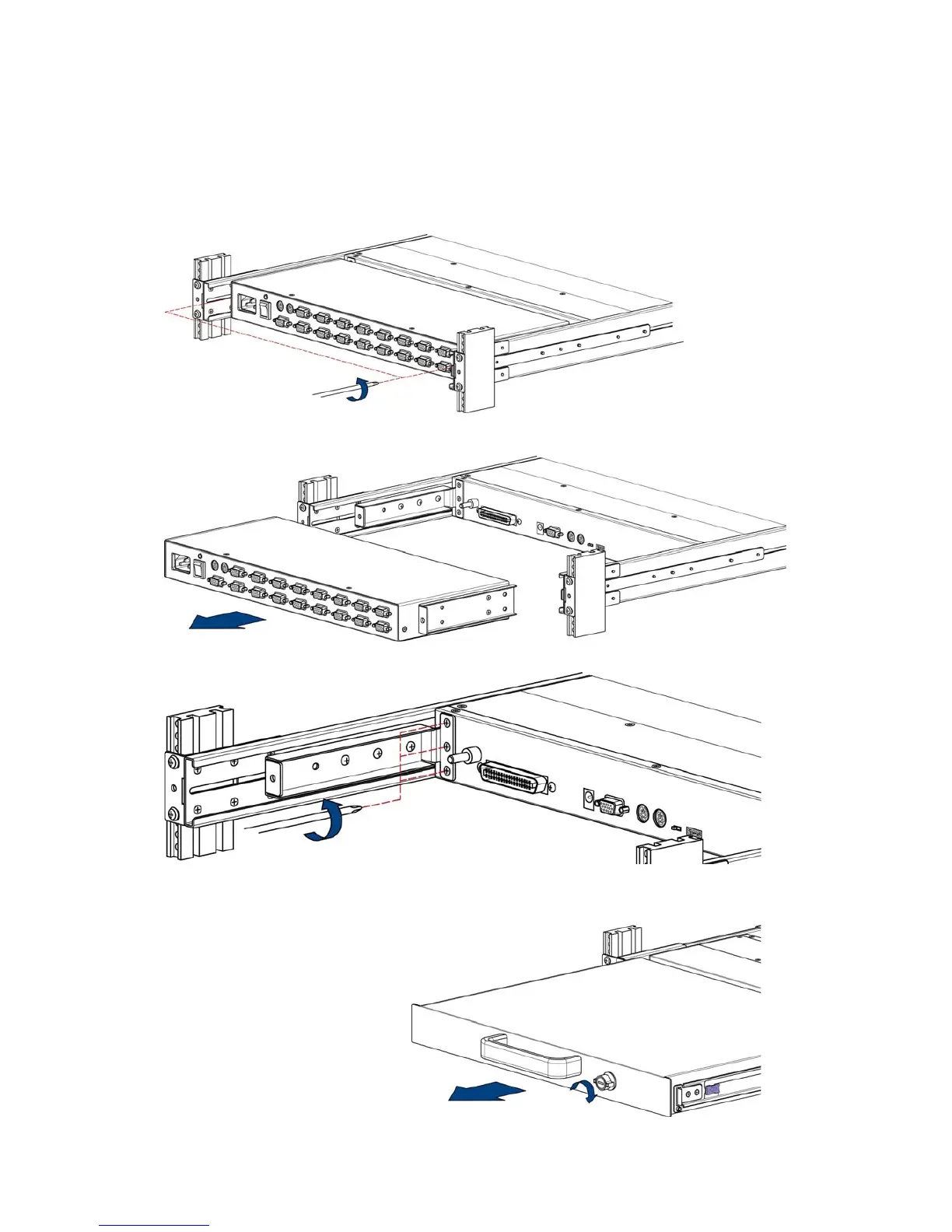
1. Make sure the console has been locked and turned off. Loosen two screws
(thumbscrews on Cat 5 KVM)
2. Pull out modular KVM switch.
3. Release three screws in rear of the console. (Both sides)
4. Unlock and pull console out until the console cannot go any further.


 To Next Page