The DynaDrive 1525-BRS is a servo drive designed for brush servomotors, functioning as a current source type PWM amplifier. It acts as a power duplicator for a command signal, which can originate from a battery, a motion controller, or a signal generator. This user guide provides product specifications, wiring diagrams, operational modes (torque and velocity), and troubleshooting procedures for the device.
Important Technical Specifications:
- Peak Power: 4.1 kW
- Peak Output Voltage: ± 164 VDC (shut off @ 205 VDC)
- Peak Output Current: ± 25 amps (1 sec.)
- Max. Continuous Current: ± 15 amps (50 °C), ± 19 amps (25 °C)
- Internal Shunt Regulator: 55 W continuous; 2.4 kW peak for .02 seconds (activates at 180 VDC)
Electrical Characteristics:
- Input Signal Voltage: ± 10 VDC (typ.), ± 36 VDC (max.)
- System Gain: 0 to 10,000 amps/volt
- Input Impedance: 40 k Ohms
- Typical Input Drift: 10 µV/°C
- Bandwidth: 2 kHz with 1.2 mH Inductance
- Dead Band: Zero
- Input Voltage: 45 - 120 VAC
Adjustments:
- Peak Current Limit: 0 to 25 amps
- RMS Current Limit: 0 to 19 amps
- Signal Command Input: Scaling
- Balance: Zero velocity offset
- Compensation: System response
- Tachometer: Scaling
Physical Characteristics:
- Module Dimensions (L x W x H): 7.6 in. x 2.5 in. x 4.7 in.
- Weight: 2.4 lbs
- Ambient Temperature – Operating: 0 °C to 50 °C
- Shutdown Temperature: 80 °C at heat sink
- Relative Humidity: 5 - 95% non-condensing
Usage Features:
The DynaDrive 1525-BRS can operate in two primary modes: Torque Mode and Velocity Mode.
Torque Mode:
In this mode, the DynaDrive closes only the torque loop, with the velocity loop being closed in the motion controller. The device is factory-preset for torque mode with a jumper installed at J3.
- Setup Procedure:
- Turn power off and remove J1.
- Verify all wiring connections and J3 jumper installation.
- Set RMS, PEAK CURRENT LIMIT, and SIGNAL pots according to the motor specifications (Table 2 in the manual). For preliminary testing, factory preset settings can be used.
- Ensure TACHOMETER pot is full counterclockwise (CCW) and COMPENSATION pot is full clockwise (CW).
- Replace J1.
- Inhibit the DynaDrive by pulling pin 8 of J1 to common.
- Turn power on.
- Ensure voltage at COMMAND + and COMMAND – is zero.
- Enable the DynaDrive by removing the inhibit.
- The green LED should be the only one on.
- Adjust the BALANCE pot to achieve zero volts at CURRENT MONITOR OUT (J1 pin 9).
- Apply a voltage (0 to +/- 10 VDC) at COMMAND + and COMMAND -. The motor shaft should turn CW when COMMAND + is positive and CCW when COMMAND + is negative. Torque increases with COMMAND voltage.
Velocity Mode:
In Velocity Mode, the DynaDrive closes both the torque and velocity loops. This mode requires a tachometer feedback signal from the motor or motion control system.
- Setup Procedure:
- Remove the cover to expose the Torque Mode Jumper at J3 and remove the jumper.
- Set RMS and SIGNAL pots per Table 2.
- Set PEAK CURR LIMIT pot to full CCW.
- Set remaining pots per Table 4 (Velocity Mode POT settings).
- The full setup procedure is detailed on page 16 of the manual, similar to the torque mode setup but with specific adjustments for velocity control, including tuning the PEAK CURR LIMIT and COMPENSATION pots for stable operation.
Potentiometer Adjustments:
The manual provides descriptions for each potentiometer's function:
- SIGNAL: Scales the command signal.
- TACH: Scales tachometer voltage gradients for feedback.
- COMPENSATION: Increases or decreases system response (bandwidth).
- PEAK CURR LIMIT: Sets the peak current output.
- BALANCE: Adjusts for zero motor rotation when no input signal exists.
- RMS: Changes the level of the RMS current.
- J1 - Control I/O Connection: Includes differential command inputs, common connections, tachometer input, limit switch inputs, inhibit/reset, current monitor output, and fault output.
- J2 - Servomotor Connection: Provides output power to the motor (MOTOR + and MOTOR -).
- AC Connector: For Line, Neutral, and Earth Ground.
Maintenance Features (Troubleshooting):
The DynaDrive 1525-BRS includes diagnostic LEDs to assist with troubleshooting:
- RUN GREEN LED: Indicates proper amplifier operation. If off with no red LEDs, it suggests loss of power, bus voltage below 60 VDC, or amplifier inhibition (J1, Pin 8).
- Red LEDs: When a red LED is ON, the amplifier is inhibited and requires a reset by toggling J1 pin 8 momentarily to Common.
- BUS OVER VOLTAGE: Indicates bus voltage exceeded 205 VDC, possibly due to rapid deceleration or back-driving. A shunt regulator is needed to dissipate motor energy, and its fuses should be checked.
- RMS/OVER TEMP:
- Excess RMS: Amplifier delivered current beyond continuous capability, possibly due to a mechanically stalled motor, binding, or shorted stator wires.
- Over temperature: Heat sink exceeded 80 °C, potentially due to insufficient airflow or high ambient cabinet temperature.
- SURGE/GROUND FAULT:
- Surge: Excessive current through power transistors, possibly due to damaged output power devices or shorted motor leads.
- Ground fault: One of the motor output wires is shorted to ground, possibly due to faulty/pinched wiring or motor arcing to case ground.
Other Conditions:
- Motor or Machine Runs Away:
- Check tachometer voltage at TP3 and TP6 relative to TP1.
- Ensure tachometer signal is phased correctly.
- Check position loop phasing (CNC command) relative to the position encoder feedback device.
Test Points:
The device has several test points (TP1-TP8) for monitoring various signals and potentiometer wipers, aiding in diagnosis and setup. For example, TP1 is Common, TP2 is the SIGNAL input POT wiper, and TP3 is the TACH input wiper.

 Need help?
 General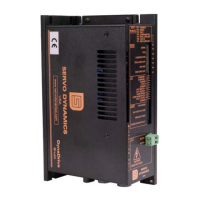

 To Next Page