23
ENGLISH
Instruction Manual
Device Overview Device Description/Functions
SERVOX
®
digital Speech Aid
Battery Check
The SERVOX
®
digital electronics ensure that the volume
will stay at the set level and will not decrease with redu-
ced battery voltage.
A red light will flash during use if the battery requires
charging (see illustration).
If the battery reaches a voltage level that does not allow
for normal use, the red light (LED) will remain illuminated
but no sound will be emitted.
The speech aid must then be charged in the charger or
the battery changed.
Inserting the Battery
Completely charge the NiMH battery in the charger before using the device for the first time (see
LA 2.40 Charger General Instructions). Remove the bottom cover and place the battery into the
device with the minus pole (‘–‘) pointing away from you.
Please note:
For optimal use the batteries should be
alternated, i.e. after each use the battery
should be swapped. You can number
the batteries to make this easier.
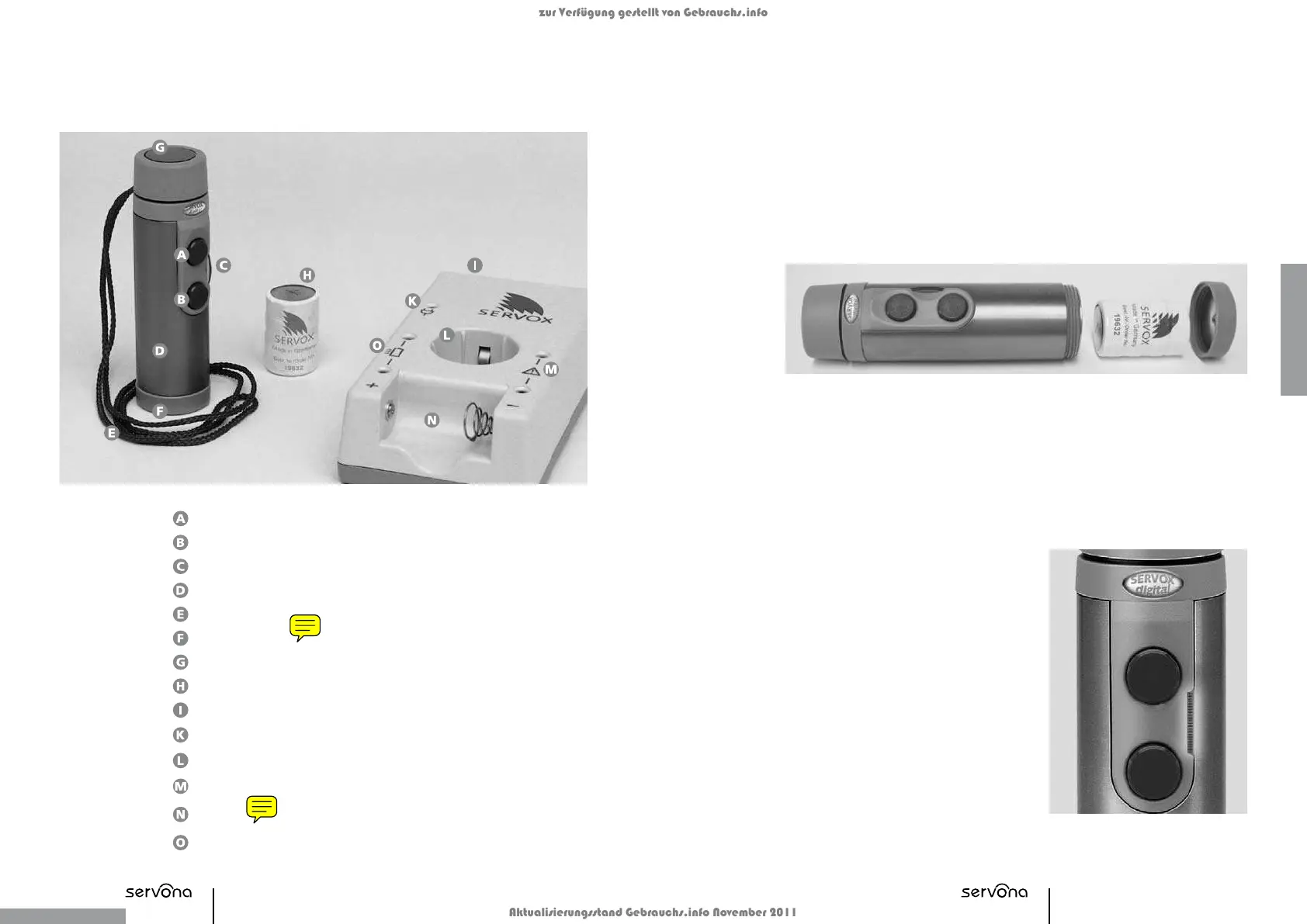
Button A
Button B
Volume Control/Battery Status Display
Titanium Housing
Safety Cord
Bottom Cove
Hard Membrane
Battery
Charger
Operating Display
Charging Shaft for SERVOX
®
digital
Error Display
Charging Compartment for Replacement
Batter
Charging Display
zur Verfügung gestellt von Gebrauchs.info
Aktualisierungsstand Gebrauchs.info November 2011


 To Next Page