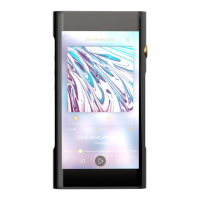
SHANLING M5S – ADVANCED USER MANUAL
Page 5
PLAYBACK SUBMENU
Max Volume
Setting up maximal allowed volume.
To set up, click “+” and “-“ symbols or drag finger over setting bar.
Swipe right or click “Return” icon to leave.
Default vol.
Setting up default volume after M5s boots up.
If “Vol. Memory” is enabled, M5s will remember last volume level before it was turned off.
Manual set up of default volume is possible once “Vol. Memory” disabled. M5s will boot up and
volume will be automatically changed to set value.
To set up, click “+” and “-“ symbols or drag finger over setting bar.
Swipe right or click “Return” icon to leave.
Resume Mode
• Off – M5s will boot up to main menu, with no audio file chosen
• Track – M5s will boot up, set to beginning of last played file
• Location – M5s will boot up, set to exact position in last played file
Swipe right or click “Return” icon to leave.
Gapless
If enabled, M5s will play follow up songs with no pause between them.
EQ
When enabled, user can choose from eight preset and three custom equalizer settings.
All settings can be adjusted by user with ten sliders. Swipe left and right to go between sliders.
“Reset” button will reset currently displayed equalizer setting to default values.
Swipe right or click “Return” icon to leave.
Gain
Setting up the gain of amplifier. This setting will affect maximal volume achievable with paired
headphones.


 To Next Page