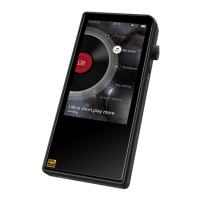
SHANLING M5S – ADVANCED USER MANUAL
Page 6
• L - Low gain is suitable for high sensitivity headphones, providing more precise
volume control and prolonging battery life.
• H - High gain is suitable for more power demanding headphones, for which low gain is
insufficient.
Warning: Lower volume of M5s before switching to high gain, to avoid any damage to hearing
and equipment.
Filter
Setting up digital filter, affecting data processing in build-in Digital to Analog converters AKM
AK4493EQ. Change of filter will result in small changes in final sound.
Visit AKM website for more information.
Click once to choose filter.
Swipe right or click “Return” icon to leave.
Note: Default setting from factory is “Slow Roll-off”.
Channel Bal.
Setting of channel balance between left and right channel.
To set up, click “+” and “-“ symbols or use slider.
Swipe right or click “Return” icon to leave.
Play Mode
• List play – M5s will play once all files from chosen album/folder/playlist.
• Repeat Track – M5s will play single chosen file in continuous loop.
• Shuffle – M5s will play files from chosen Album/folder/playlist in random order. Files
will be played only once.
• Repeat All –M5s will play all files from chosen album/folder/playlist in continuous
loop.
Swipe right or click “Return” icon to leave.
Note: Play mode can be quickly changed on now playing screen, viz Playback controls 1
Folder Skip
Setting affecting file playback in Folders Submenu.
If enabled, and if Play Mode is set up to “Shuffle” or “List Play”, after last file from chosen folder
is played, M5s will automatically follow up with file from next folder.


 To Next Page