19sharkclean.co.uk18 sharkclean.co.uk
MAINTAINING YOUR VACUUM
MAINTAINING YOUR VACUUM
CLEANING THE VACUUM FILTERS
NOTE: For best results, clean your filters at least once a month and replace the filters
regularly. To clean filters, clear loose debris and rinse with cold water ONLY to prevent
damage from cleaning chemicals. Allow all filters to dry fully before reinstalling to prevent
liquid from being drawn into electrical parts. Maintaining your Filters will ensure successful
cleaning and Auto-Empty evacuation (IP3000 series only).
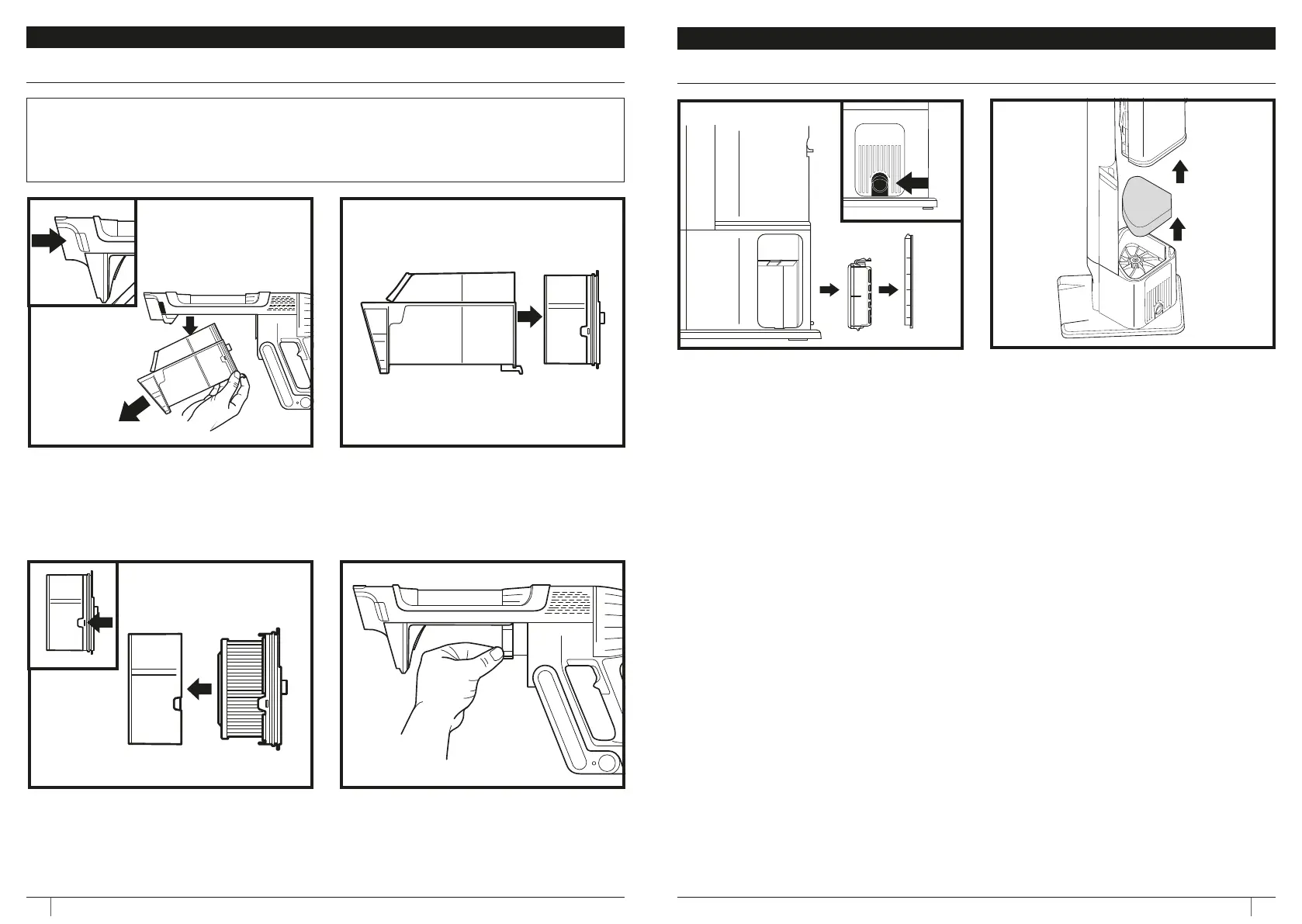
4. Pull the release tab to remove the Post
Motor filter for the vacuum.
5. After cleaning, slide the filter back into the
vacuum.
1. To access the dust cup on your IP3000
hand vacuum, engage the dust cup
removal button and pull downward
disengage from the hand vacuum.
3. Lift release tabs to open filter assembly
for cleaning.
2. Remove Pre Motor Filter from dust cup.
CLEANING THE AUTO-EMPTY DOCK FILTER
To access the filter in the dock, Press the button
at the bottom of the door, then tilt the door
and lift it o. Remove the filter from the dock.
After the filter has been cleaned, reinstall it by
reinserting back into the dock and replacing the
filter door.
Filter, remove the dust bin. Before removing
the Exhaust Foam Filter, remove any fine
debris from the surface using the hand
vacuum. Lift the Exhaust Foam Filter out of
the dock to clean and then reinstall.







 To Next Page