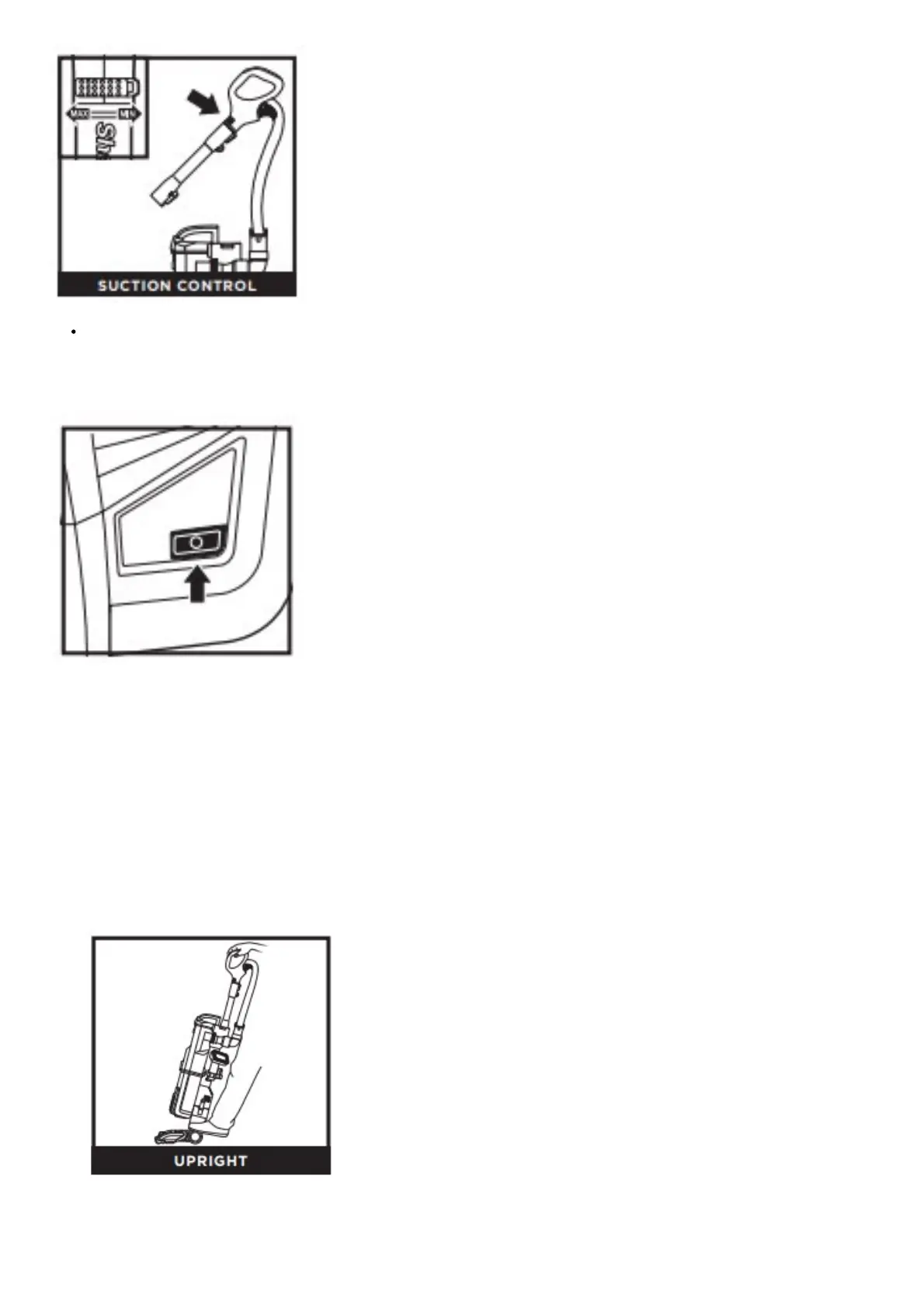
To reduce suction for more maneuverability on carpets, slide Suction Control to MIN. Slide to MAX for more suction on bare
floors.
BRUSHROLL INDICATOR LIGHT
WHAT DOES THE BRUSHROLL INDICATOR LIGHT MEAN?
Solid Green: The brushroll and Soft Roller are spinning and working properly.
Solid Red: There is a jam in the brushroll area. Turn your vacuum off and remove any blockages in the nozzle.
Flashing Red: The motorized floor nozzle is overheating. Turn off your vacuum and wait for it to cool down. After vacuum has
cooled for 60 minutes, push the power button to turn the vacuum back on and select the Carpet setting.
NOTE: For deep cleaning per ASTM F 608 (embedded dirt in carpets) please select Carpet mode.
NOTE: For particularly stubborn stuck-on dust messes on hard floors, select Carpet.
CLEANING MODES
1. To engage brushrolls, turn power on, then step on floor nozzle and tilt handle back.
2. Press the Handle Release Latch to detach the handle from the wand.




 To Next Page