EasyManua.ls Logo

Shark ION X30 - User Manual

Shark ION X30
2 pages
Print Icon
To Next Page IconTo Next Page
Loading...
IR100
IR100_QSG_REV_MP_180621
QUICK
START
GUIDE
Please make sure to read the enclosed Shark® Owner’s Guide prior to using your vacuum.
©2018 SharkNinja Operating LLC. SHARK is a registered trademark of SharkNinja Operating LLC.
SHARK ION and SMART RESPONSE are trademarks of SharkNinja Operating LLC.
VERSATILE CLEANING
Press the Wand Release
button on the top of the
wand to disconnect it from
the handheld vacuum.
Press the Power
button, then choose
your Surface setting
and your Suction
setting. Place your
foot gently on the
floor nozzle and tilt
the handle back.
Stand the vacuum upright.
Step on the Floor Nozzle
Release button and pull
the wand up to disconnect
it from the motorized
floor nozzle.
Attach desired cleaning accessory, then
choose your Suction setting.
Floor Nozzle
Release
OR
FLOOR ABOVE-FLOOR
NOTE: Brushroll will only engage
when the handle is tilted back.
Wand
Release
Wand Release
CONVENIENT STORAGE
Release the handvac
and hook onto wand
for convenient storage
in small spaces.
Wall Mount and
additional charging
options available at
sharkaccessories.com.
EMPTYING THE DUST CUP
1. To empty dust cup, first
remove the handvac from
the wand by pressing the
Wand Release button and
pulling up on the handvac.
2. Position dust cup over
a trash bin, then open
the bottom of the
dust cup by pressing
the Dust Cup Release
button on the side.
Wand
Release
Use this Quick Start Guide
to start using your new
vacuum’s great features.
For questions, visit us
online at sharkclean.com
Register your vacuum at
registeryourshark.com
ION
TM
X30
CORD-FREE ULTRA-LIGHT
Question and Answer IconNeed help?

Do you have a question about the Shark ION X30 and is the answer not in the manual?

Summary

Versatile Cleaning Modes

Floor Cleaning Operation

Instructions for using the vacuum on the floor, including surface and suction settings.

Above-Floor Cleaning

Guidance on disconnecting the wand for above-floor cleaning tasks.

Convenient Storage Solutions

Vacuum Storage

Information on storing the hand vacuum and hook for compact storage.

Dust Cup Maintenance

Emptying the Dust Cup

Step-by-step instructions for removing and emptying the dust cup.

Product Assembly and Components

Included Parts List

A list of all components included in the vacuum package.

Vacuum Assembly Guide

Instructions on how to assemble the different parts of the vacuum.

Smart Response Technology

Surface and Suction Settings

How to select floor types and adjust suction power for optimal cleaning.

ION Boost Feature

Explanation and usage of the ION BOOST for increased suction power.

ION Power Pack Management

Power Pack Indicators and Charging

Understanding battery indicator lights and charging the ION Power Pack.

Handling the ION Power Pack

Instructions for inserting, removing, and conditioning the power pack.

Versatile Charging Options

Details on the different methods for charging the vacuum's power pack.

Summary

Versatile Cleaning Modes

Floor Cleaning Operation

Instructions for using the vacuum on the floor, including surface and suction settings.

Above-Floor Cleaning

Guidance on disconnecting the wand for above-floor cleaning tasks.

Convenient Storage Solutions

Vacuum Storage

Information on storing the hand vacuum and hook for compact storage.

Dust Cup Maintenance

Emptying the Dust Cup

Step-by-step instructions for removing and emptying the dust cup.

Product Assembly and Components

Included Parts List

A list of all components included in the vacuum package.

Vacuum Assembly Guide

Instructions on how to assemble the different parts of the vacuum.

Smart Response Technology

Surface and Suction Settings

How to select floor types and adjust suction power for optimal cleaning.

ION Boost Feature

Explanation and usage of the ION BOOST for increased suction power.

ION Power Pack Management

Power Pack Indicators and Charging

Understanding battery indicator lights and charging the ION Power Pack.

Handling the ION Power Pack

Instructions for inserting, removing, and conditioning the power pack.

Versatile Charging Options

Details on the different methods for charging the vacuum's power pack.

Overview

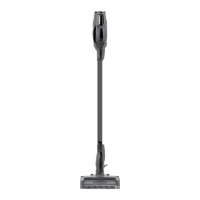
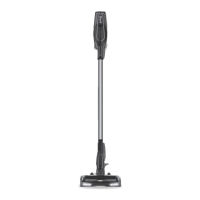
The SharkION X30 is a cord-free, ultra-light vacuum cleaner designed for versatile cleaning both on floors and above-floor surfaces. It features Shark's SMART RESPONSE™ technology, allowing users to intelligently switch between ION POWER and ION BOOST for optimized cleaning performance.

Function Description:

The SharkION X30 is a multi-purpose vacuum that can be used as an upright vacuum for floor cleaning or as a handheld vacuum for above-floor tasks. Its primary function is to provide powerful suction for various cleaning needs, from everyday dirt to heavy messes and embedded debris in carpets. The vacuum is powered by an ION Power Pack, offering cordless convenience.

Important Technical Specifications:

  • Power Source: ION Power Pack (rechargeable battery).
  • Charging Time: Approximately 3.5 hours for a full charge.
  • Battery Indicator Lights: Display charge status (Full, Mid, Low, Nearly Empty, No Charge).
  • Cleaning Modes:
    • Surface Settings: CARPET (for carpets) and FLOOR (for bare floors and small area rugs).
    • Suction Settings: ION POWER (for everyday cleaning) and ION BOOST (for increased suction for high-traffic areas and heavy messes).
  • Included Accessories: Handheld Vacuum, Motorized Floor Nozzle, Wand, Onboard Storage Hook, 8" Crevice Tool, ION Power Pack, ION Power Pack Charger.
  • Additional Accessories (available separately): Wall Mount, additional charging options, additional batteries.

Usage Features:

  • Floor Cleaning:
    • To use, press the Power button, then choose the appropriate Surface setting (CARPET or FLOOR) and Suction setting (ION POWER or ION BOOST).
    • Place your foot gently on the floor nozzle and tilt the handle back to engage the brushroll. The brushroll only engages when the handle is tilted back.
  • Above-Floor Cleaning:
    • With Wand: Stand the vacuum upright, step on the Floor Nozzle Release button, and pull the wand up to disconnect it from the motorized floor nozzle. Attach a desired cleaning accessory to the end of the wand.
    • Handheld Vacuum: Press the Wand Release button on the top of the wand to disconnect it from the handheld vacuum. Attach a desired cleaning accessory directly to the handheld vacuum.
    • Once an accessory is attached, choose your Suction setting.
  • SMART RESPONSE™ Technology:
    • Surface Settings Button: Allows switching between CARPET and FLOOR modes.
    • ION BOOST Button: Provides a timed 1-minute boost of increased suction. Press and hold for manual control of ION Boost for as long as needed. For deep cleaning (per ASTM F 608 for embedded dirt in carpets), select CARPET and ION BOOST settings. For stuck-on dirt and debris, select the Carpet setting.
  • ION Power Pack:
    • Insertion: Slide the ION Power Pack into the slot at the back of the hand vac.
    • Removal: Pinch the release tab and slide out the ION Power Pack.
    • Charging: The ION Power Pack can be charged in the vacuum, out of the vacuum, or in an available charging dock (sold separately). It comes with a partial charge and should be fully charged prior to first use, then completely discharged to condition the pack.
  • Convenient Storage: The handheld vacuum can be hooked onto the wand for compact storage in small spaces. Wall mount and additional charging options are available for purchase.

Maintenance Features:

  • Emptying the Dust Cup:
    1. First, remove the handheld vacuum from the wand by pressing the Wand Release button and pulling up on the handvac.
    2. Position the dust cup over a trash bin.
    3. Open the bottom of the dust cup by pressing the Dust Cup Release button on the side.
  • General Maintenance: For complete maintenance instructions, users are directed to consult the enclosed Owner's Guide.
  • Parts and Accessories: Additional parts and accessories, including batteries and charging accessories, can be purchased from sharkaccessories.com or sharkclean.com/batteries.

The SharkION X30 is designed for ease of use, offering a flexible and powerful cleaning solution with its cordless design and intelligent suction control.

Shark ION X30 Specifications

General IconGeneral
BrandShark
ModelION X30
CategoryVacuum Cleaner
LanguageEnglish

Related product manuals